How to Perform a Systems Test on My PetSafe® In-Ground Fence™
Always remove the dog’s collar and safely contain him before beginning any troubleshooting.
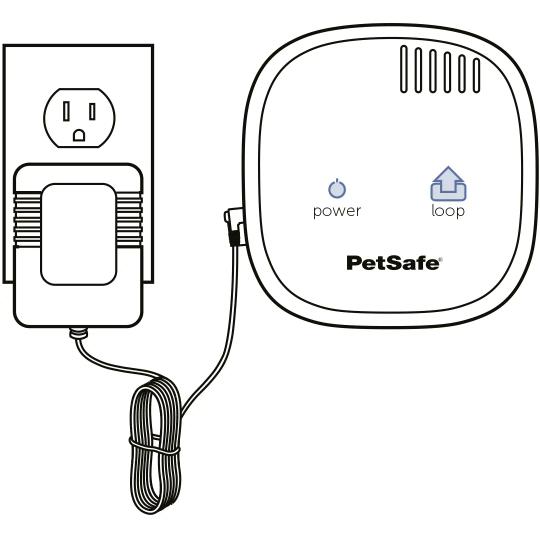
Ensure the plug is securely inserted into the outlet and wall unit.
Remove the boundary wires from the wall unit. If you do not see the loop light go out, please contact Customer Care for further assistance.
Unplug the unit from the outlet.
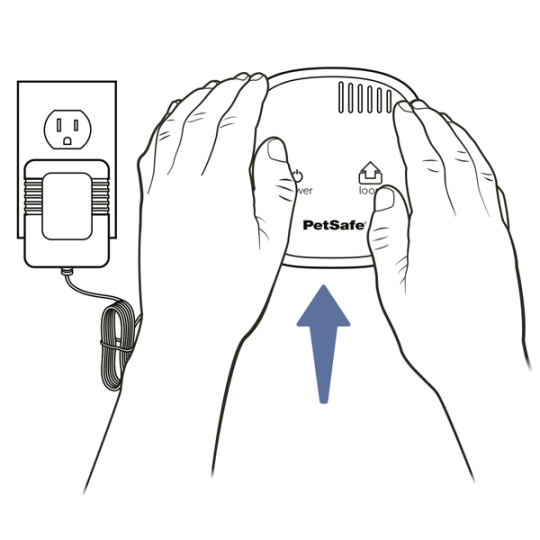
Remove the wall unit from the wall by sliding it up and off the mounting screws and place it on the floor.
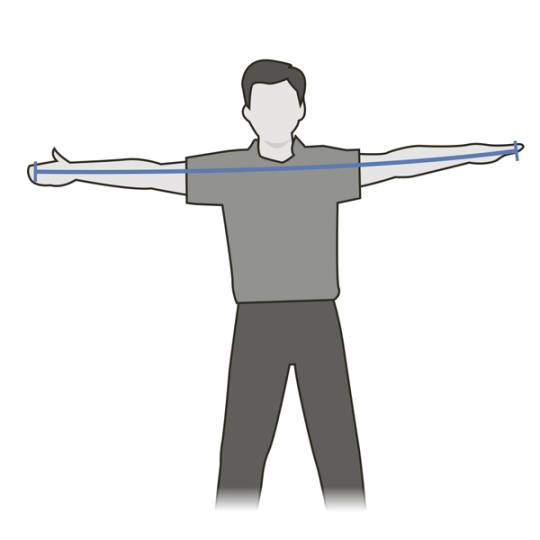
Cut a new 10 to 15 foot length of boundary wire from the spool. Measuring the wire fingertip to fingertip twice will typically be between 10 and 15 feet. Use only boundary wire rated for outdoor, in-ground use.
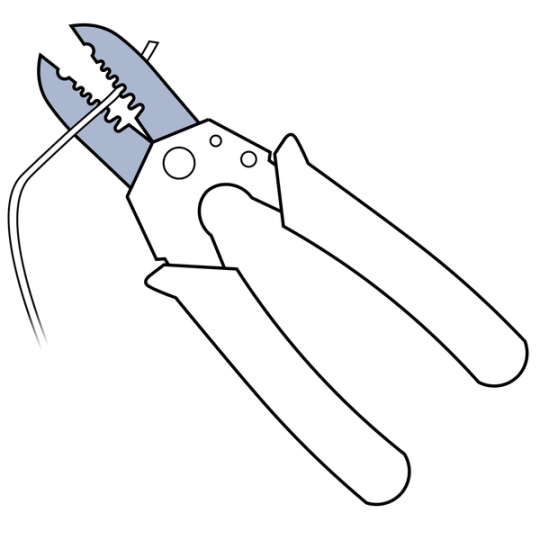
Strip 3/8 inch of insulation off each end of the 10–15 foot wire.
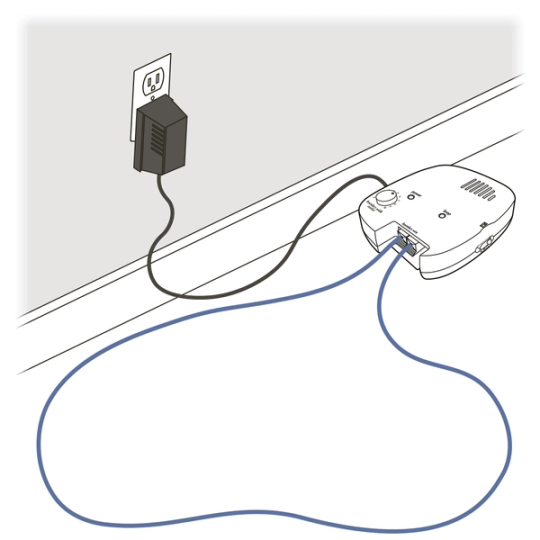
Plug the ends of the short wire into the boundary terminals. Lay the wire out on the floor so that it is not touching itself and resembles a circle.
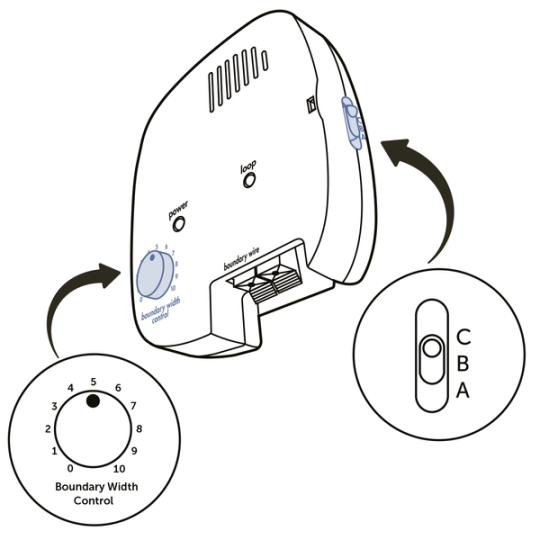
Set the ABC switch to B. Also, set the boundary width dial to number 5. Plug the unit back into the wall outlet. Be sure to bypass any surge protector in use.
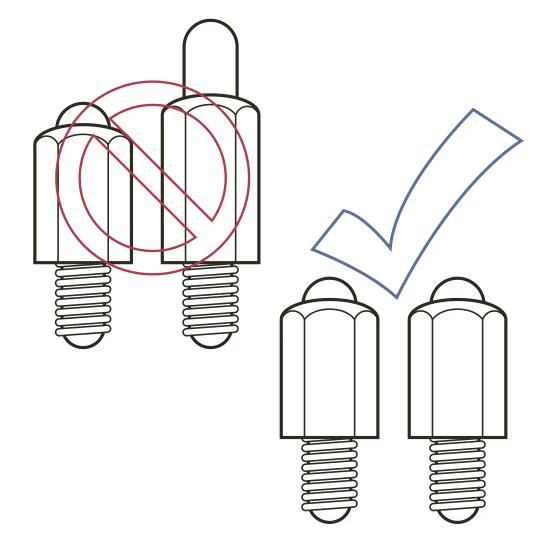
Make sure your collar contact points are the same length and hand tight.
Set the collar to the highest correction level.
While standing outside of the wire circle, hold the collar in your hand at your dog’s head height. Use the test light tool on the contact points, click HERE for assistance using the Test Light Tool. Do not swing the collar. Once the collar flashes red, it is indicating correction. Take note of where the collar activates.
Due to the short length of the wire on the Systems Test, it is expected that the warning zone may seem non-existent and the difference in where the collar activates will be minimal.
Set the wall unit dial to 10 and repeat step 11. If your collar activates slightly further away from the short wire, your system is functioning properly.
- If you have bypassed any surge protection for this test, repeat steps 5– 12 with the surge protection connected to ensure the same results. If your system does not give the same results, your surge protection could be causing issues and you should contact Customer Care for further assistance.
Interpret your Systems Test results:
- If your wall unit alerted you to an issue by not having a loop light before completing the Systems Test, you have a Full Break in your yard wire.
- If your system appeared to work normally with your yard wire plugged in but the wire had dead zones, or the loop light was on and then would go out after a delay, you have a Partial Break in your yard wire.
- If your wall unit has a loop light with your yard wire plugged in but the collar Is correcting in the safe zone, you are experiencing an amplified signal.
- If your collar corrected in the same location when the dial was set to 5 and 10 on the Systems Test, contact Customer Care.
- If your collar did not correct at all, and you are experiencing issues with your system, please contact Customer Care.
- If your wall unit did not have a loop light on the Systems Test, contact Customer Care.
Set your collar correction level back to the dog’s recognition level after the test.
Contact Customer Care
If you need further assistance, please contact our customer care team.