The Light Is Blinking Blue and Red on My PetSafe® ScoopFree® Crystal Classic Self-Cleaning Litter Box
After each step, press the rake button to cycle the litter box to see if the issue is resolved.
Power Cycle the Litter Box
Unplug the litter box for 30 seconds. Plug it back in, and the rake will attempt to return to the home position.
Check the Waste Trap
Ensure the waste trap is not full. If it is, replace the litter tray. For more information, visit How To Change the Litter Tray in My PetSafe® ScoopFree® Crystal Classic Self-Cleaning Litter Box.
Clear Obstructions
Check for any obstructions that could be blocking the sensors or interrupting the rake and remove them. Ensure the litter is evenly distributed and there is no litter blocking the sensors.
Clean the Sensors
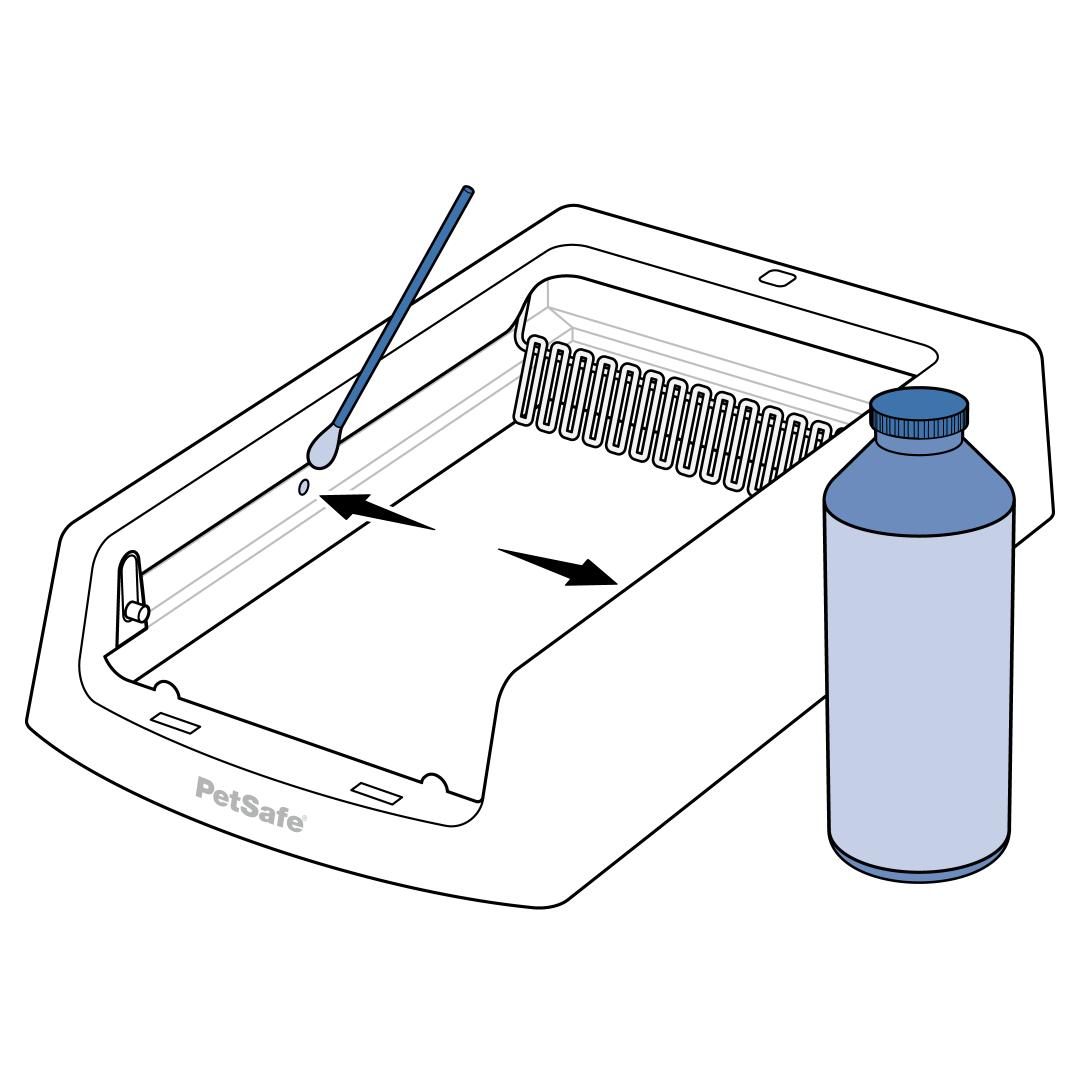
Clean the sensors. Even if the sensors look clean, wipe them with a cotton swab and rubbing alcohol to remove any film that may prevent the rake from working.
Clear the Rake Track
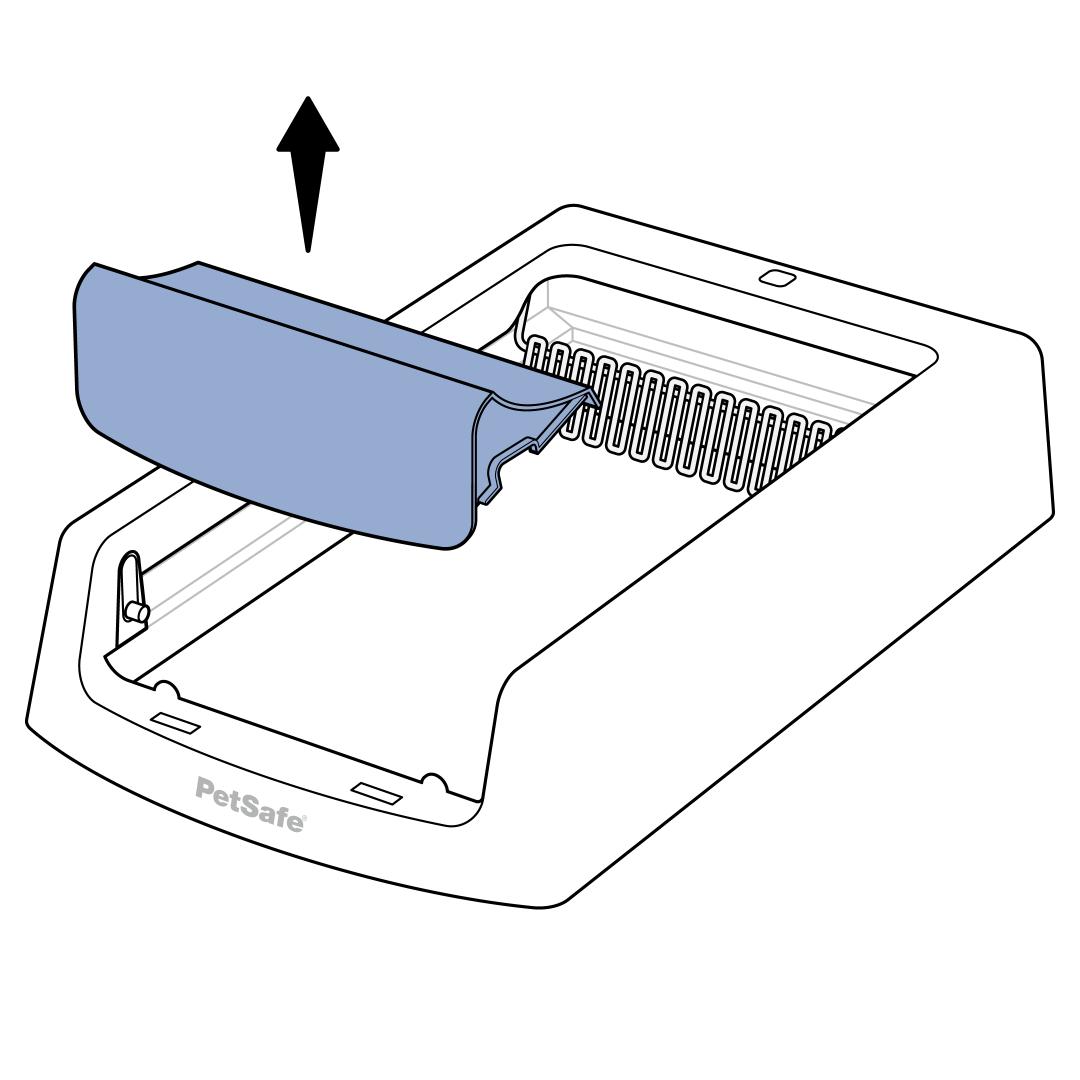
Lift straight up on the waste trap cover until it pops out of the notches on the litter box base to remove.
Do not pull up one side at a time. Pulling one side up first can result in damage.
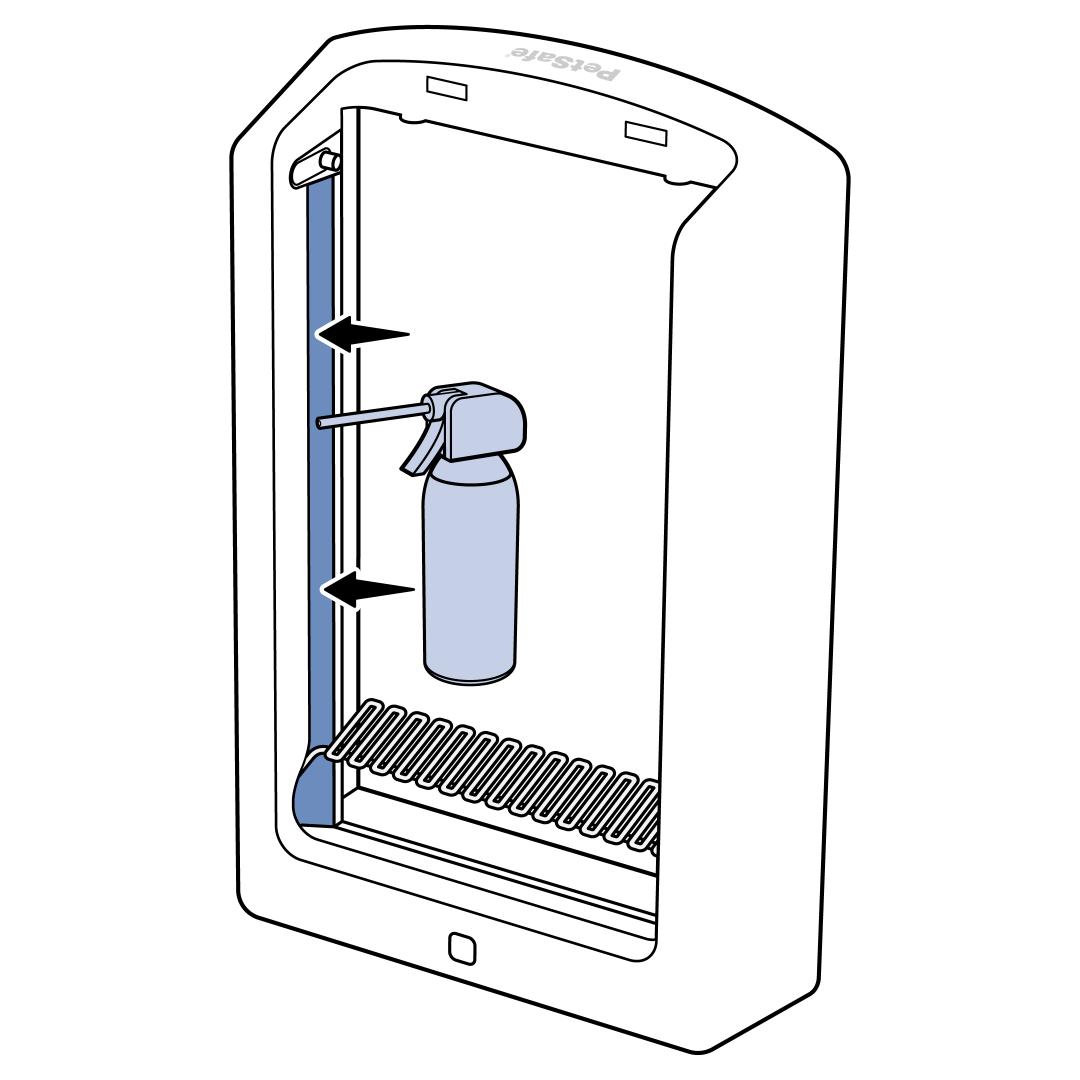
Lift the litter box from the front to an upright position. Press the rake button. If the rake is still stuck or not moving, clean out the rake track with compressed air or a damp cloth. Litter or debris can get caught in the track and prevent the rake from moving.
Clean the Litter Box
Thoroughly clean your ScoopFree® litter box. For more information, visit our article on How To Clean & Reassemble My PetSafe® ScoopFree® Crystal Classic Self-Cleaning Litter Box.