How To Track My Pet on the PetSafe® Guardian® GPS + Tracking App
Location update frequency:
- App open: about every 5 seconds
- App closed: about every minute
If your collar is not updating its location at this rate, you will need to update your equipment and app. Verify that the PetSafe® app is up to date in your phone’s app store. To update your collar, leave your collar on the base overnight.
The customer needs to have an active subscription on the collar to use this feature.
Open the My PetSafe® App and select the Guardian® GPS + Tracking under products.
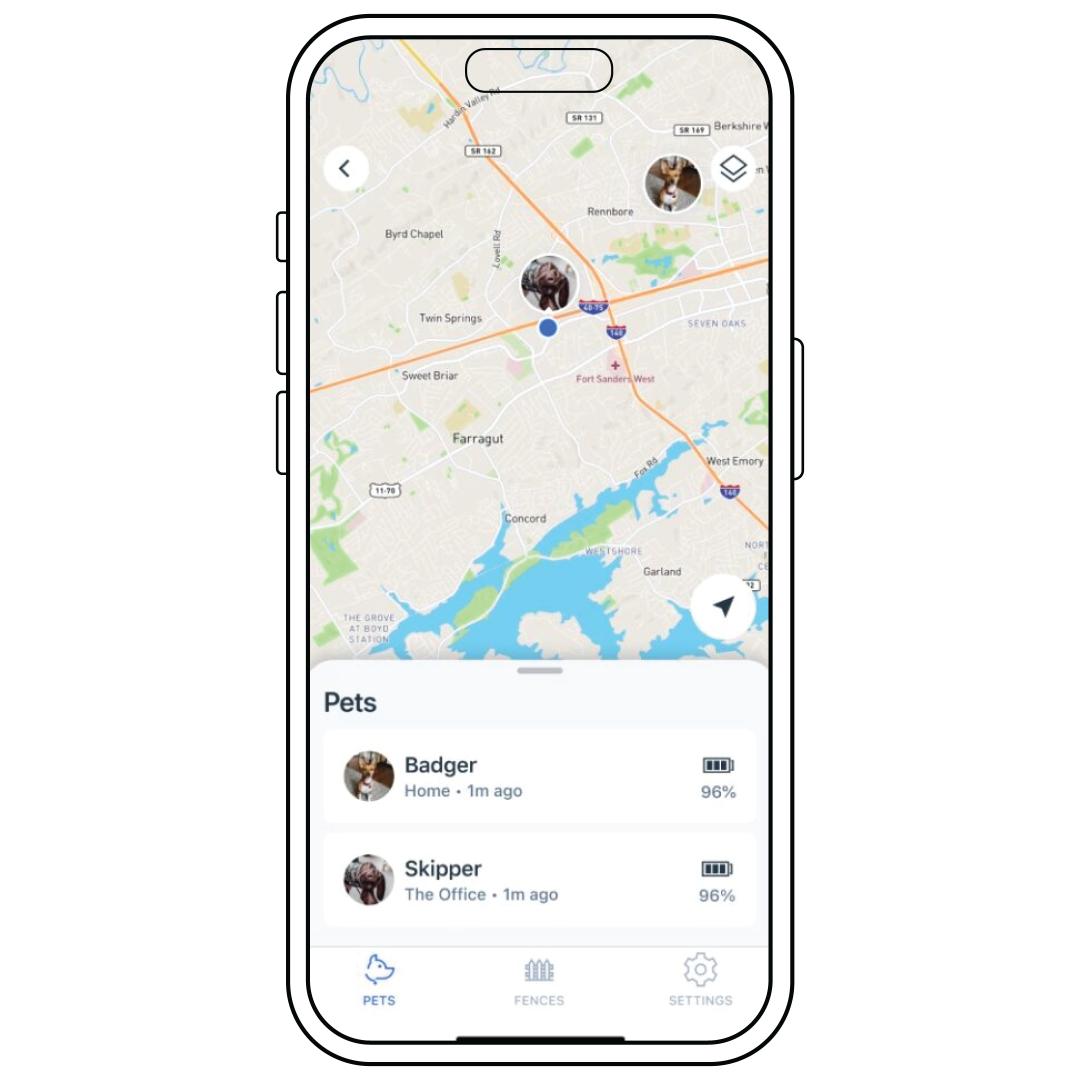
On the main page of the app, the map will be zoomed out showing all the pets. To see a specific pet’s location, zoom in on that pet. It will show the pet’s assigned fence boundary.
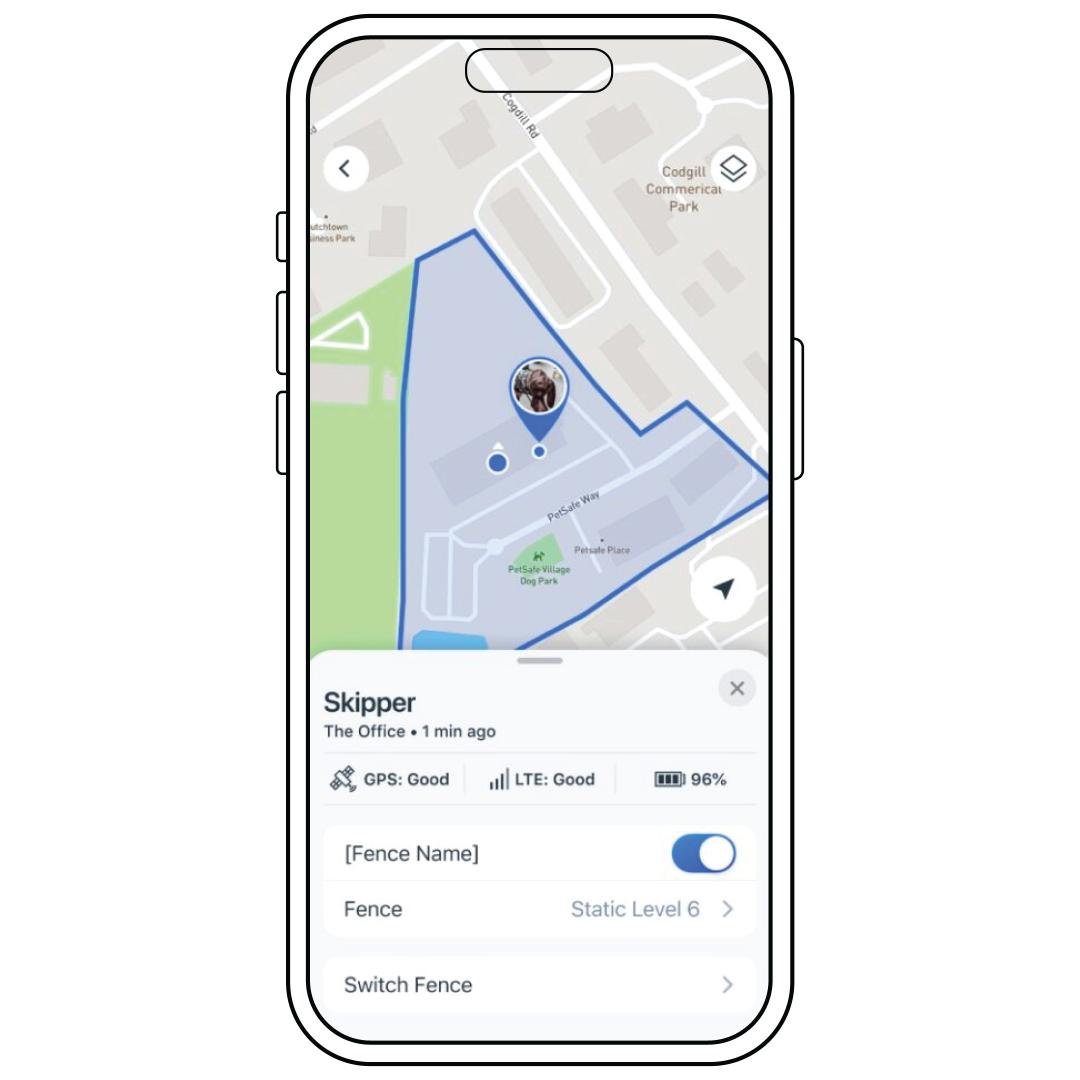
To look at only that pet without zooming in, select the pet’s name from the list.
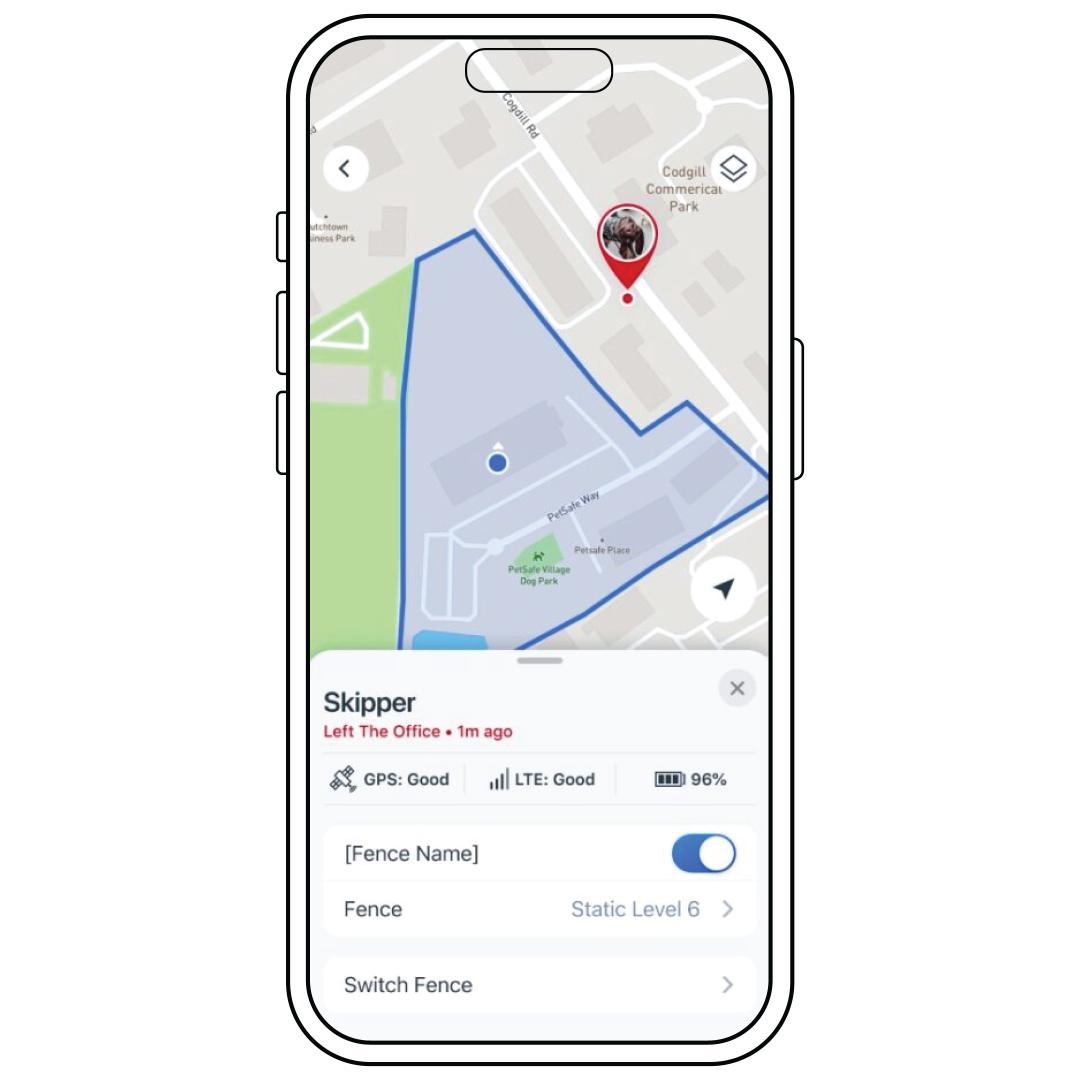
If your pet is assigned to a fence and they leave that fence, it will be highlighted in red.
Please note that they will not turn red unless the fence is assigned to their collar. For more information, visit How To Assign to or Remove a Pet from a Fence on My PetSafe® Guardian® GPS + Tracking System.