How To Reset My PetSafe® FreshFeed Refrigerated Pet Feeder
Important Information
The Factory Reset removes the feeder from the app and resets the feeder to the original factory settings. To use the feeder after a Factory Reset, the set up process will need to be completed again as though it were the first time.
Factory Reset
Open the PetSafe® Pet Companion app and select your feeder from the product list.
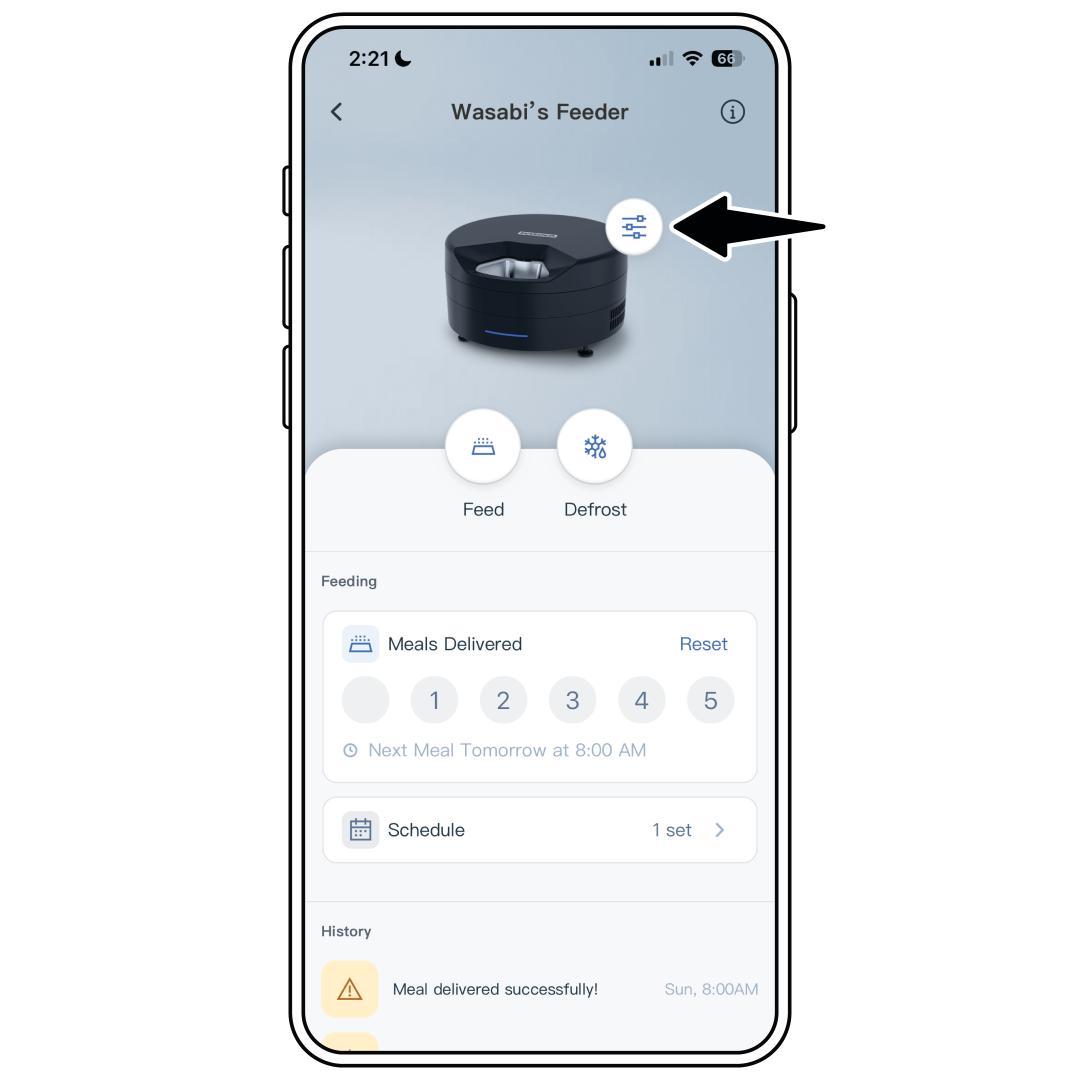
Tap the settings icon next to the feeder image.
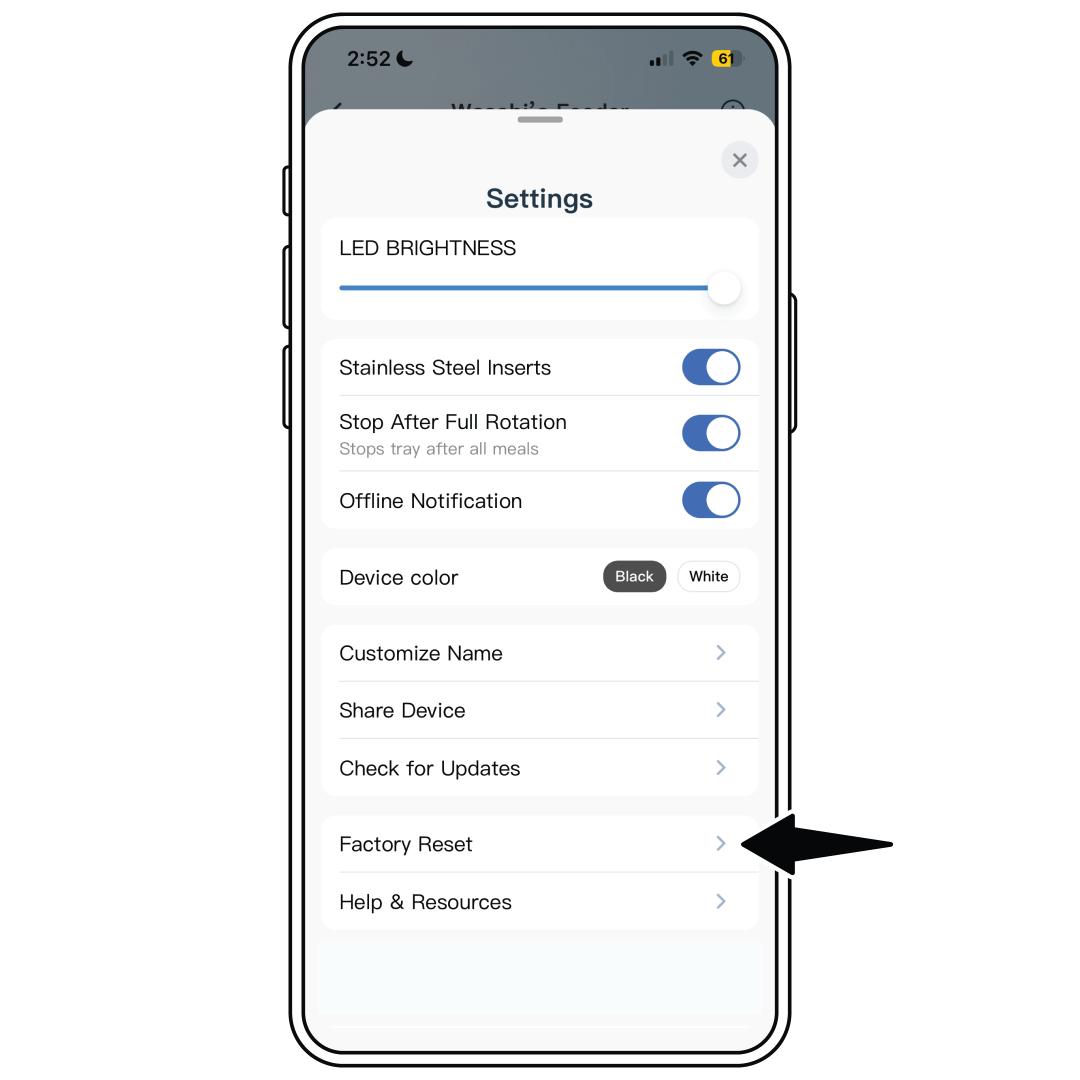
From the settings menu, select Factory Reset.
To use the feeder after a Factory Reset, the set up process will need to be completed again. For steps, visit How To Set Up and Connect My PetSafe® FreshFeed Refrigerated Pet Feeder to the App.