Will Not Charge or Will Not Hold a Charge - PetSafe® GPS Cat Tracker
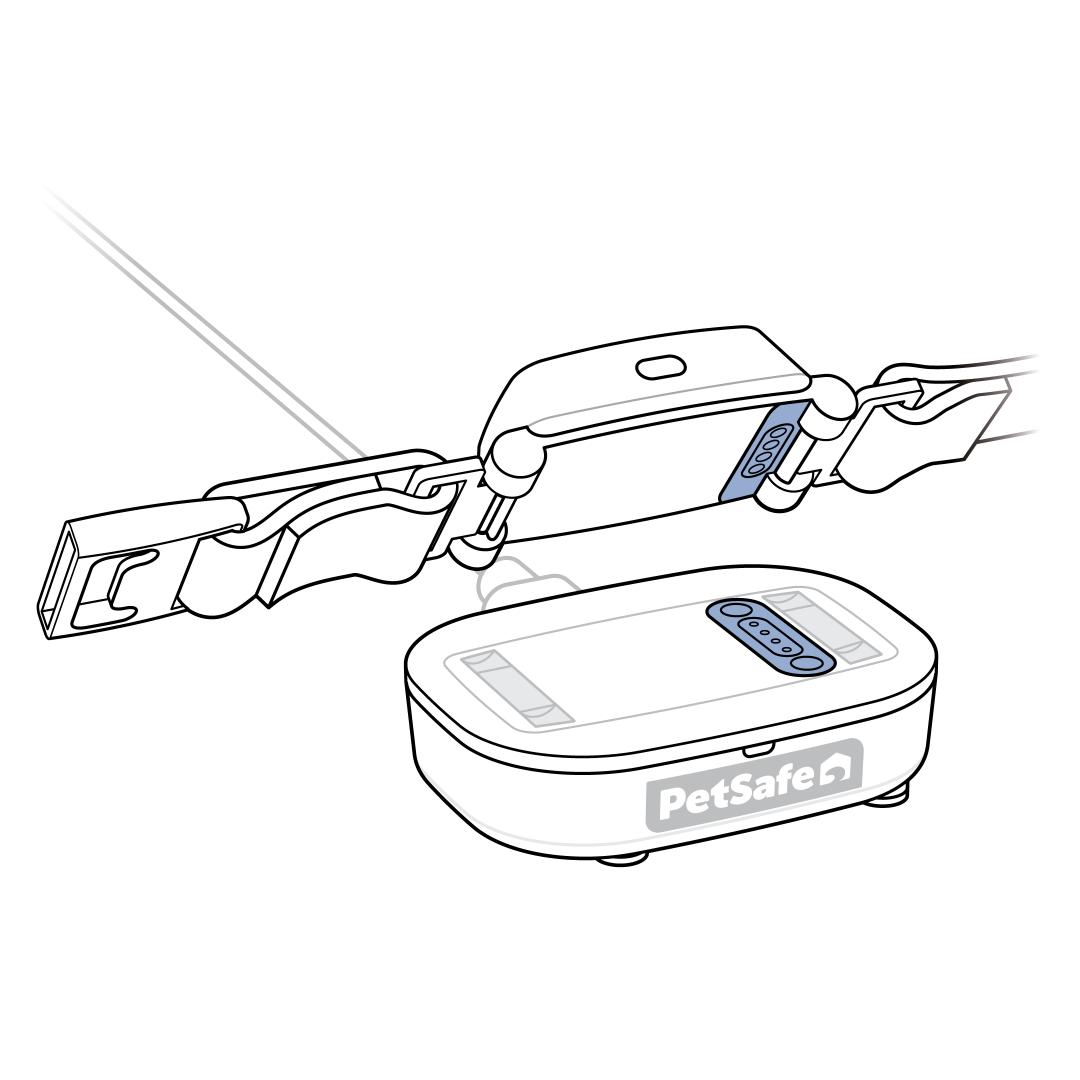
Confirm that the Tracker is seated correctly on the Charging Base. Match up the charging contacts on the Tracker with the charging contacts on the Charging Base. There’s a magnetic connection and a tone when placed correctly.
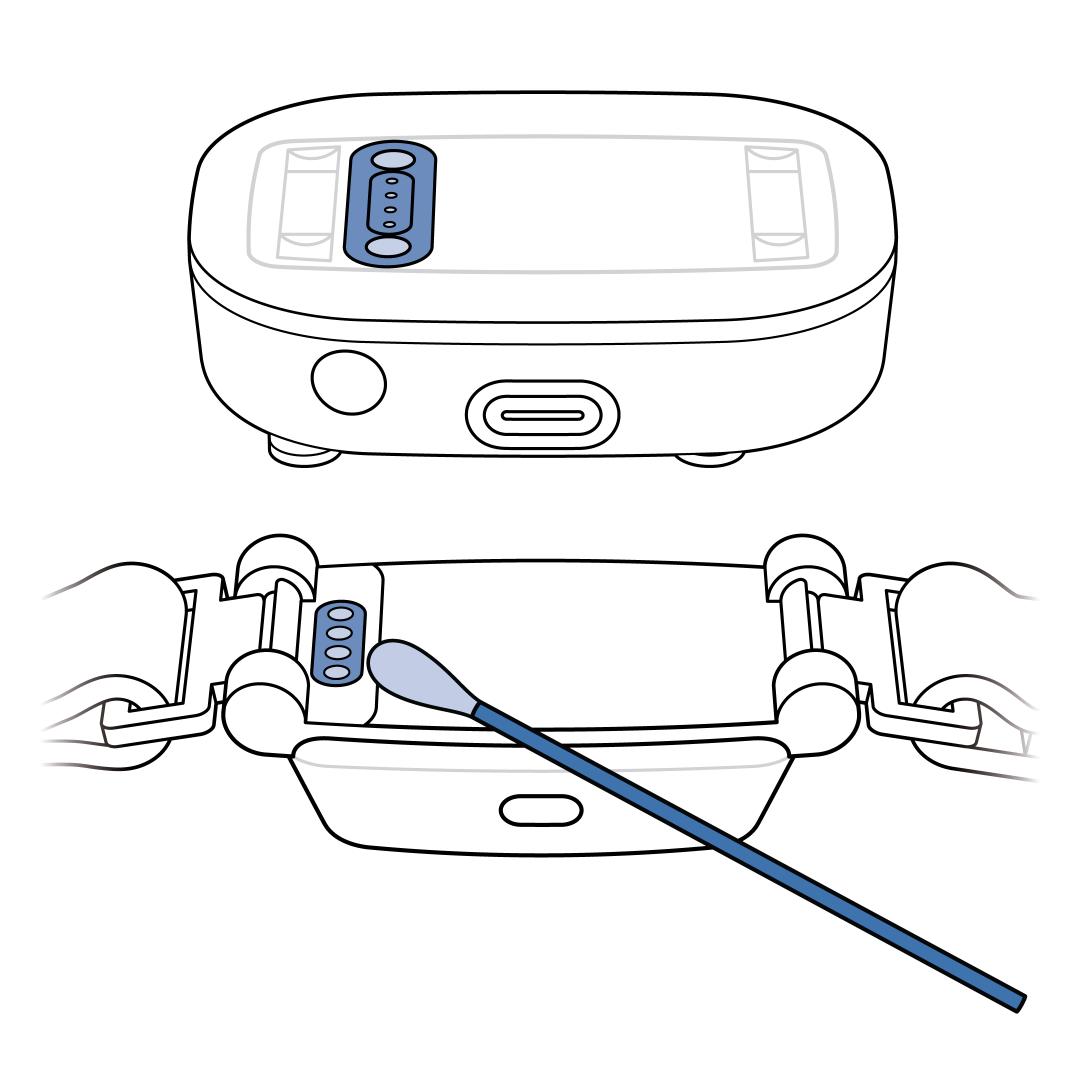
Confirm that the charging contacts on the Tracker and the Charging Base are free from debris. Unplug the Charging Base from the wall outlet and wipe the charging contacts on the Charging Base and Tracker with rubbing alcohol.
Check the Charging Base, wall adaptor and USB-C cord for physical damage.
- If either component is damaged, contact our customer care.
Confirm that the USB-C cord is firmly plugged into the Charging Base, the other end of the cord into the wall adaptor and the adaptor into the wall outlet.
- There is about a 5-second delay from the time the Charging Base is plugged in and the time the Charging Base light turns on. The Charging Base light will glow solid green when it is powered on and connected to the internet. The light will be pulsing green if not connected to the internet.
- If the Charging Base does not have power, visit Tracker or Charging Base Has No Lights or Power - PetSafe® GPS Cat Tracker.
- If there are different lights, visit What Do the Lights Mean on My PetSafe® GPS Cat Tracker and Charging Base?
Check the power outlet. Plug another device, such as a lamp, into the same outlet. If the new device isn’t working, you may be experiencing a power outage.
Unplug everything from the wall outlet.
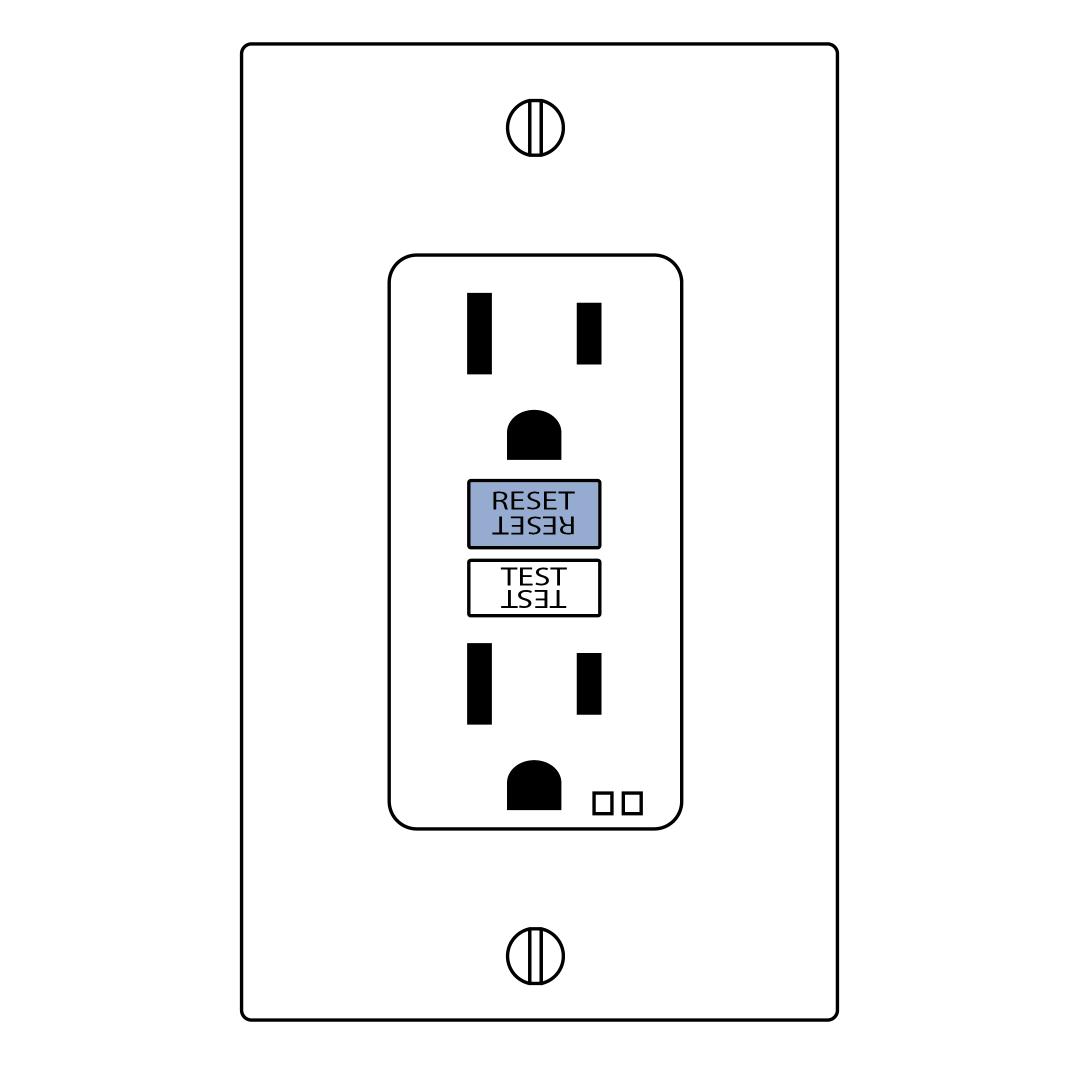
Reset the wall outlet if the Charging Basestill does not have power.
- If the wall outlet is a ground-fault circuit interrupter (GFCI), press the reset button.
- If the wall outlet has a Residual Current Device (RCD) switch, push the lever down fully, and then back up.
Try using another wall adaptor or USB-C charging cord. If a different USB-C charging cord works, contact customer care.
Plug the Charging Base into another wall outlet.
- There is about a 5-second delay from the time the Charging Base is plugged in and the time the Charging Base light turns on. The Charging Base light will glow solid green when it is powered on.
- If the new wall outlet provides power, contact an electrician. The original wall outlet is not providing power.
If the Tracker is still not charging, contact our customer care.