Tracker or Charging Base Won’t Update During Setup - PetSafe® GPS Dog Tracker
Charging Base Won’t Update
Make sure the Charging Base is fully plugged in and has a solid green light.
- If the Charging Base does not have a light, visit Tracker or Charging Base Has No Lights or Power - PetSafe® GPS Dog Tracker.
- If the Charging Base has any other lights, visit What Do the Lights Mean on My PetSafe® GPS Dog Tracker and Charging Base?
Ensure the app remains open during updates. Closing or navigating away from the app will cause the update to fail.
- The process will start over once plugged back in or the app reopened.
Make sure your phone is within 5 feet of the Charging Base for the duration of the update to ensure the phone stays in Bluetooth range.
Move the Charging Base and the phone closer to the Wi-Fi router for the strongest signal.
Connect the phone to Wi-Fi. Although this process does not require the phone to be on Wi-Fi, it may help ensure the phone has a reliable internet connection.
If the app is still unable to update your Charging Base, contact our customer care.
Tracker Won’t Update
Make sure the Charging Base is fully plugged in and has a solid green light.
- If the Charging Base does not have a light, visit Tracker or Charging Base Has No Lights or Power - PetSafe® GPS Dog Tracker.
- If the Charging Base has any other lights, visit What Do the Lights Mean on My PetSafe® GPS Dog Tracker and Charging Base?
Confirm that the Tracker is seated correctly on the Charging Base. Match up the charging contacts on the Tracker with the charging contacts on the Charging Base. There’s a magnetic connection and a tone when placed correctly.
Ensure the app remains open during updates. Closing or navigating away from the app will cause the update to fail.
- The process will start over once plugged back in or the app reopened.
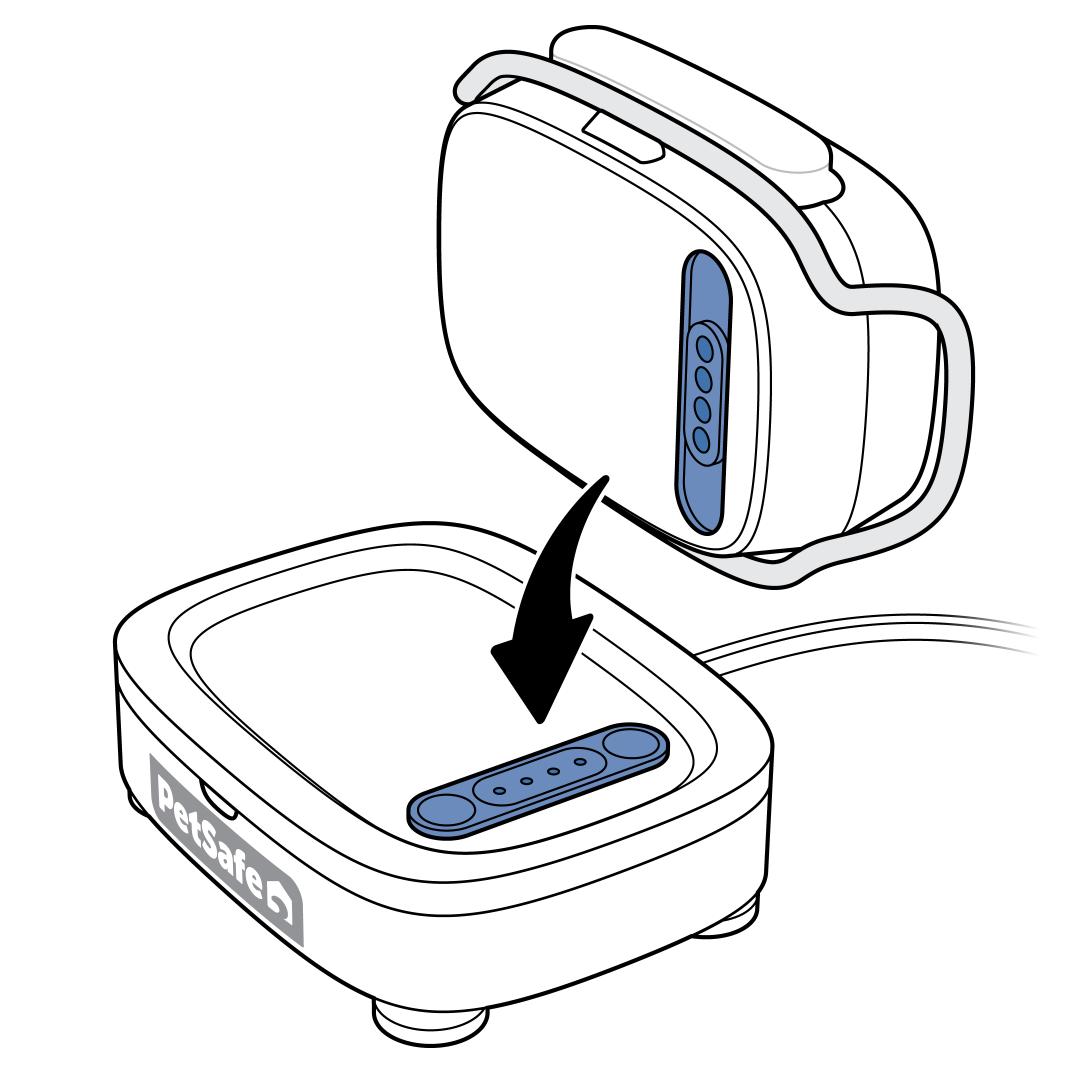
Remove the Tracker and place it back on the Charging Base. Make sure the charging contacts on the Tracker and Charging Base align.
- The Tracker lights up and emits a tone to indicate a good connection.
- If the Charging Base does not have a light, visit Tracker or Charging Base Has No Lights or Power - PetSafe® GPS Dog Tracker.
If the app is still unable to update your Tracker, contact our customer care.