How to Replace the Conveyor Motor on the Simply Clean® Automatic Litter Box
How to replace the conveyor motor in the Simply Clean® Automatic Litter system
Remove the Old Conveyor Motor
Unplug the litter box.
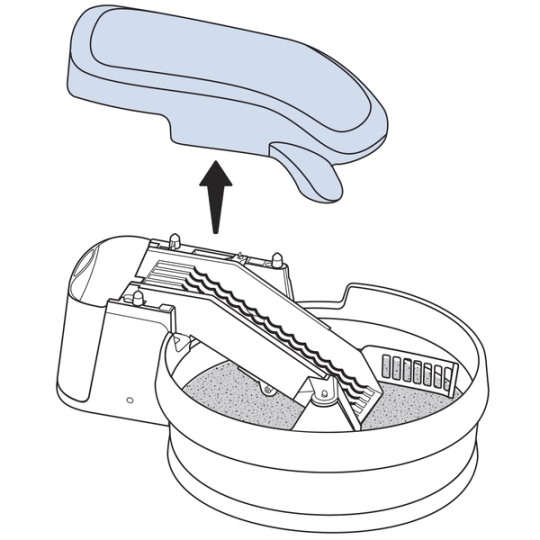
Lift straight up on the conveyor cover to remove it.
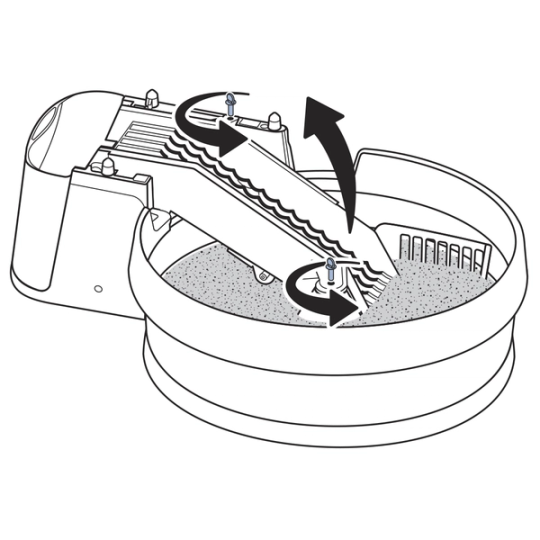
Loosen the two thumbscrews securing the conveyor. Lift the conveyor.
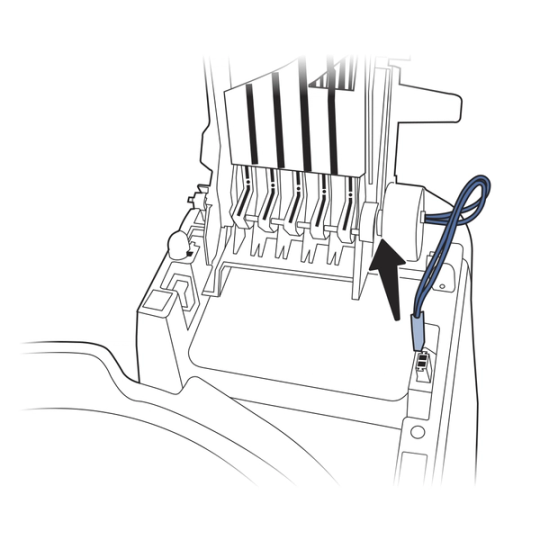
Unplug the conveyor motor, making sure to press the clip on the front of the connector before pulling it out of the socket on the conveyor base.
The connector on the conveyor base should be black. If the connector is not black, then the new conveyor motor may not be compatible with your litter box. Please contact Customer Care for assistance.
Lower the conveyor.
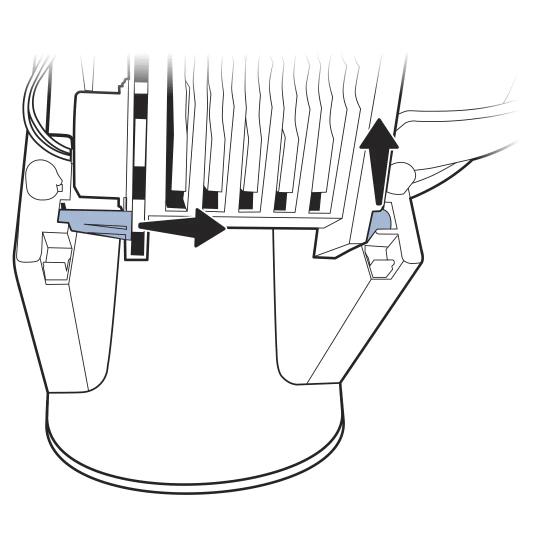
Remove the conveyor from the conveyor base:
- Pull the short post (at the front of the conveyor) up and out of the hole at the front of the conveyor base.
- Slide the long post (at the back of the conveyor) out of the hole at the back of the conveyor base.
Place the conveyor on its side with the conveyor motor facing up.
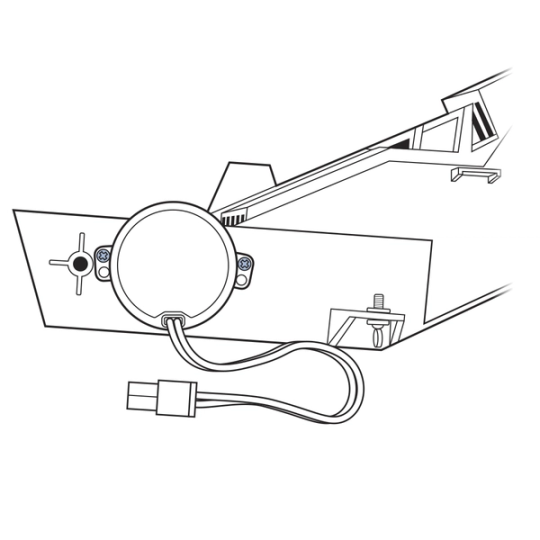
Use a Phillips head screwdriver to remove the two screws securing the conveyor motor to the conveyor.
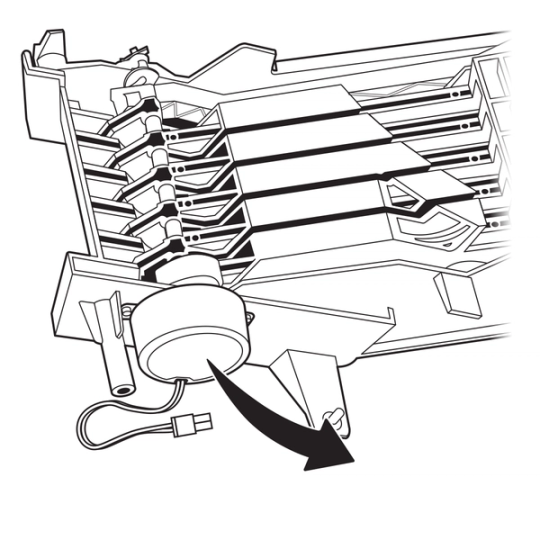
Remove the old conveyor motor and set it aside.
Install the New Conveyor Motor
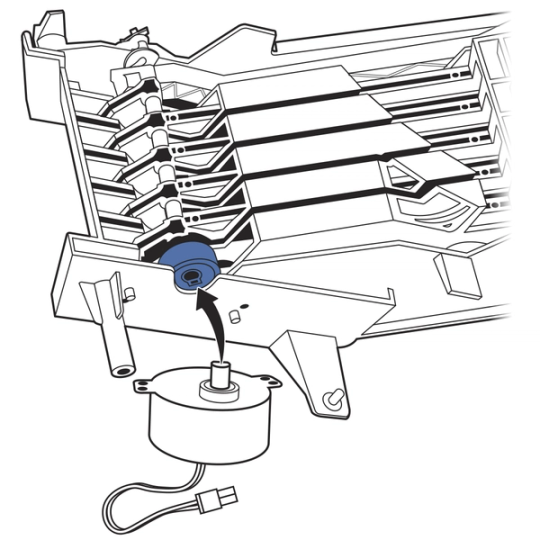
Insert the shaft of the motor into the crank disk on the bar.
Line up the new motor with the posts on the conveyor.
Replace the two screws on the motor.
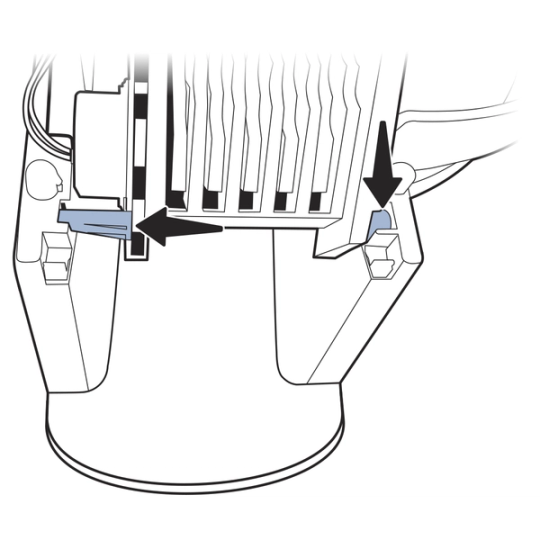
Reinsert the conveyor into the conveyor base:
- Insert the long post (at the back of the conveyor) into the hole at the back of the conveyor base.
- Press the short post (at the front of the conveyor) into the hole at the front of the conveyor base.
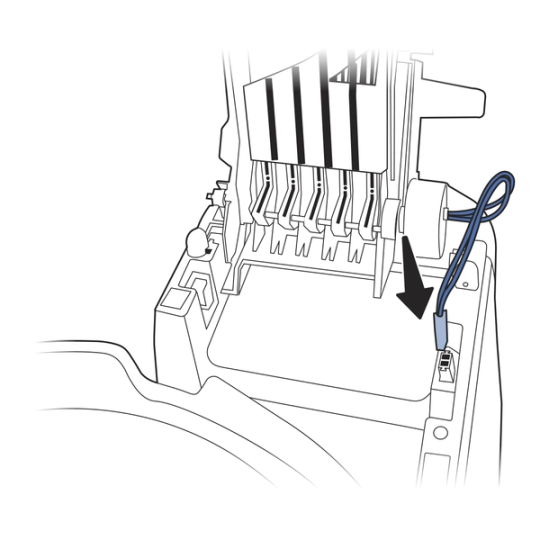
Plug in the conveyor motor by clipping the red power cable into the connector on the conveyor base. You will hear a snap. The clip on the connector should face the front of the litter box.
Reassemble the Litter Box
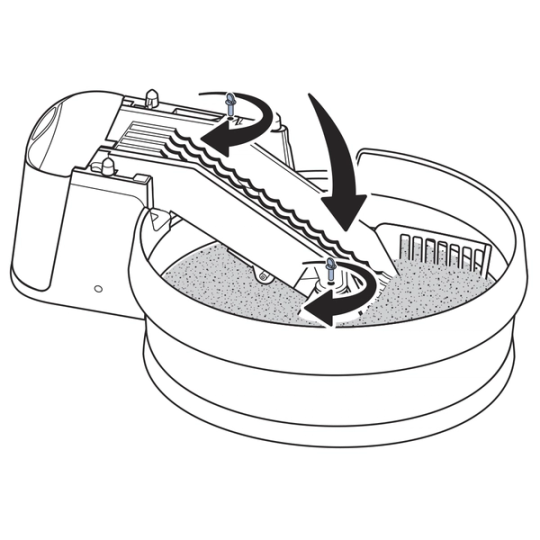
Lower the conveyor. Tighten the thumb screws.
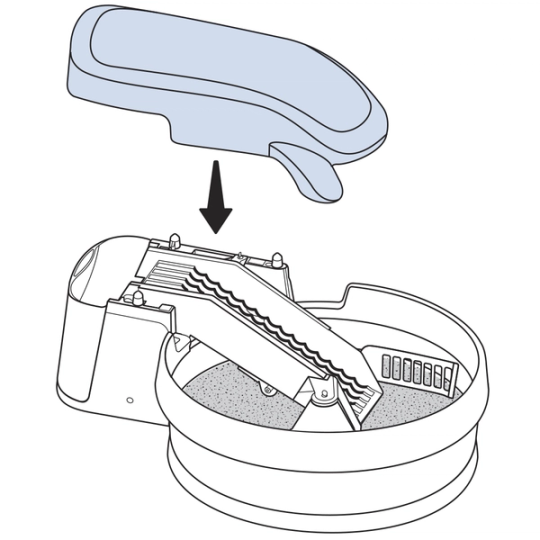
Place the conveyor cover back on the litter box.
Plug the litter box in.
Confirm that the indicator light on the front of the litter box is glowing solid green.
Contact Customer Care
If you need further assistance, please contact our customer care team.