How to Replace the Bowl Motor on the Simply Clean® Automatic Litter Box
How to change the Simply Clean® Bowl Motor
Remove the Old Bowl Motor
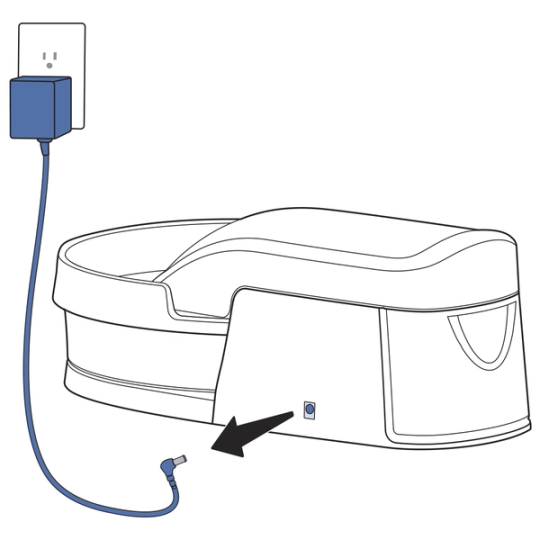
Unplug the litter box.
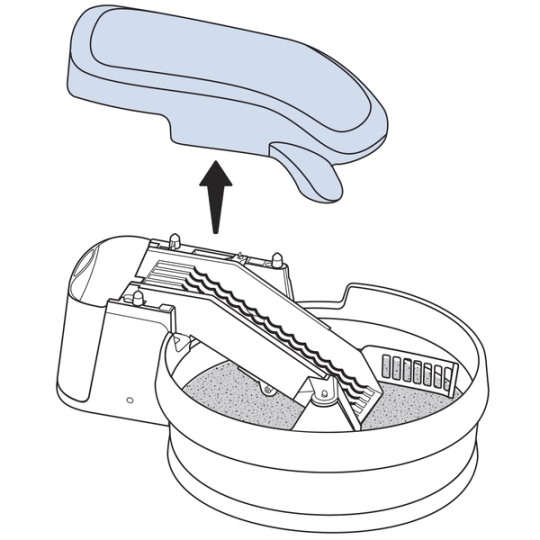
Lift straight up on the conveyor cover to remove it.
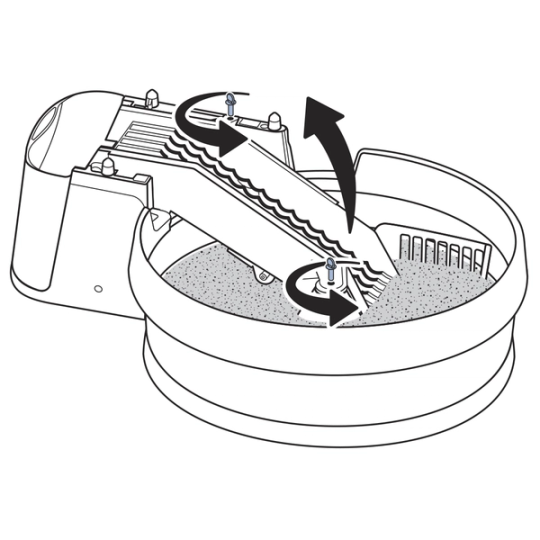
Loosen the two thumbscrews securing the conveyor. Lift the conveyor.

Remove the litter guard and the litter bowl.
Lower the conveyor back into its original position.
Carefully flip the litter box over.
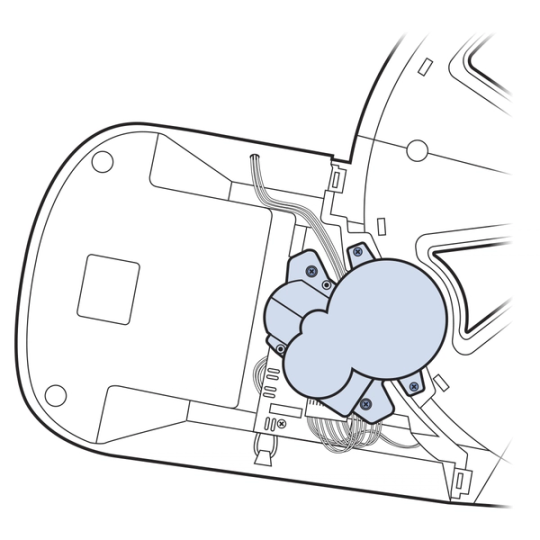
Use a Phillips head screwdriver to remove the four screws securing the snowman- or figure 8-shapedgear assembly to the bottom of the litter box.
This releases the gear assembly from the litter box.
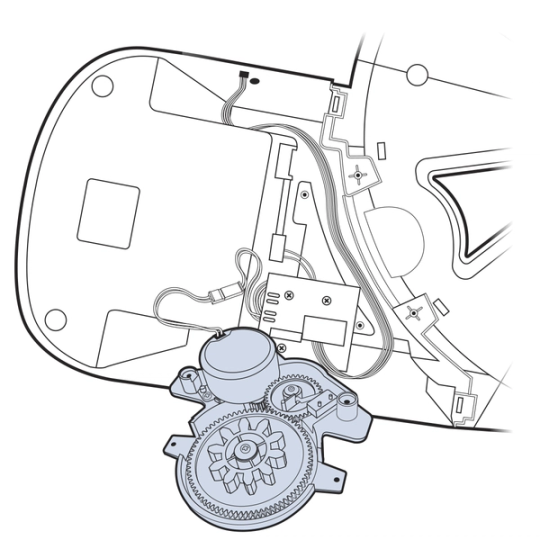
Carefully flip over the gear assembly to reveal the bowl motor.
Be careful not to pull on the yellow wires connecting the gear assembly to the litter box; pulling too hard on these wires can cause permanent damage.
Press the middle of the clip to disconnect the two sets of red wires.
The connector on the litter box should be black. If the connector is not black, then the new bowl motor may not be compatible with your litter box. Please contact Customer Care for assistance.
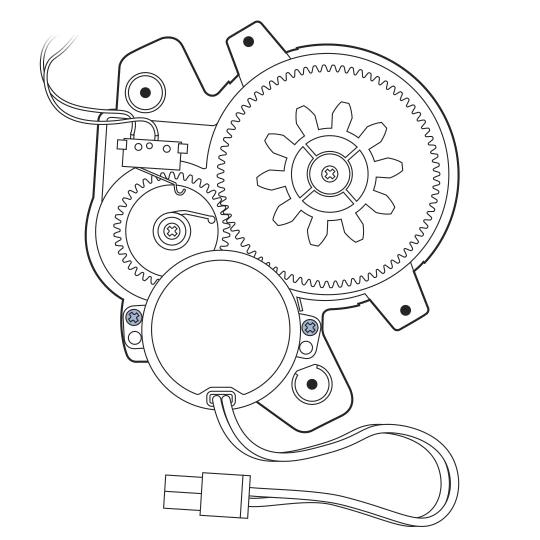
Remove the two screws securing the bowl motor to the gear assembly.
Remove the old bowl motor and set it aside.
Install the New Bowl Motor
Place the new bowl motor on the gear assembly, lining up the holes on the bowl motor with the two posts.
Replace the two screws that secure the bowl motor to the gear assembly.
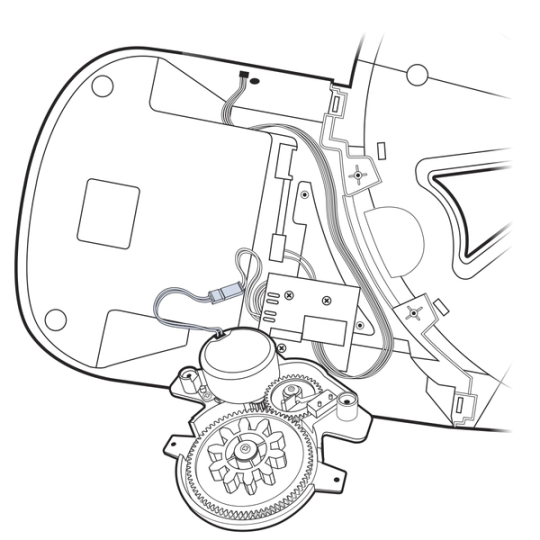
Plug the bowl motor connector into the connector on the litter box. You will hear a snap.
Replace the gear assembly and secure it with the four screws you removed previously.
Replace the four screws.
Flip the litter box back over.
Lift the conveyor.
Replace the litter bowl and the litter guard.
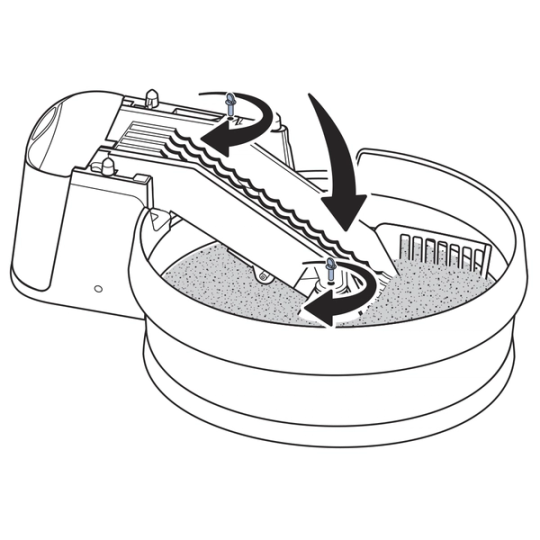
Lower the conveyor. Tighten the thumb screws.
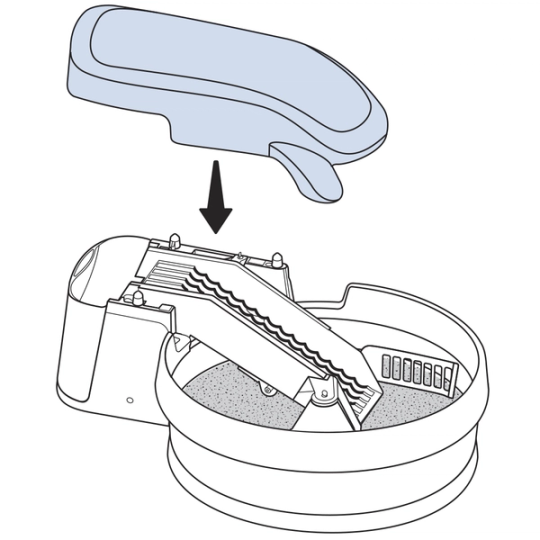
Place the conveyor cover back on the litter box.
Test the Litter Box
Plug the litter box back in.
Confirm the indicator light on the front of the litter box is glowing solid green.
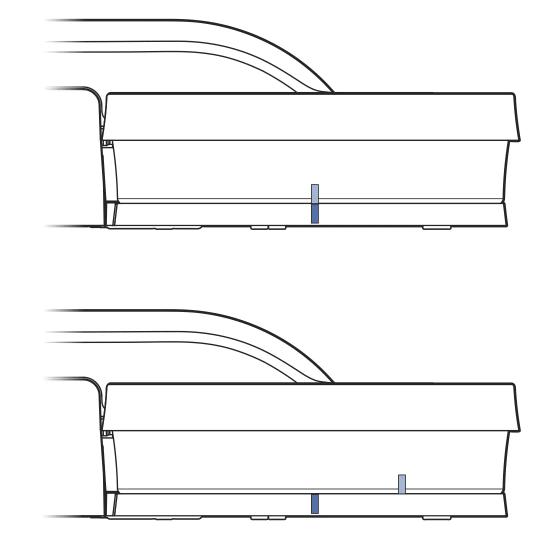
Check the rotation of the litter box by placing one piece of tape on the bowl base and another on the litter bowl. After a few minutes, the two pieces of tape should be several inches apart.
If the indicator light is not solid green, or the bowl doesn’t seem to be moving, contact Customer Care for assistance.
Contact Customer Care
If you need further assistance, please contact our customer care team.