My ScatMat® Indoor Training Mat is Not Working
No Power
Check Battery

Only use an alkaline battery.
Do not use a rechargeable battery.
Do not place in storage with battery installed.
Remove exhausted battery immediately.
Replace Battery
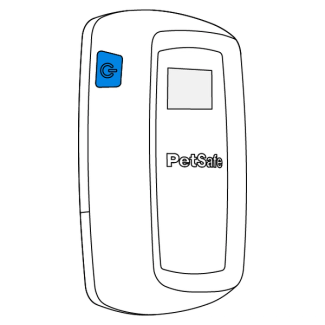
Press and hold the power button for three seconds to turn the controller off.
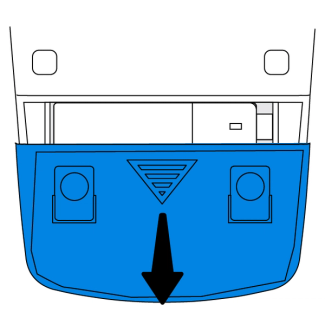
Locate the battery door on the bottom of the controller. Slide down and remove.
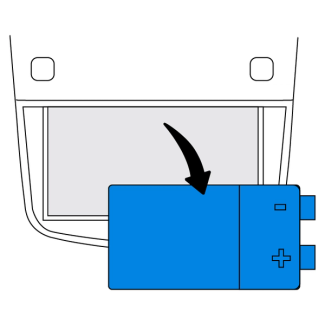
Remove the battery.
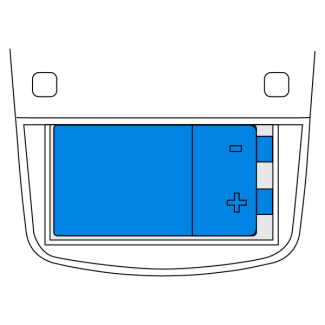
Insert a new 9 volt alkaline battery.
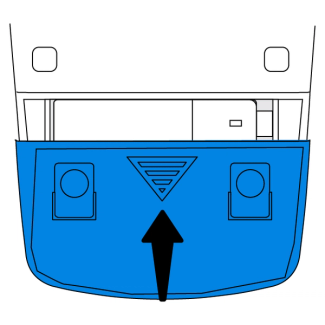
Replace the battery door.
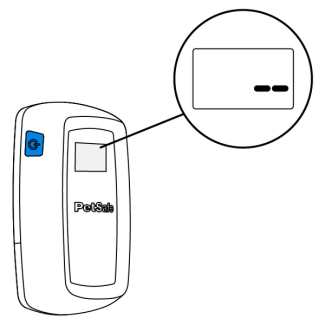
Press the power button to turn on your ScatMat®. Two dashes will appear on the screen indicating the controller is calibrating.
Note: The controller will continue to calibrate for 5 minutes after powering on. The mat may activate during this time.
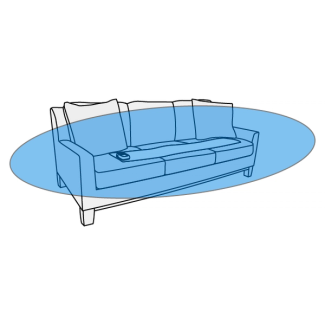
Move away at least 3 feet while the controller calibrates. When finished, the screen will display the correction mode.
Important: Make sure nothing is sitting on the mat during calibration.
Any time the mat is moved to a new location press and hold the power button to turn the mat off before moving. Turn the mat on once positioned to repeat calibration.
Has Power but Does Not Activate
Check for Damage

Check the ScatMat for any visible damage, such as broken wires or chew damage. If there is any damage, the mat will need to be replaced.
Test Mat for Activation

Use the ▲ and ▼ buttons to set the controller to tone only mode.

Place your hand across two wires on the mat. The controller will tone and the activity counter will increase by one.
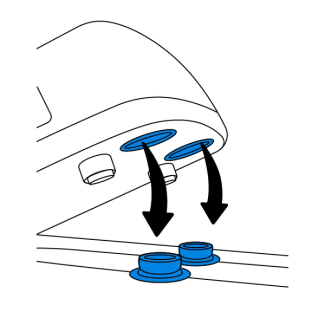
If no tone is heard when touching two wires, check that the controller is properly connected to the mat.
Note: If no tone is heard, set the controller to the lowest static stimulation level and repeat steps 1-2. If no static stimulation is felt, increase the level again.
Test Controller for Activation

Disconnect the controller from the mat.

Place the snap fasteners across the palm of your hand. The controller will tone and the activity counter will increase by one.
Note: If no tone is heard, set the controller to the lowest static stimulation level and repeat steps 1-2. If no static stimulation is felt, increase the level again.
Contact Customer Care
If you need further assistance, please contact our customer care team.