My PetSafe® ScoopFree® SmartSpin™ Has a Waste Bin Full Light
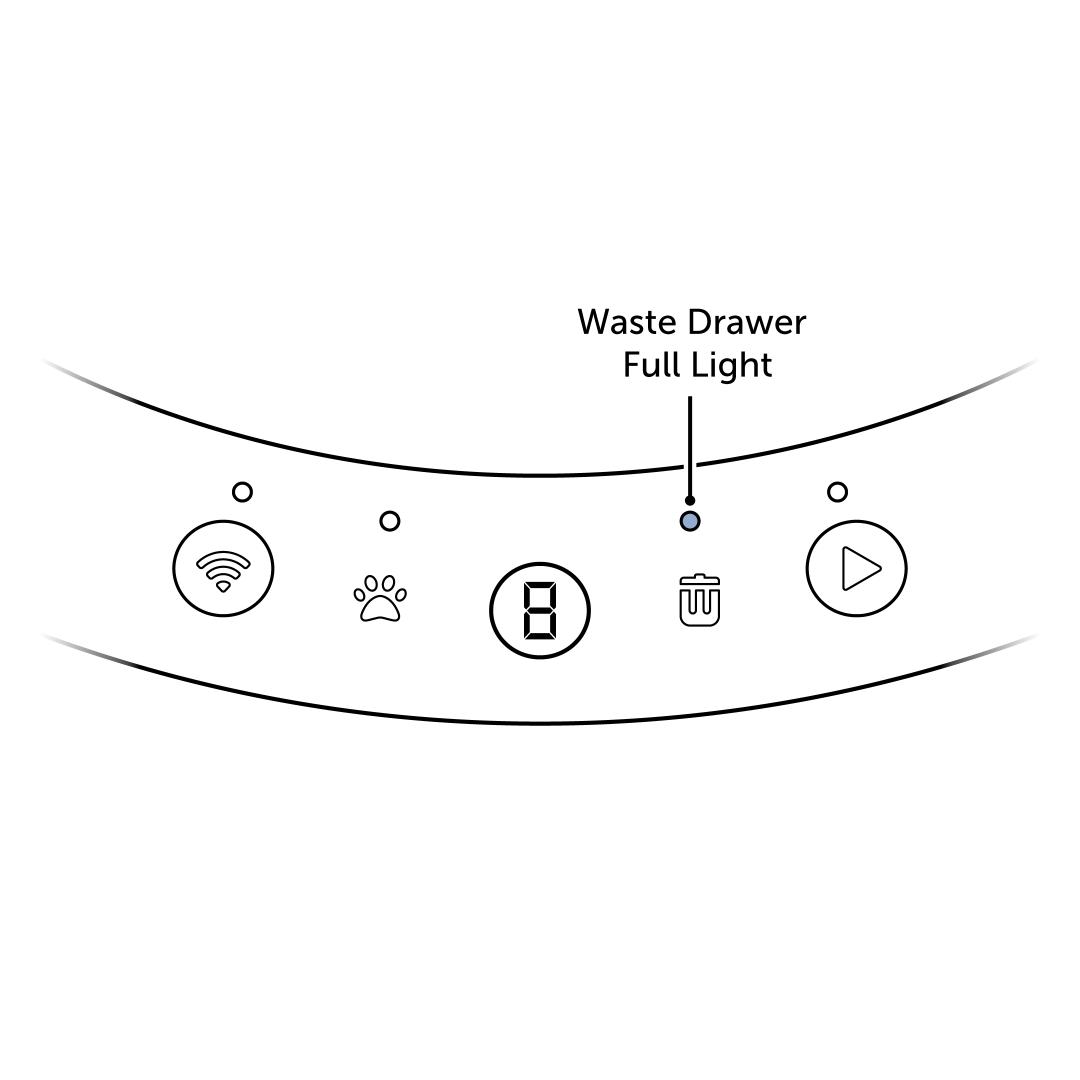
Check the display for an error code. If the display shows an error code, visit My PetSafe® ScoopFree® SmartSpin™ Self-Cleaning Litter Box Has a Code on the Display.
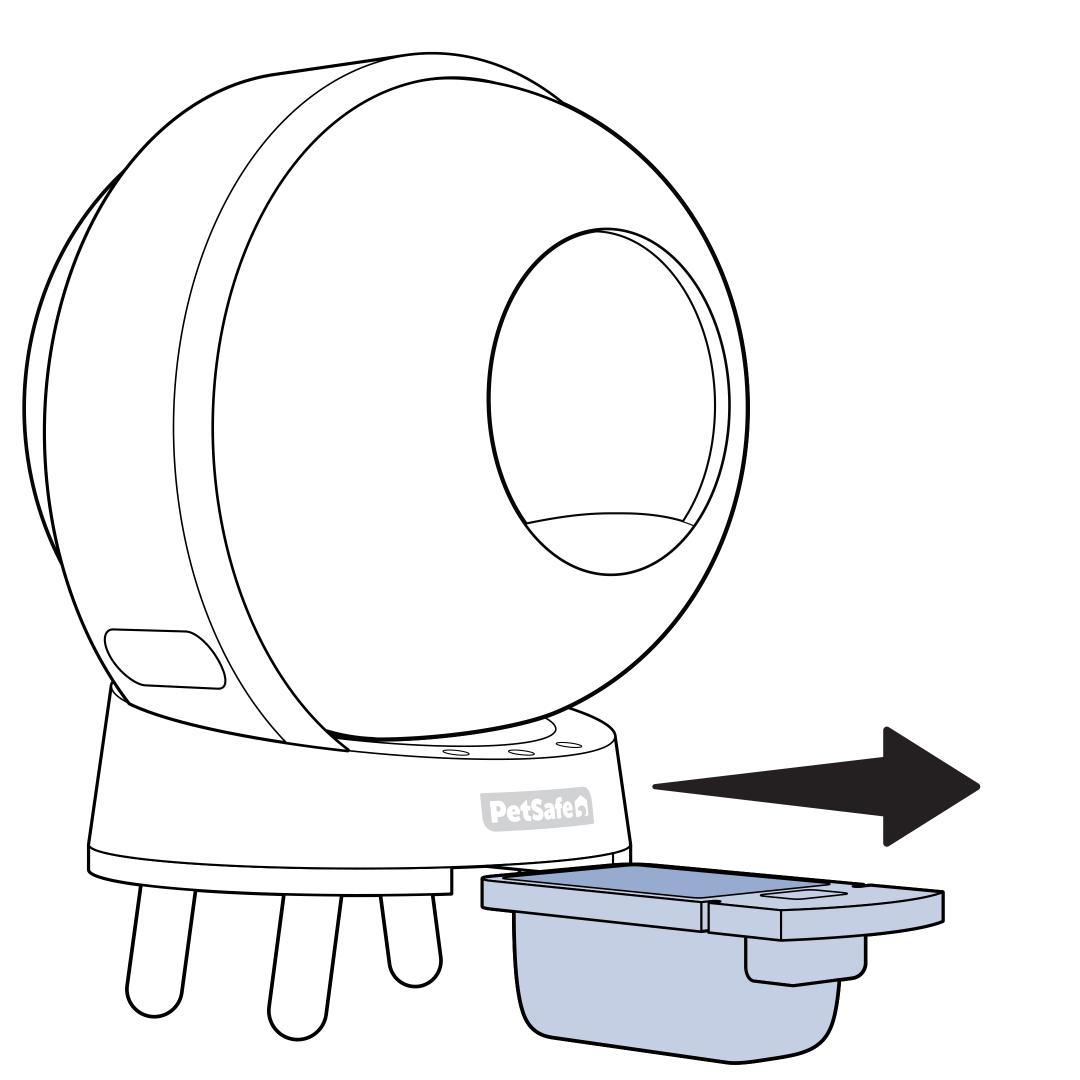
Remove the Waste Drawer by sliding it out from underneath the base of the litter box.
- Locate the handle under the PetSafe® logo on the front of the litter box. Pull the drawer entirely out.
Remove the used liner from the drawer. Cinch the liner closed using the drawstrings and tie it shut, then discard.
- If the Waste Drawer is less than full and you do not wish to replace the bag, shake the waste down to ensure nothing is blocking the sensors.
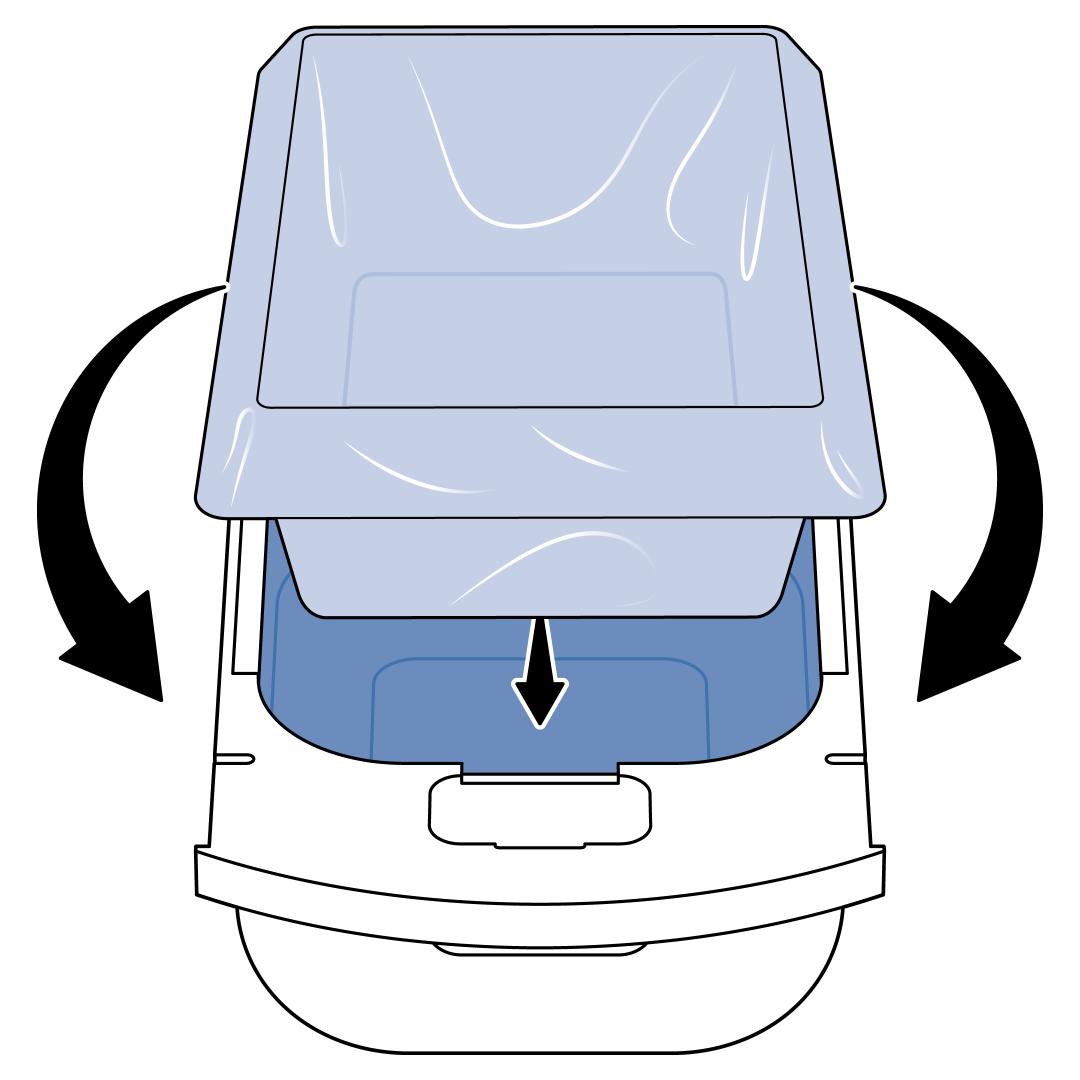
Replace the Waste Drawer liner. Ensure the edges of the liner around the top of the Waste Drawer are tight around the top and not sticking up. Important: Any part of the liner that is not taut may block a sensor after you reinsert the Waste Drawer.
Slide the Waste Drawer back into the base to confirm whether the light has cleared.
If the Waste Bin Full light persists, unplug the SmartSpin™ from the wall outlet.
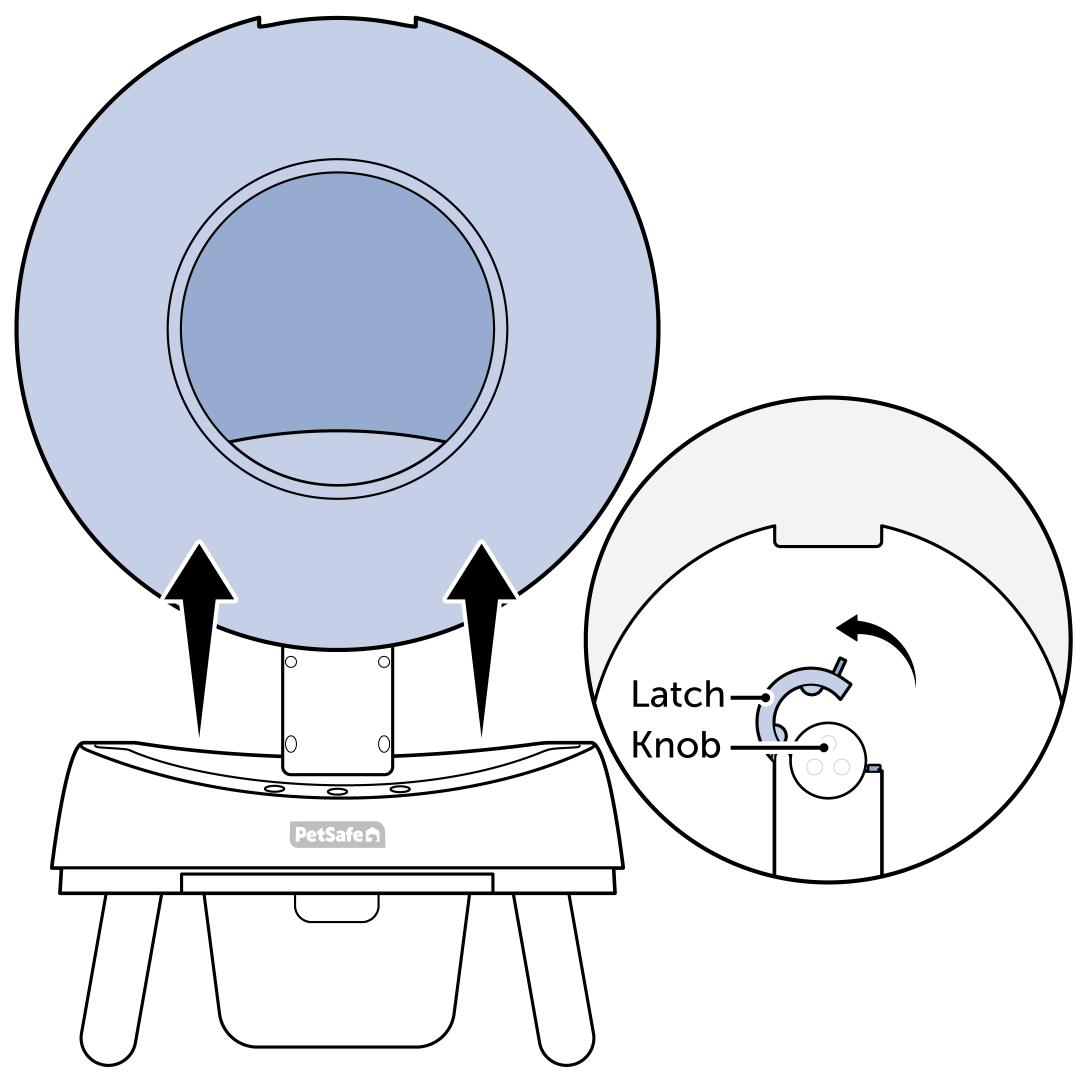
Remove the sphere from the base and set it aside.
- Open the latch on the back of the base and lift the sphere up.
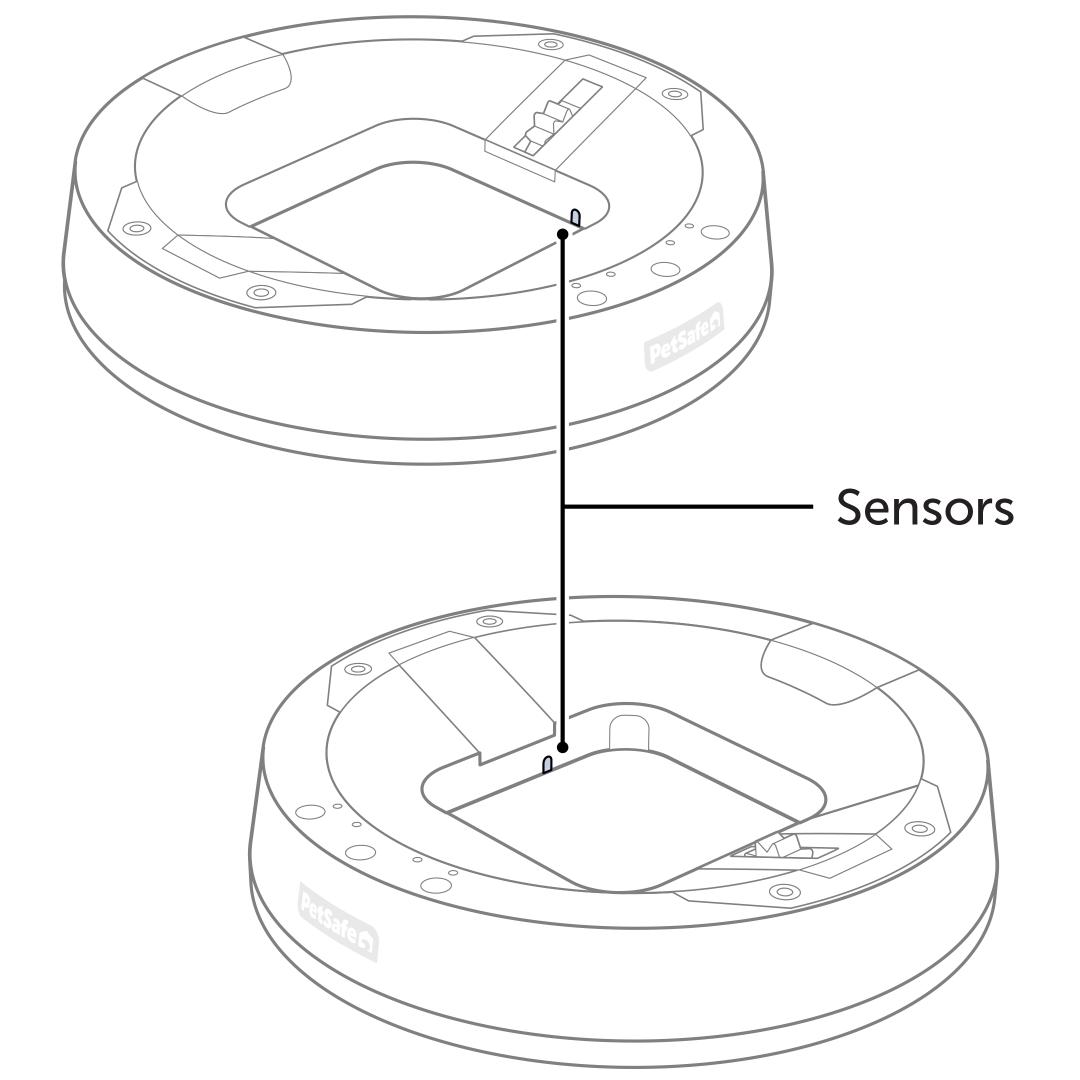
Clean the two Waste Drawer sensors in the base. Use a cotton swab and rubbing alcohol to clean each sensor within the cutouts around the inside rim of the base.
- Litter dust can accumulate on these sensors and prevent them from working optimally.
Reassemble and plug the SmartSpin™ back into the wall outlet. Allow the SmartSpin™ to calibrate. This takes about 2.5 minutes.
- For help with reassembling the SmartSpin™, visit How To Set Up My PetSafe® ScoopFree® SmartSpin™ Self-Cleaning Litter Box.
If the light has not cleared, completely disassemble and clean the SmartSpin™.
- For assistance with cleaning the SmartSpin™, visit How To Disassemble and Clean My PetSafe® ScoopFree® SmartSpin™ Self-Cleaning Litter Box.