My PetSafe® Pawz Away® 2.0 Outdoor Wireless Pet Barrier Has Signal Range Issues
Important Information
Ensure the outdoor base rock and collar both have enough battery power.
- The batteries will power the outdoor base rock for up to one year depending on usage. Replace old batteries with 4 new alkaline D-cell batteries. Do not use lithium or rechargeable batteries. For more information, visit How To Replace the Batteries in My PetSafe® Pawz Away® 2.0 Outdoor Wireless Pet Barrier.
- While powered on, the light will indicate the battery status by blinking either a green or red light once every 5 seconds. If the light is red or there is no light, charge the collar completely. For more information, visit How To Charge My PetSafe® Pawz Away® 2.0 Collar.
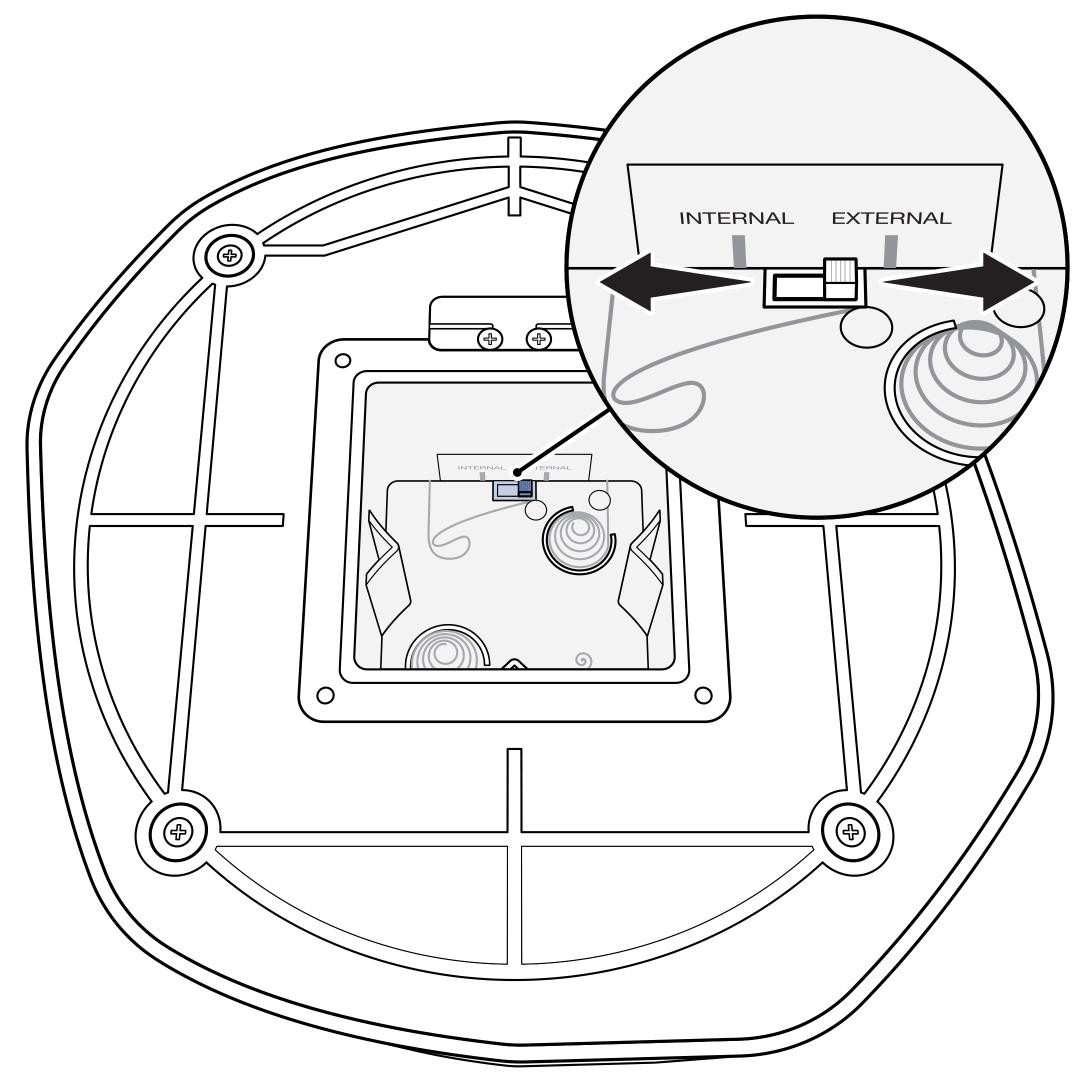
Check the mode switch inside the battery compartment to ensure the proper mode is selected.
- For wired, the mode switch must be set to “External”.
- For wireless, the mode switch must be set to “Internal”.
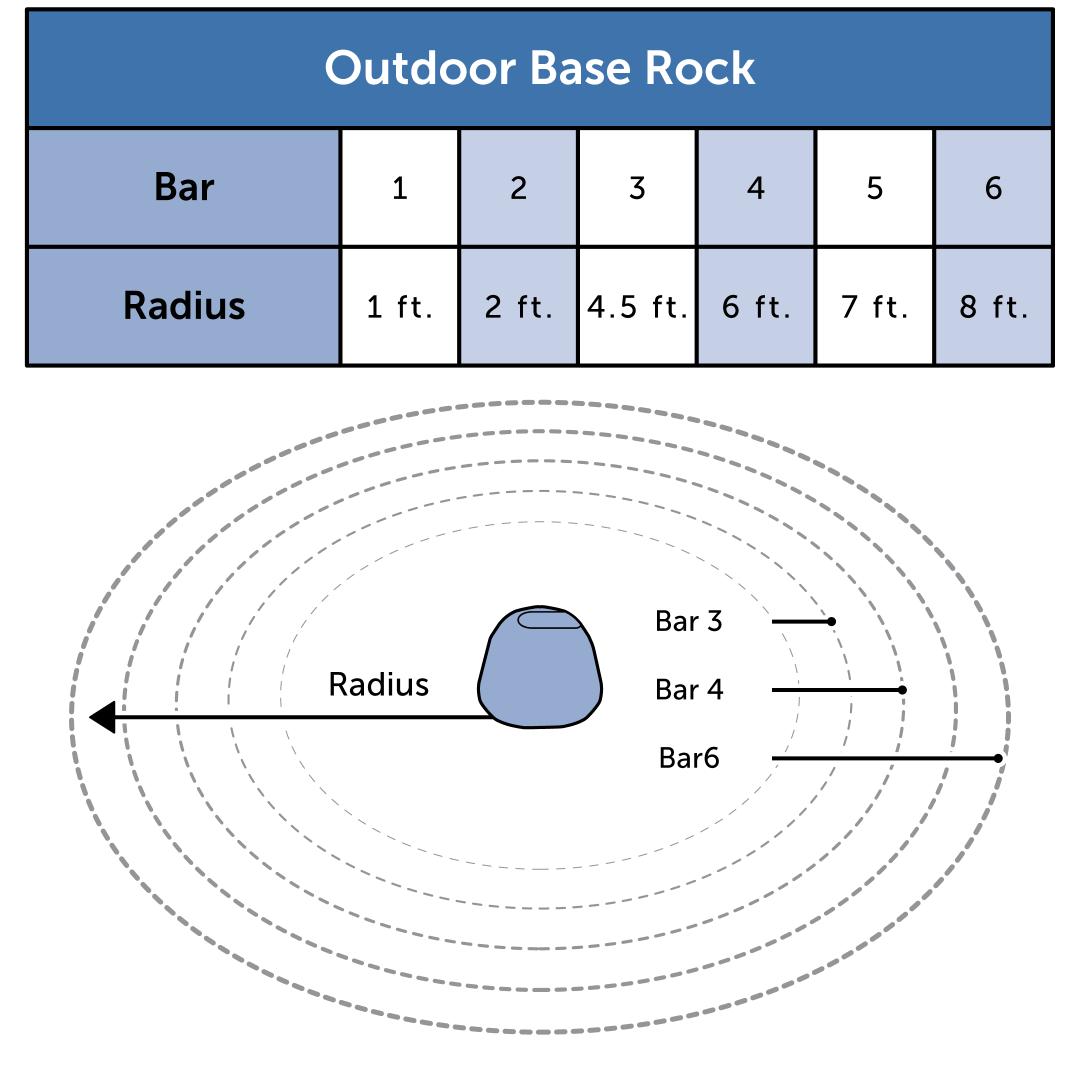
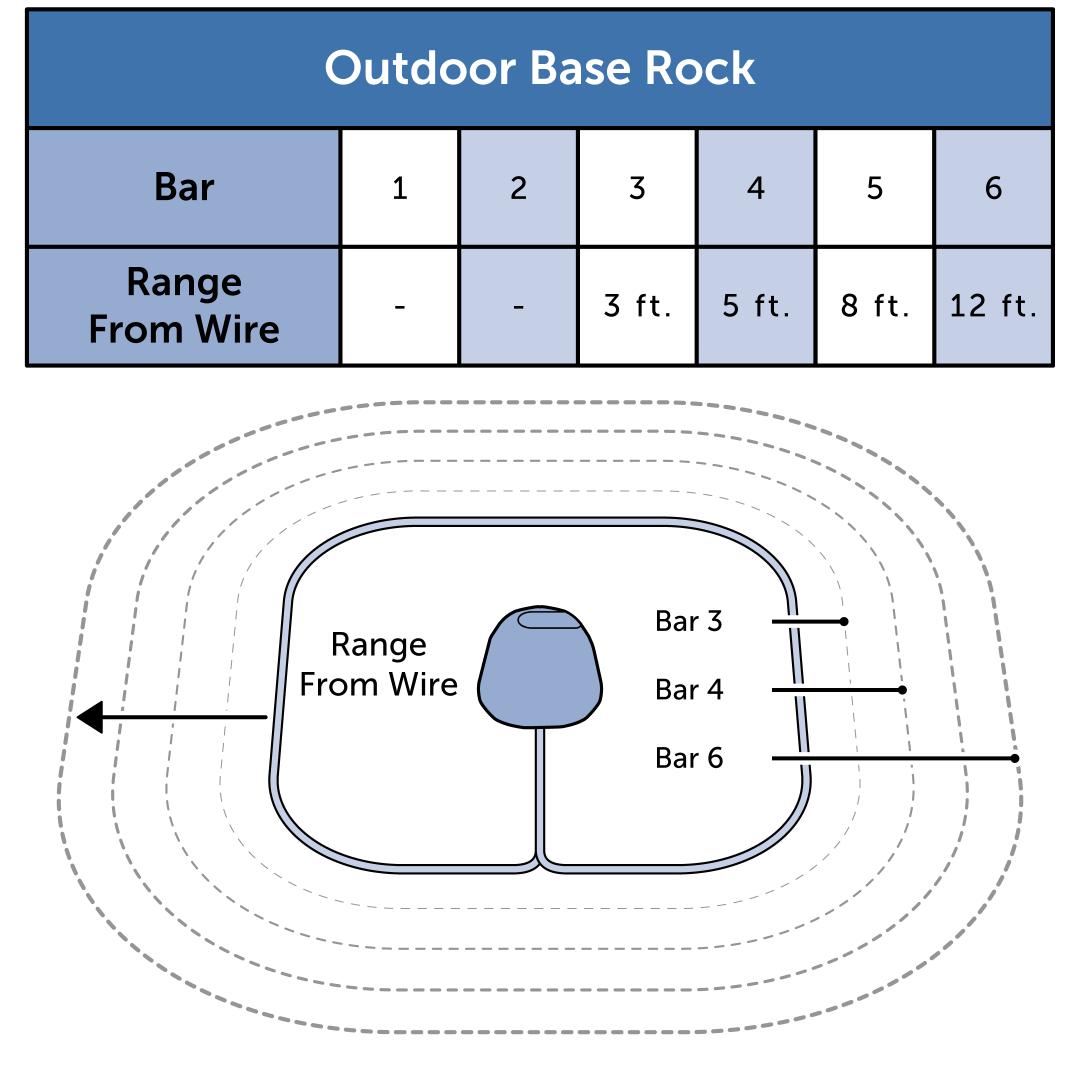
Confirm the range is set appropriately for your desired coverage area. The number of range bars on the display represents the distance of the signal. If you are using a wire to create the boundary, you will need to set the range to a minimum of 3 bars.
Ensure your outdoor base rock is in an appropriate location. Do not place the outdoor base rock on a metal surface or near large metal objects such as air conditioning units, metal outbuildings or metal trash cans, as this can interfere with the signal. Although the outdoor base rock is waterproof, ensure the location is not a low-lying area where water collects as this can damage the unit.
Wired Only: Inspect the wire and insulation for damage. Damage can cause dead zones in the signal or cause signal bleed which would result in the collar only activating right on top of the wire.
If the wire is buried, check the area for recent disturbances that could cause damage such as digging, aerating, rodent burrowing or any other noticeable disturbance.
If the wire appears to be damaged, repair or replace the wire. Use the proper waterproof, silicone gel-filled splices. If only a short amount of wire was originally used or your boundary wire already has several splices, it is best to remove the old wire entirely and replace with new wire instead of repairing it.
If needed, you can purchase a Wire Splice Kit through our website.