Location Is Not Updating - PetSafe® GPS Dog Tracker
Important Information
- The Tracker location will not update in Base Sync.
- On the map, your pet’s icon docks at the Wi-Fi location you selected and display a home icon, indicating it is in Base Sync. For more information, visit Tracker Statuses, Base Sync and LTE - What Do They Mean? - PetSafe® GPS Dog Tracker?
- Base Sync occurs when the Tracker is within Bluetooth range of the base.
- Base Sync helps save the Tracker’s battery. BLE uses less power than LTE. When the Tracker sends data over LTE, the Tracker battery drains faster. In Base Sync mode, the Tracker sends data through the Charging Base.
- This is a US specific product and will not work outside of the United States.
- The Tracker can take a few seconds to update its location if connected to LTE. A poor LTE signal (structural obstructions and network congestion) may cause an additional delay.
- If you test the Tracker while holding it, it may not register movement because it’s designed to detect a dog’s motion and may still show “Idle” in the app. To trigger movement detection, shake the collar vigorously.
Troubleshooting
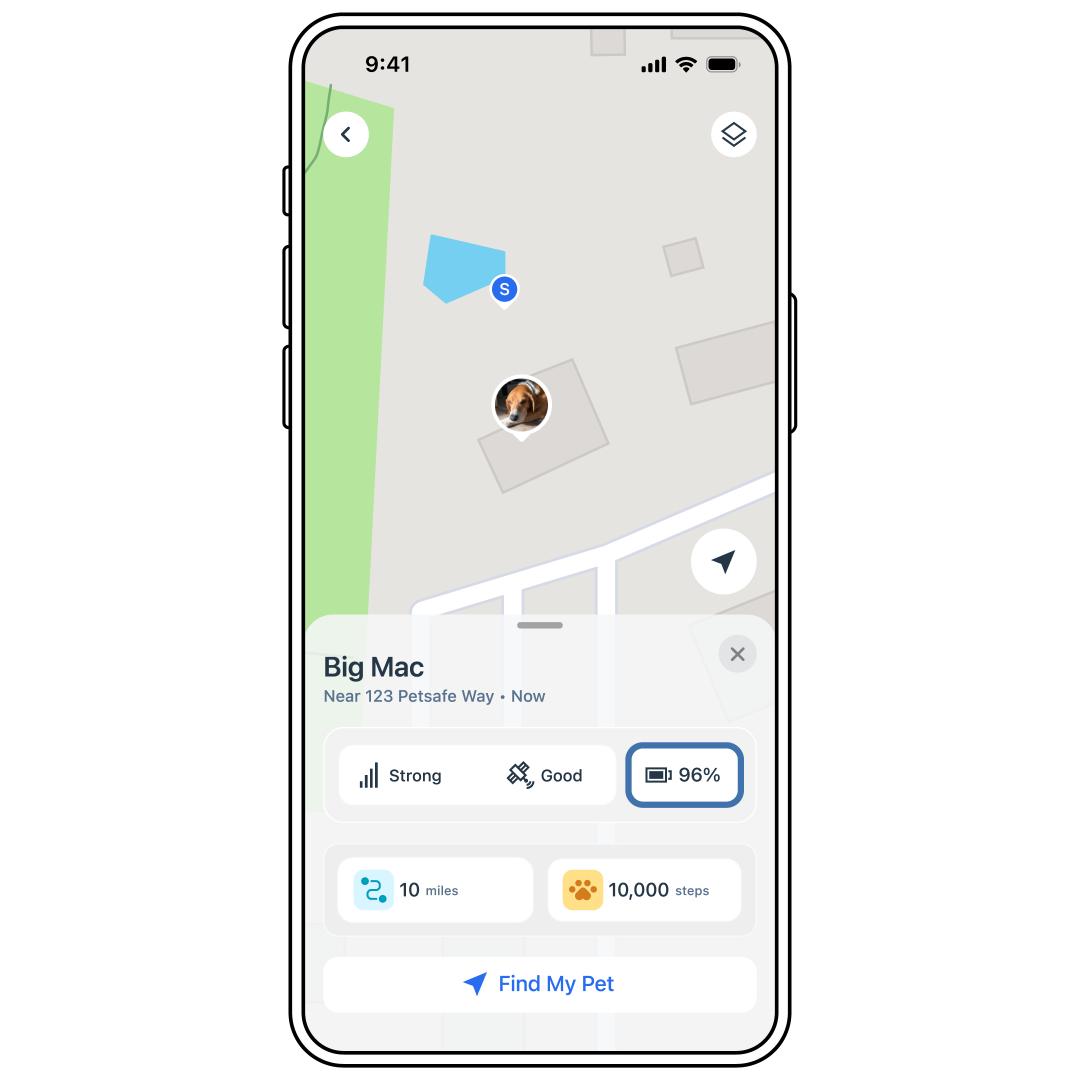
Make sure the Tracker battery is not dead. View the battery status in the app on the Live Dashboard.
- For more information, visit How To View Battery Status and Charge My PetSafe® GPS Dog Tracker.
- If the battery is at 10% or less, charge the Tracker immediately as it may no longer be tracking.
Confirm your Tracker is not in Base Sync as the Tracker will not Track while in Base Sync to conserve battery.
- Your pet icon will have a home icon on it to indicate Base Sync.
Make sure your phone is connected to Wi‑Fi or cellular data so the app can display the tracker’s location.
Make sure the app has permission to use cellular data and Wi-Fi in your phone settings.
Go outdoors with a clear view of the sky to limit GPS interference.
- To trigger movement detection, shake the collar vigorously.
Completely close out, reopen the app and recheck the Tracker’s location.
Uninstall the app. Then, reinstall and log back in with your email.
- Uninstalling the app will not delete any stored data.
If the location is still not updating, contact our customer care.