How to Use Your ScatMat® Indoor Training Mat
Table of Contents
Welcome
Welcome to your new ScatMat® Indoor Training Mat.
Keep in Mind
Uses one 9 Volt battery (not included). Average battery life is 6 months, depending on use.
Training time will vary with each pet.
The mat has a safety timeout built in.
Understanding
Mat
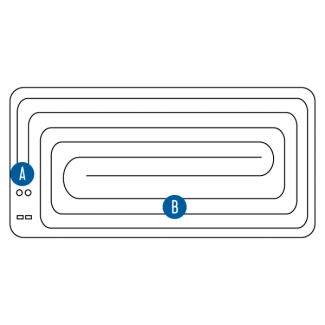
Snaps
Connect the controller to the mat.
Wires
Activate the mat when two wires are touched at the same time.
Controller
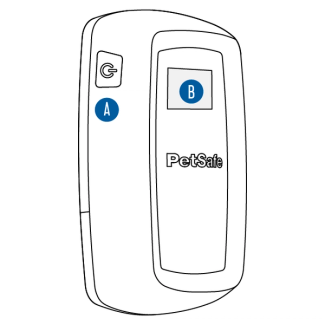
Power Button
Press to turn the controller on and off. Also used to reset the activity counter.
Screen
Displays correction mode, battery status and activity counter.
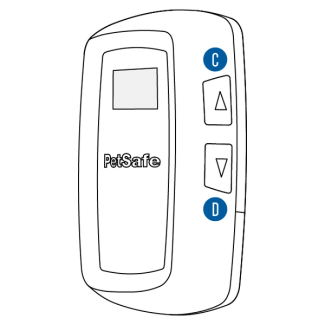
Up Button
Increases stimulation level.
Down Button
Decreases stimulation level.
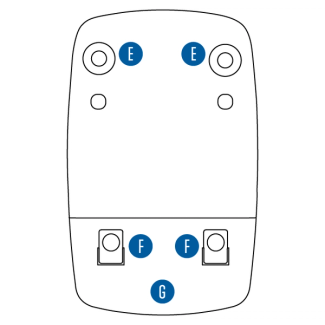
Snap Fasteners
Connect the controller to the mat.
Hooks
Help stabilize the controller on the mat.
Battery Compartment
Holds a 9 volt battery to power the mat.
Screen

Warning Tone
Displays when mat is set to tone-only or tone with static stimulation.
Static Stimulation
Displays when the mat is set to give a static stimulation.
Activity Indicator
Appears when the mat is being activated.
Activity Counter
Shows the number of times the mat activates, up to 99 activations.
Battery Icon
Shows the status of the battery. Replace the battery when icon shows no segments.
Static Stimulation Level
Displays when the mat is set to give a static stimulation when activated. Offers three stimulation levels: low, medium and high.
Set Up
Have the following ready prior to set up:
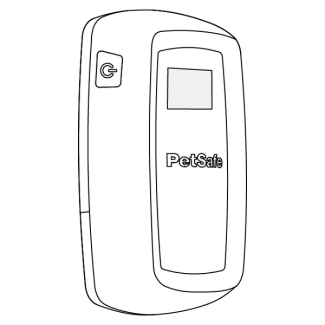
Controller
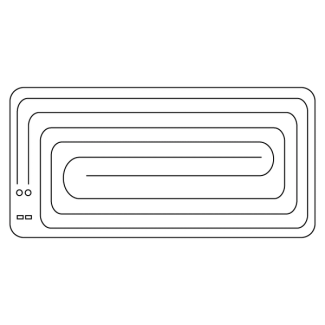
Mat

9 Volt alkaline battery
(not included)
Place Your ScatMat®
Place the ScatMat on any non-metallic surface to prevent your pet from reaching a specific area. The mat is safe to step on while wearing shoes.
Important: Do not place objects on top of the mat as they may cause it to activate.
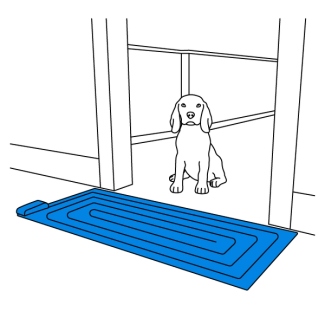
Block a doorway
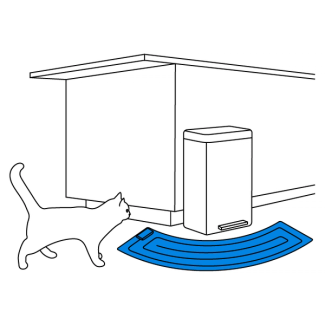
Restrict access to household items
Insert Battery
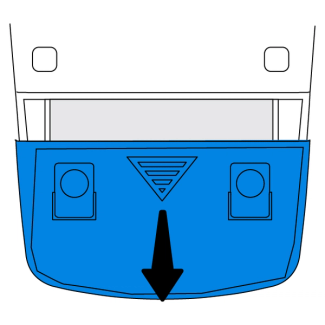
Slide the battery door down and remove.
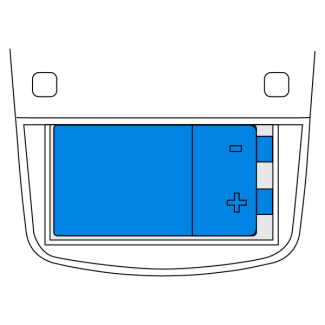
Insert a 9 volt alkaline battery.
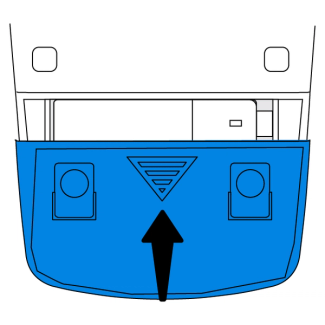
Replace the battery door.
Assemble
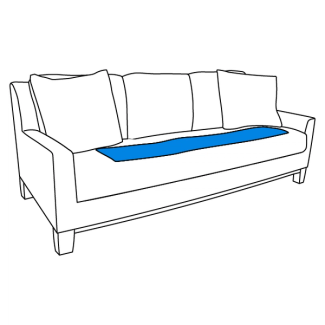
Unroll the mat and lay it flat in the desired location.
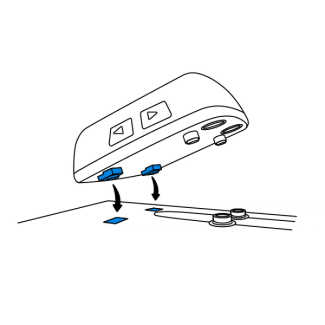
Align and insert the hooks on the controller with the holes on the mat.
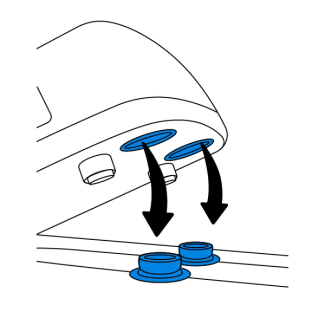
Align the snap fasteners with the snaps on the mat. Press down to secure. A snap will be heard.
Power On
The mat will calibrate to its location when powered on. This calibration process will help ensure that your pet is detected when on the mat.
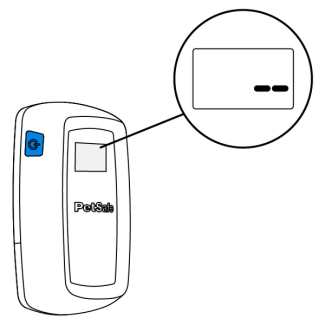
Press the power button to turn on your ScatMat. Two dashes will appear on the screen indicating the controller is calibrating.
Note: The controller will continue to calibrate for 5 minutes after powering on. The mat may activate during this time.
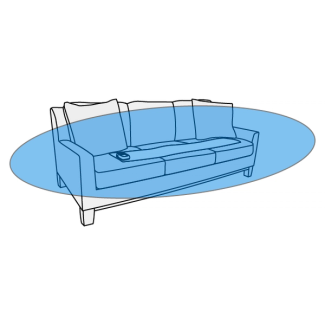
Move away at least 3 feet while the controller calibrates. When finished, the screen will display the correction mode.
Important: Make sure nothing is set on the mat during calibration.
Any time the mat is moved to a new location press and hold the power button to turn the mat off before moving. Turn the mat on once positioned to repeat calibration.
Set Correction Mode
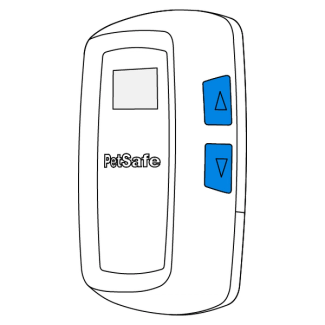
Use the ▲ and ▼ buttons to select the desired correction mode.
Note: When using static stimulation, start with the lowest level and only increase if your pet does not respond.
Correction Modes

Tone only
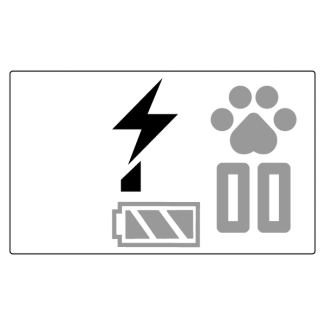
Low static
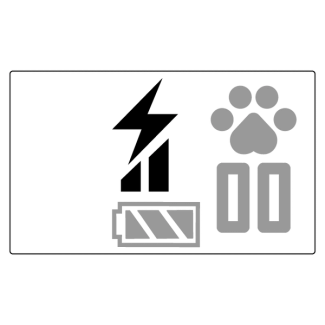
Medium static

High static

Tone and low static

Tone and medium static

Tone and high static
Important: The mat features a safety timeout. After 8 seconds of activation, the mat will time out for 4 seconds and then resume the stimulation. This cycle repeats 9 times, then the controller will shut off.
Acclimation
After the ScatMat is placed, allow your pet to naturally walk over it. Observe your pet’s behavior when interacting with the mat and make the following adjustments as needed:
If your pet does not react to the mat, increase the stimulation level.
If your pet goes around the mat, adjust the position.
If your pet is having difficulty adjusting to the mat, follow the instructions below:
Note: Make sure that your mat is set to give a tone before proceeding.
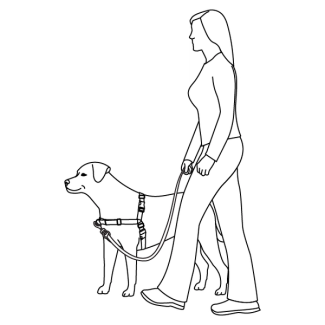
Place a harness on your pet and attach a leash.
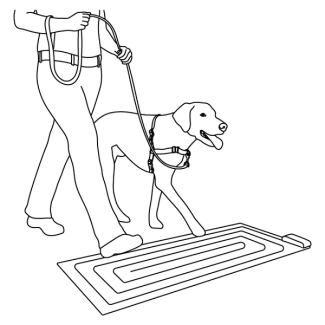
Walk your pet onto the mat.
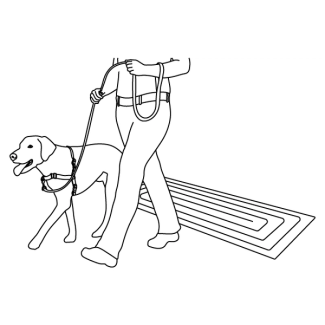
Walk your pet away from the mat when the tone is heard. Reward with a treat.
Important: Allow your pet to move away from or avoid the mat. Do not force him to step on the mat.
Reset Activity Counter
The mat will track how many times a stimulation is given with the activity counter. Follow the instructions below to reset the counter.
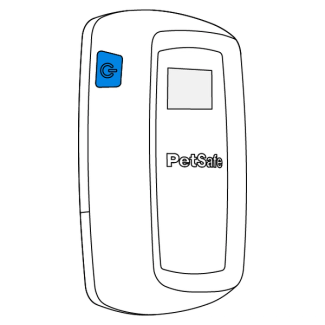
With your ScatMat powered on, press and release the power button once to return the activity counter to zero.
Note: The counter will remain at 99 until it is reset.
Contact Customer Care
If you need further assistance, please contact our customer care team.