How To Turn on My PetSafe® GPS Cat Tracker Notifications
There are two optional push notifications available: Safe Zone Alerts and Battery Level Alerts.
- If Safe Zone Alerts are on, the app will notify you when the Tracker leaves or enters a Safe Zone.
- If Battery Level Alerts are on, the app notifies you when the Tracker's battery reaches 50%, 10%, critically low and when it finishes charging.
Turn Push Notifications On

Open the My PetSafe® app and choose GPS Tracker from the product list if prompted.
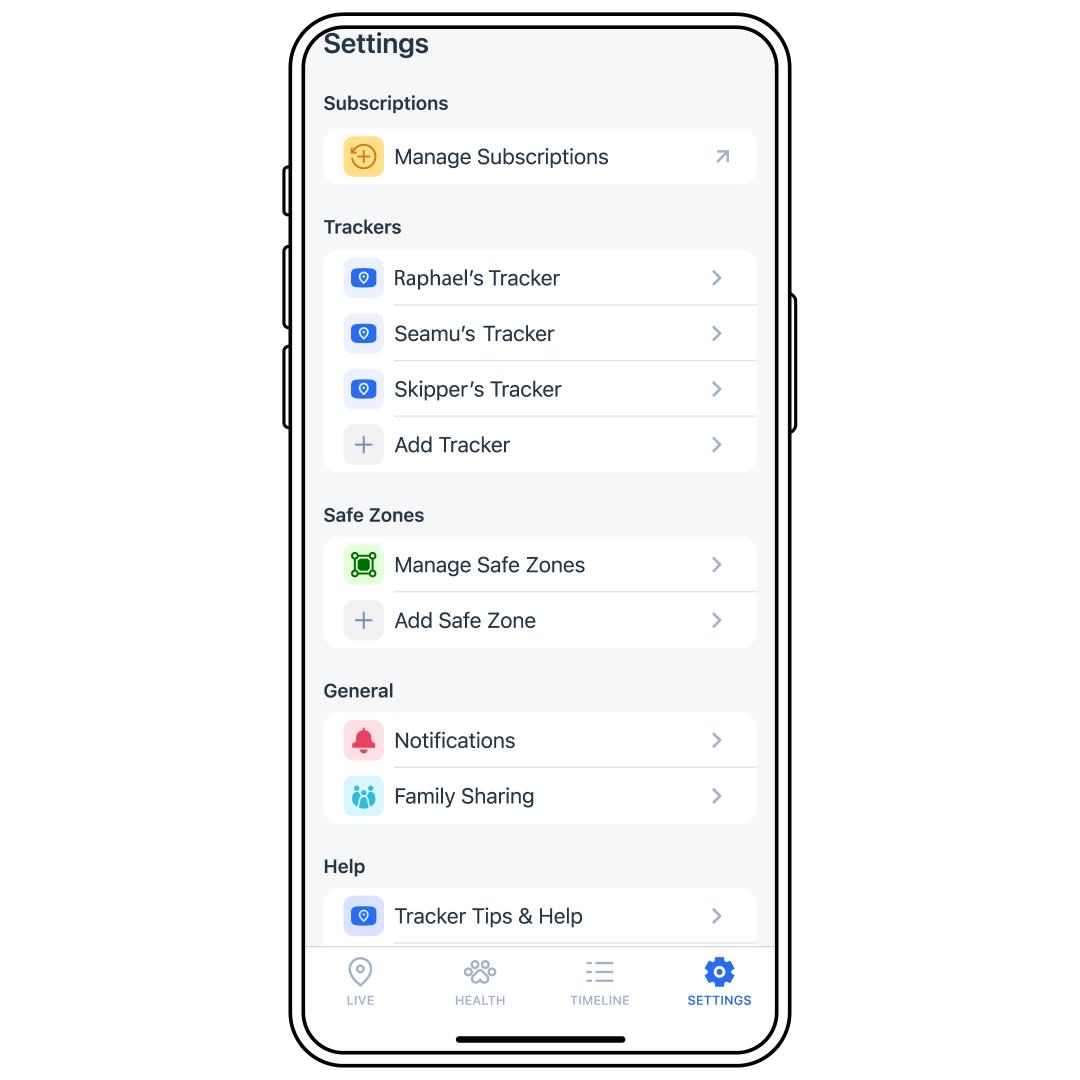
Tap SETTINGS at the bottom-right corner of the app screen.
Select Notifications.
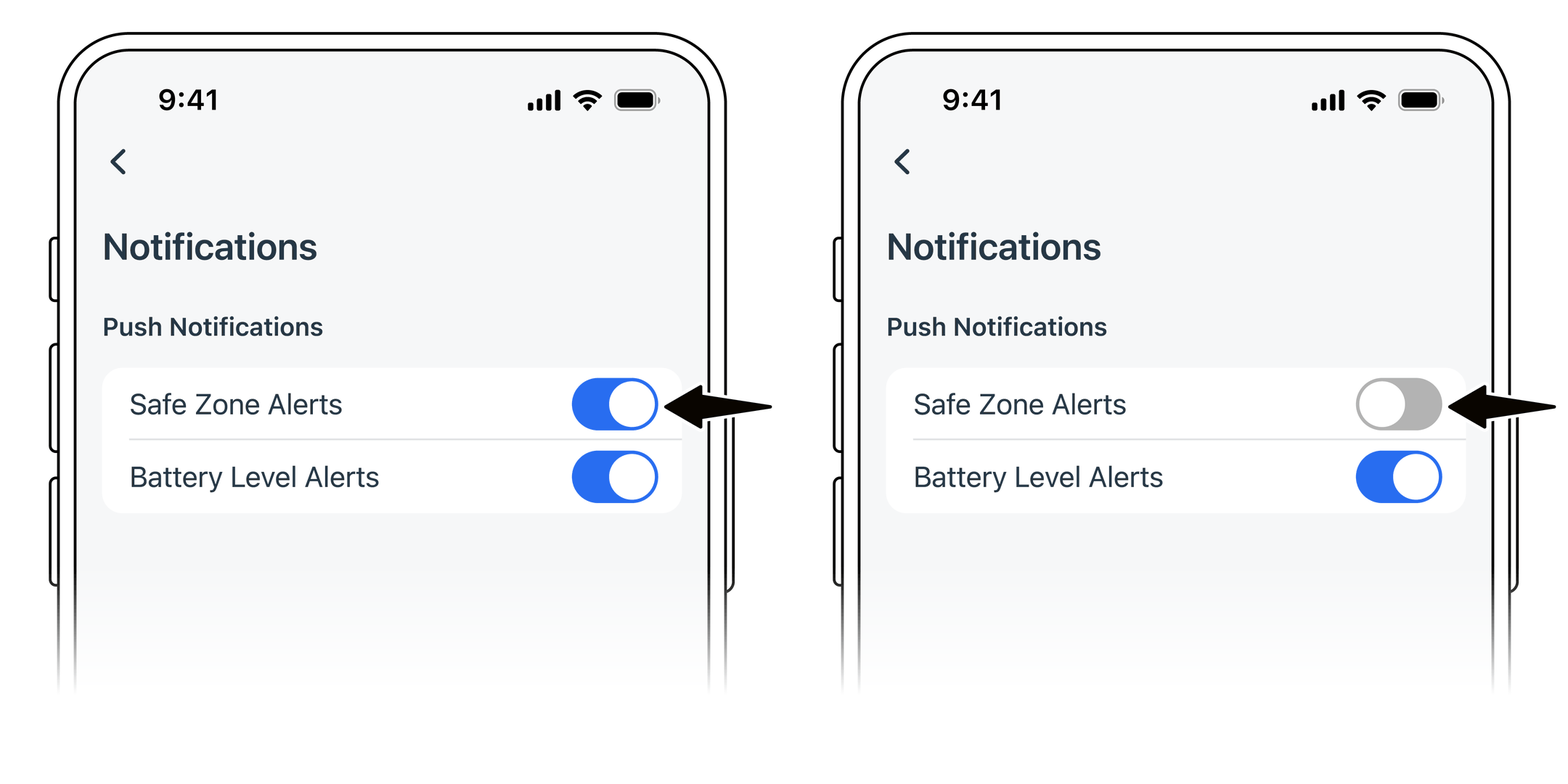
Toggle the notifications to blue to turn them on, or gray to turn them off.