How To Share or Stop Sharing My PetSafe® FreshFeed Refrigerated Pet Feeder
Important Information
Before sharing the device, ensure the person you are sharing with has downloaded the PetSafe® Pet Companion app and set up an account.
When shared, the person you are sharing with will have full access to your feeder, including adding or editing the schedule. However, they will not be able to share the feeder with other users.
Sharing the Feeder
Open the PetSafe® Pet Companion app and select your feeder from the product list.
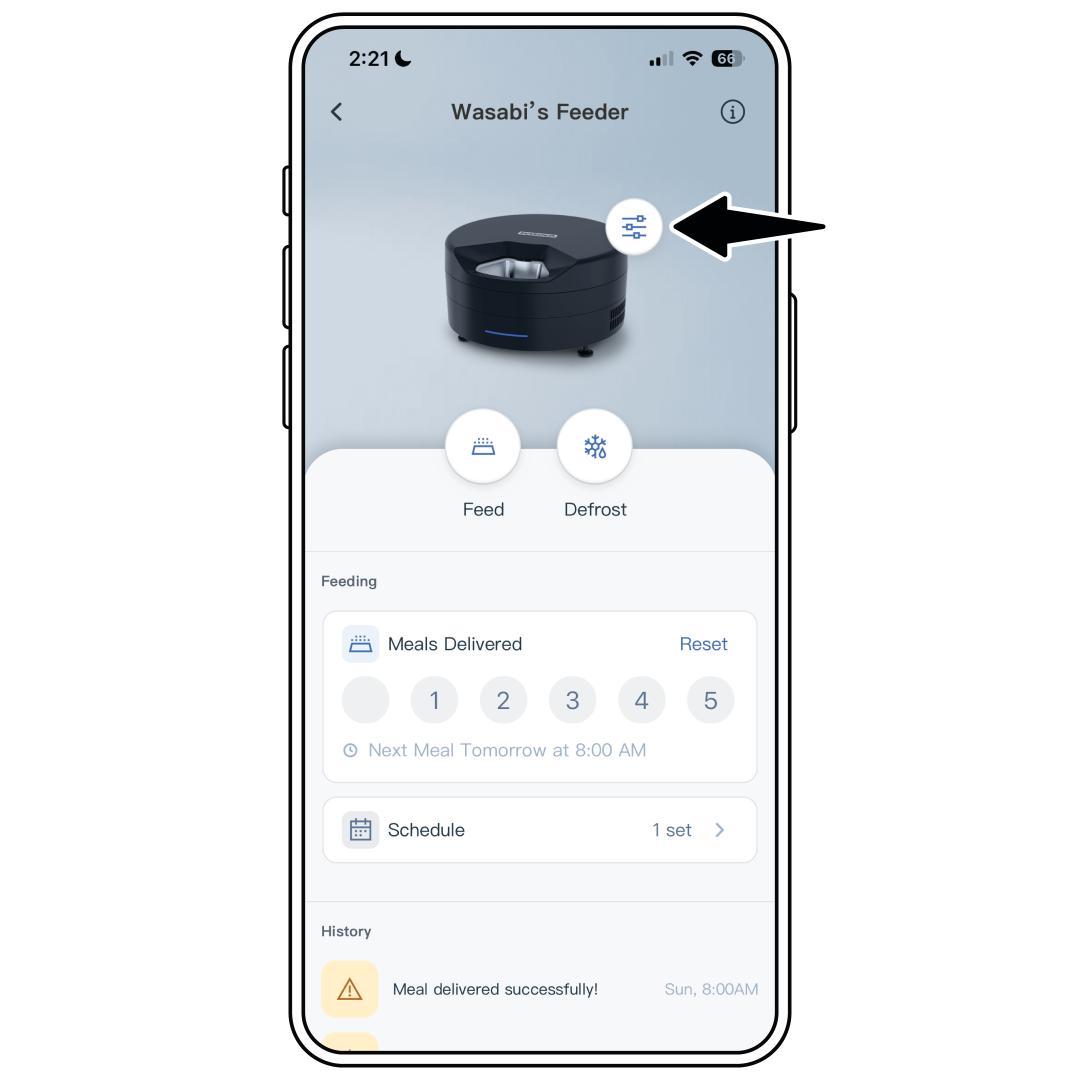
Tap the settings icon next to the feeder image.
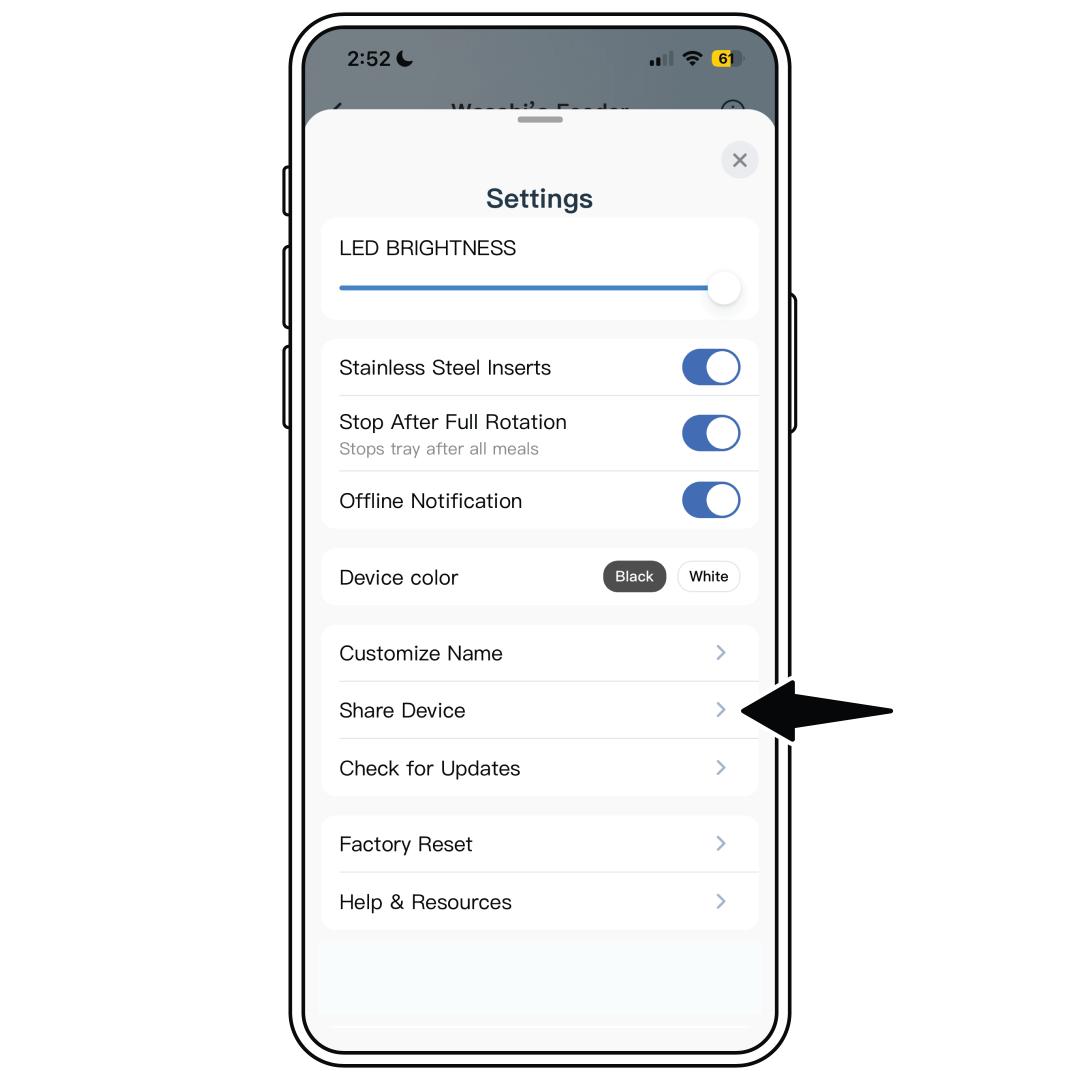
Select Share Device.
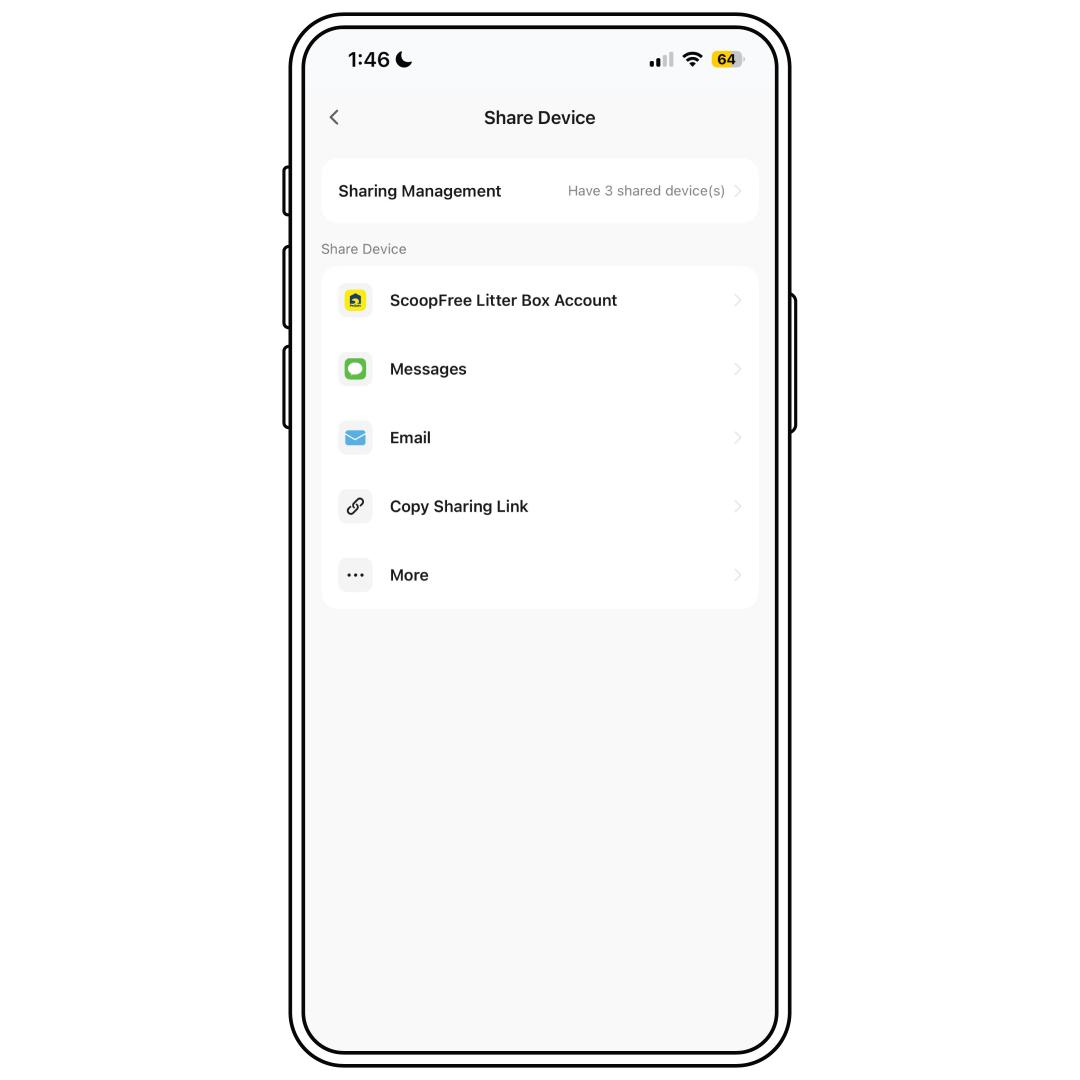
Choose if you would like to share the link via text, email or copy the link.
- If you select Copy Sharing Link, choose how many times the link can be used before it expires. The maximum is 20 times.
- To browse other sharing options, select More. Options will be based on your phone’s capabilities and apps.
Stop Sharing the Feeder
Open the PetSafe® Pet Companion app and select your feeder from the product list.
Tap the settings icon next to the feeder image.
Select Share Device.
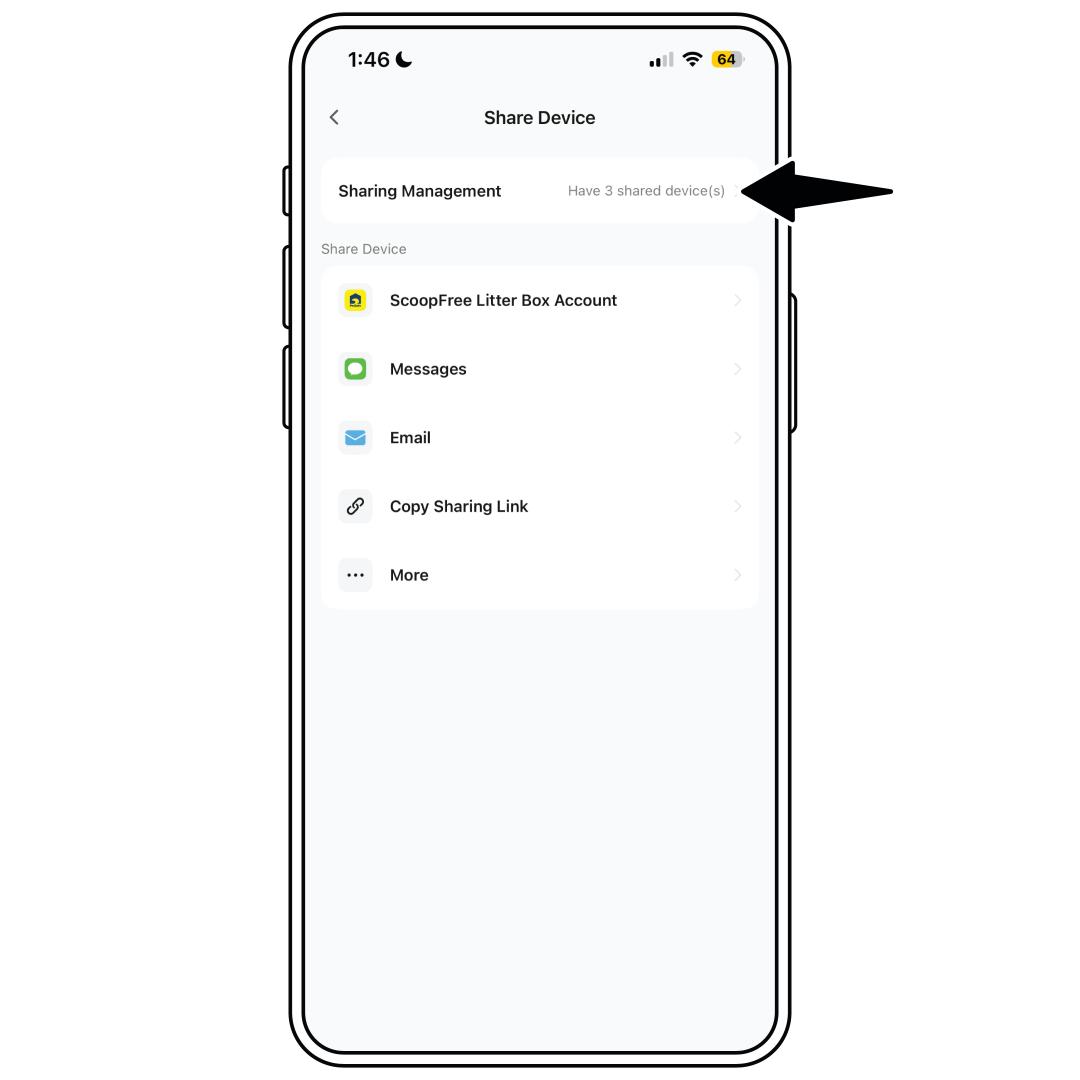
Select Sharing Management.
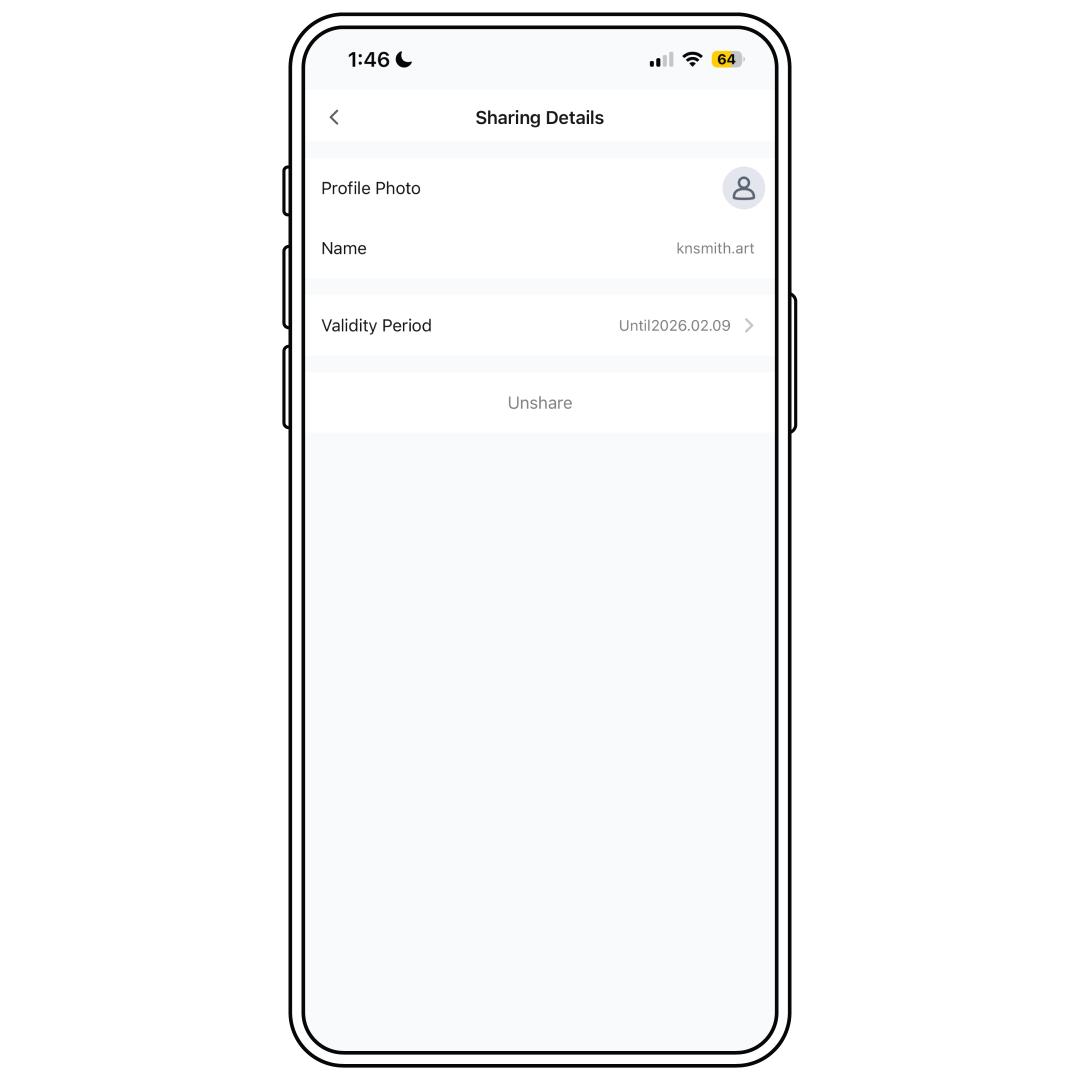
Choose the user you would like to remove, either immediately or by scheduling when they will lose access. Then select:
- Unshare to remove them immediately.
- Validity Period to remove them after a certain date.
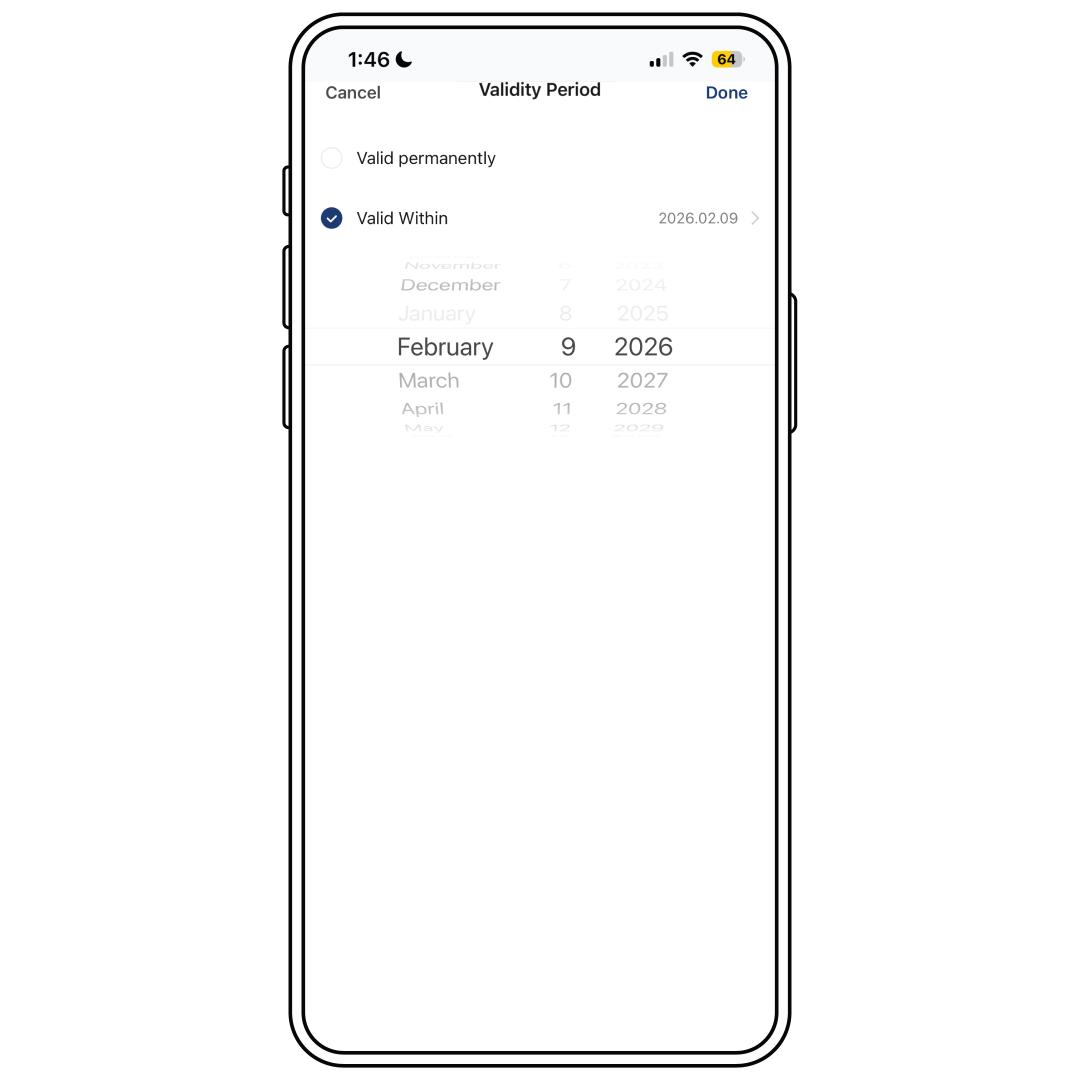
For Validity Period, select Valid Within and choose the end date. Then select Done in the top-right corner.
- The user will be removed and no longer have access to the feeder after the selected date.
Repeat the steps for any additional users you need to remove.