How To Remove a PetSafe® GPS Cat Tracker From My App
Important Information
- Removing a Tracker and Charging Base will permanently delete product-related information. The pet’s profile and health data will remain untouched; however, the Tracker will need to be set up again to see this information.
- If you experience issues with your Tracker, try a factory reset before removal. Visit How To Factory Reset My PetSafe® GPS Cat Tracker and Charging Base.
Remove Tracker

Open the My PetSafe® app and choose GPS Tracker from the product list if prompted.
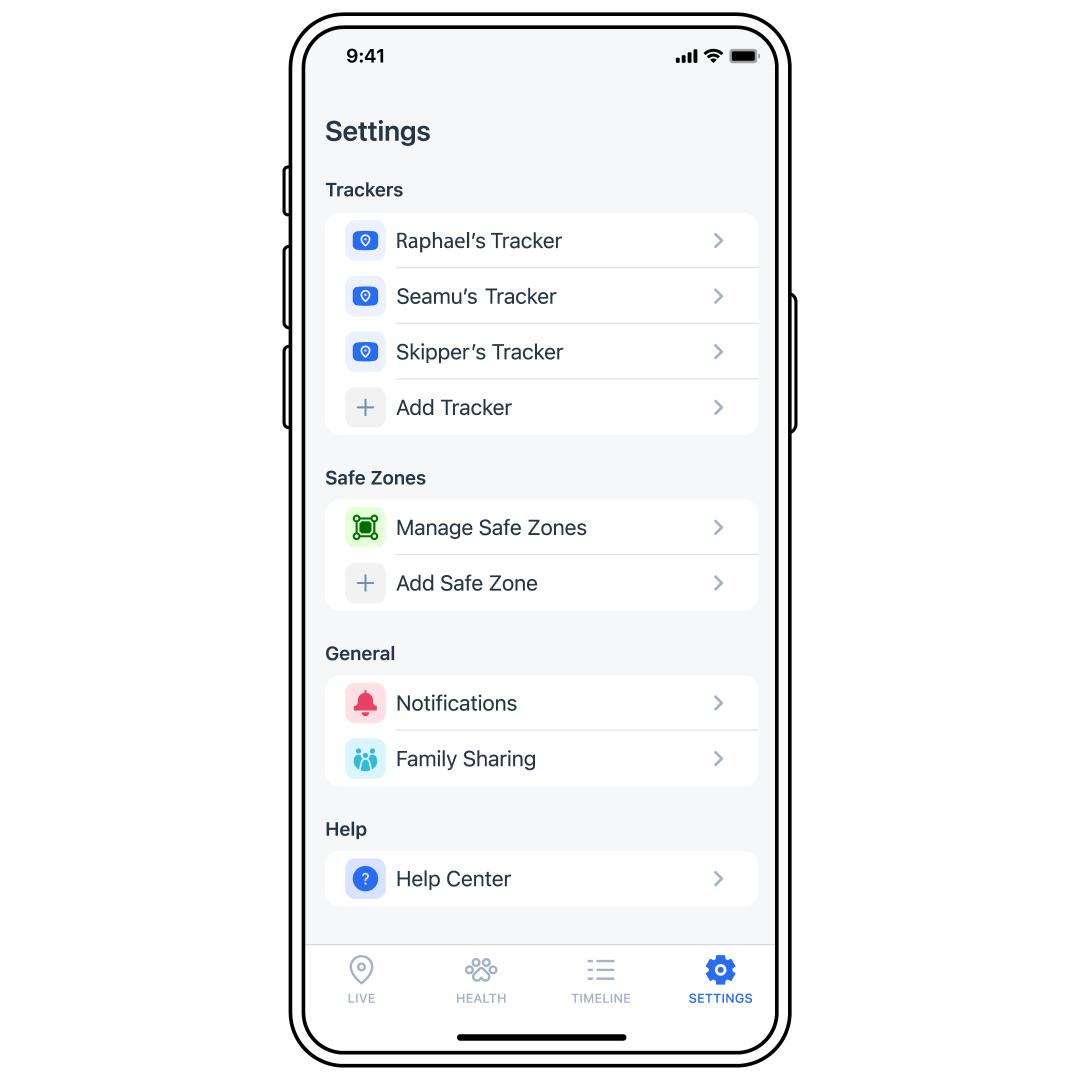
Tap SETTINGS in the bottom-right corner of the app screen.
Select the desired Tracker from the list.
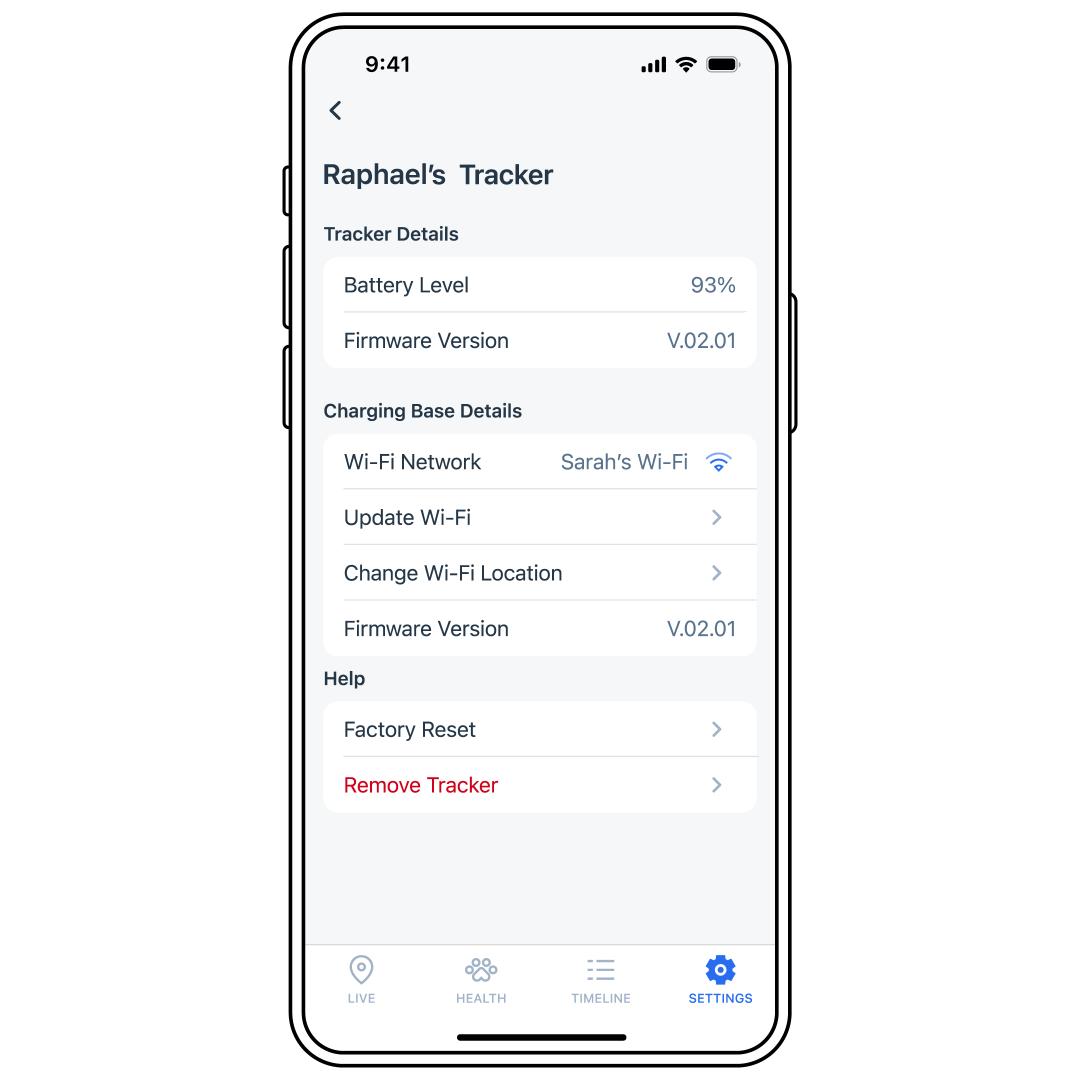
Select Remove Tracker.
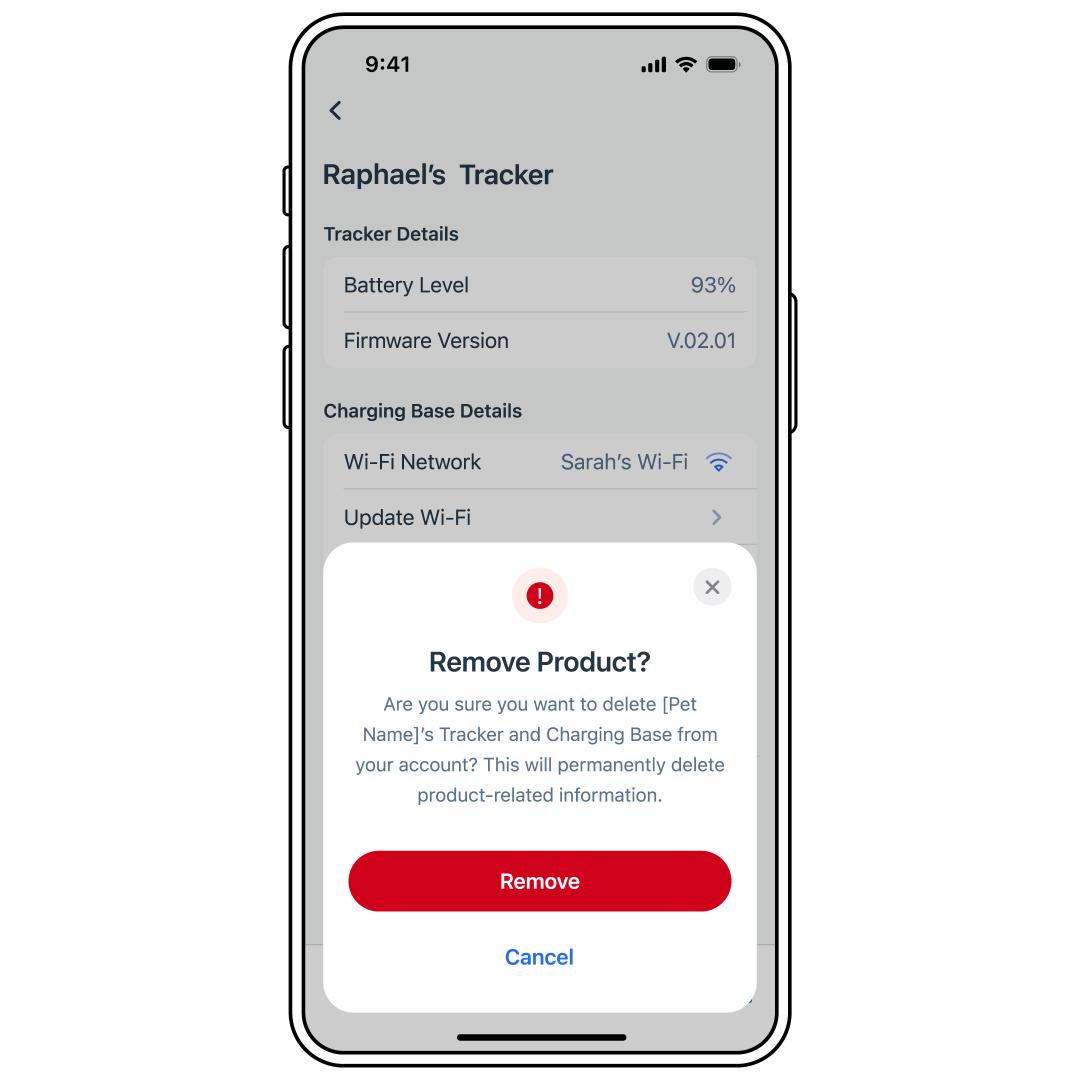
Tap Remove to confirm.
- For help adding a Tracker again, visit How To Set Up My PetSafe® GPS Cat Tracker.