How To Pair My PetSafe® Classic In-Ground Fence™ Collar to the Pawz Away® 2.0 Indoor Wireless Pet Barrier
Important Information
- The collar’s correction setting will determine how it interacts with the Pawz Away® Indoor Wireless Pet Barrier:
- Tone and vibration only: Set to this mode, indicated by a yellow light, the collar will tone and vibrate only. The collar will not deliver static correction.
- Static correction: Set to this mode, indicated by white light(s), the collar will tone, vibrate and deliver static correction. When used with the Pawz Away® Indoor Wireless Pet Barrier, the collar uses progressive static correction and not the correction level selected for use with the in-ground fence.
- For steps to change the level, visit How to Change the Collar Level of the Classic In-Ground Fence™.
- Additional collars and indoor base pucks can be purchased separately.
- You can use an unlimited number of indoor base pucks and collars in your home.
Pairing:
- The mode selected on the indoor base puck during initial pairing becomes the collar’s paired mode. The collar will automatically activate with any other indoor puck set to that same mode. You do not need to pair the collar with each puck individually.
- You can pair multiple collars to the indoor base puck at the same time.
- Ensure collars are charged before beginning the pairing.
Using Different Modes
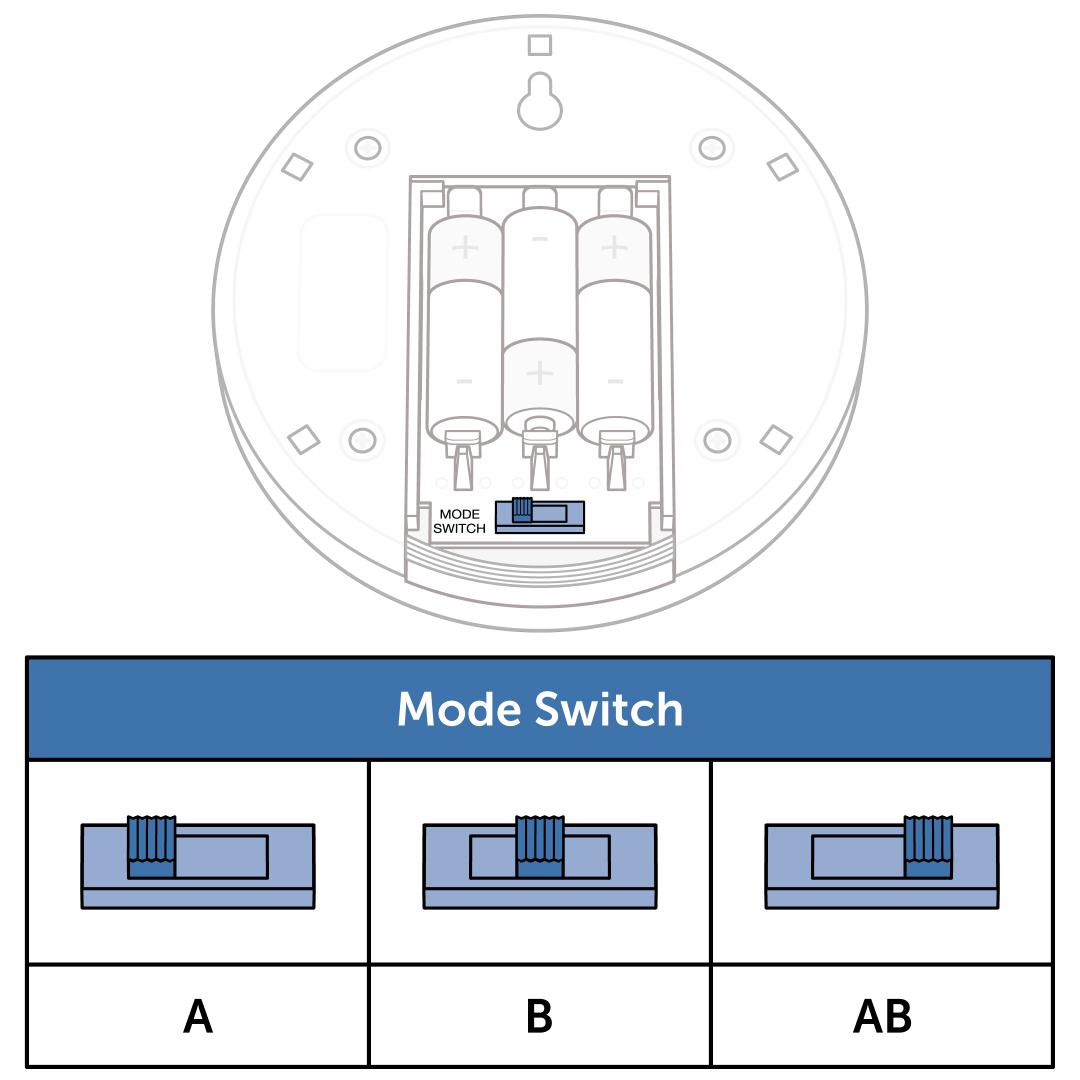
If you have multiple dogs, you can use Mode A and Mode B to allow one dog access to an area while restricting another.
- All indoor base pucks and collars come preset to Mode A.
- Each collar can be paired to one of two modes: A or B.
- Each indoor base puck can be set to A, B or AB mode.
- If you want collars set to different modes, pair one mode at a time. Keep collars for the other mode powered off until you're ready.
Mode A: With the indoor base puck set to Mode A, access is denied to dogs wearing collars paired to Mode A and permits access to dogs wearing collars paired to Mode B.
Mode B: With the indoor base puck set to Mode B, access is denied to dogs wearing collars paired to Mode B and permits access to dogs wearing collars paired to Mode A.
Mode AB: With the indoor base puck set to Mode AB, access is denied to dogs wearing collars paired to either Mode A or Mode B.
Pair the Collar
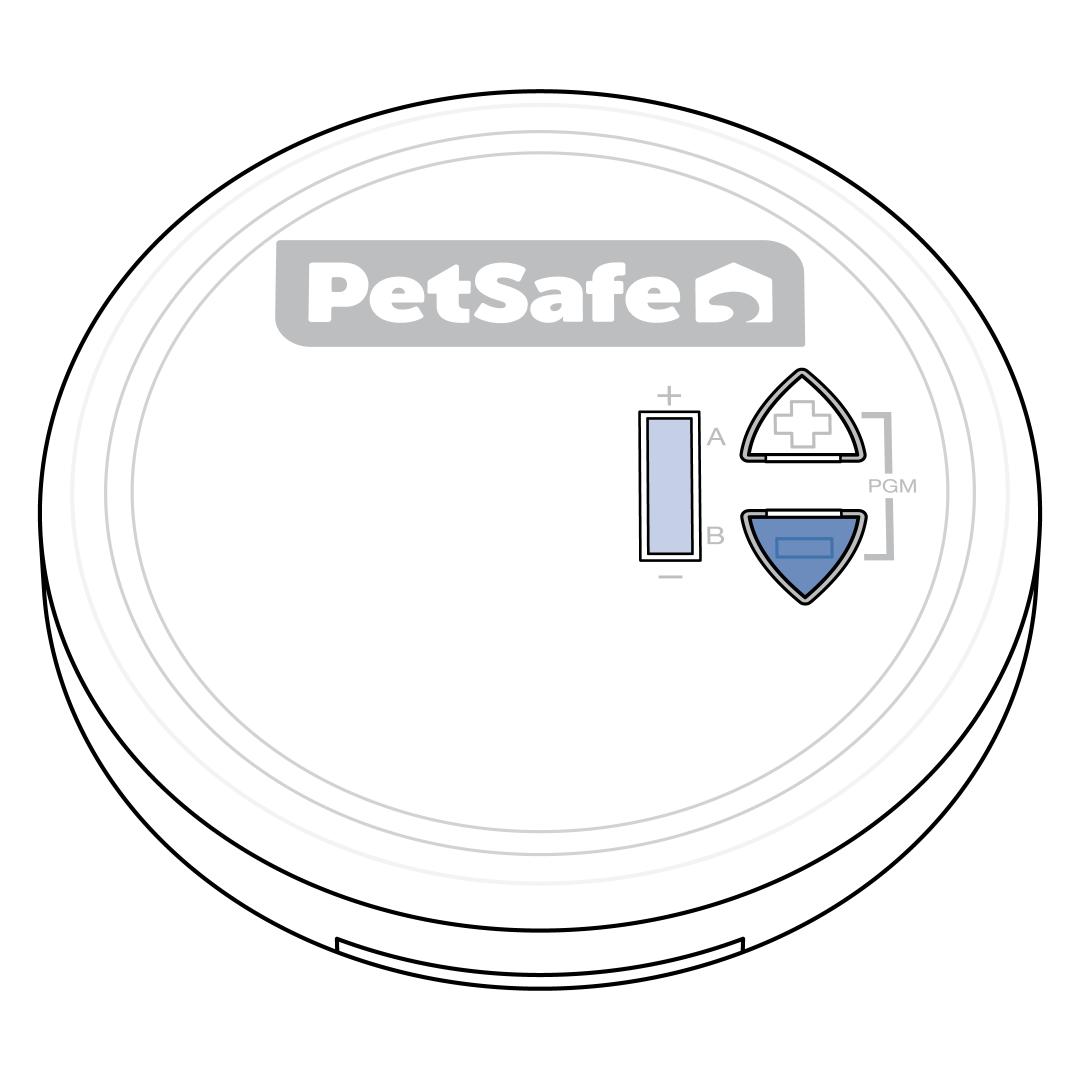
Ensure the indoor base puck is powered off by pressing the down (-) button repeatedly until the LCD screen turns off.
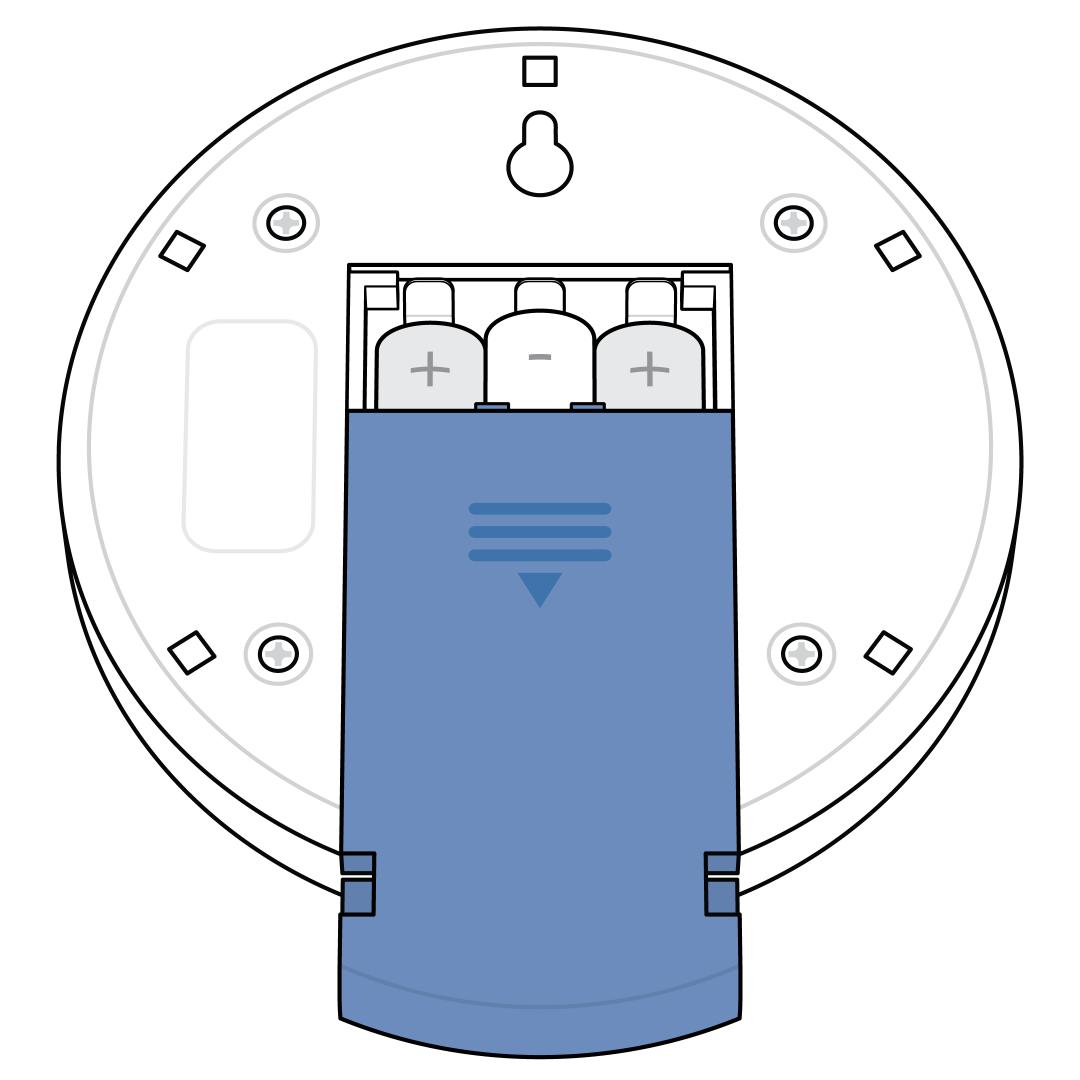
Remove the battery cover on the back of the indoor base puck.
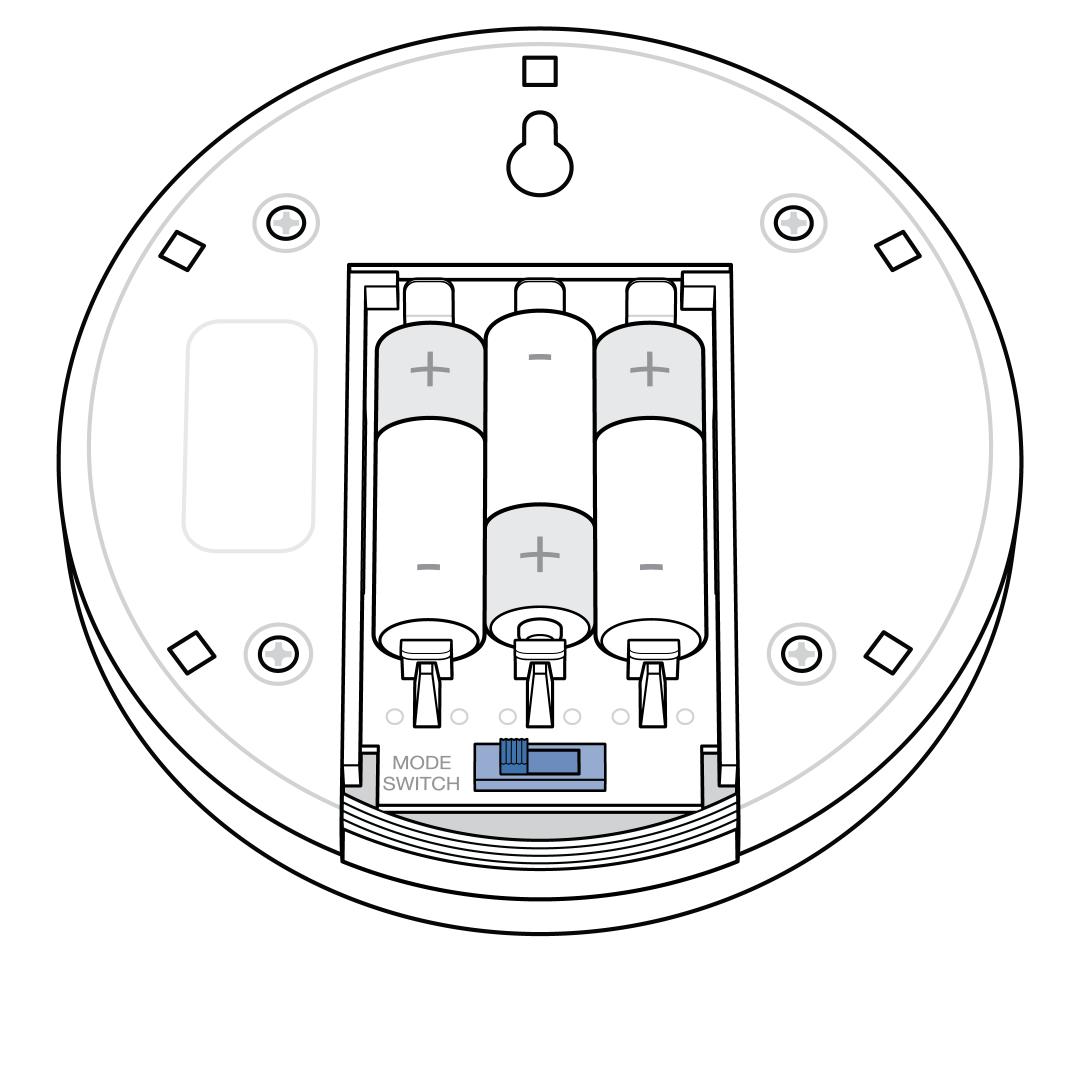
Locate the mode switch next to the batteries. Adjust the mode switch to either A (left position) or B (center position), which determines the mode the collar will react to once paired.
The collar will not pair in AB mode since this mode is designed to activate collars already in A and B mode.
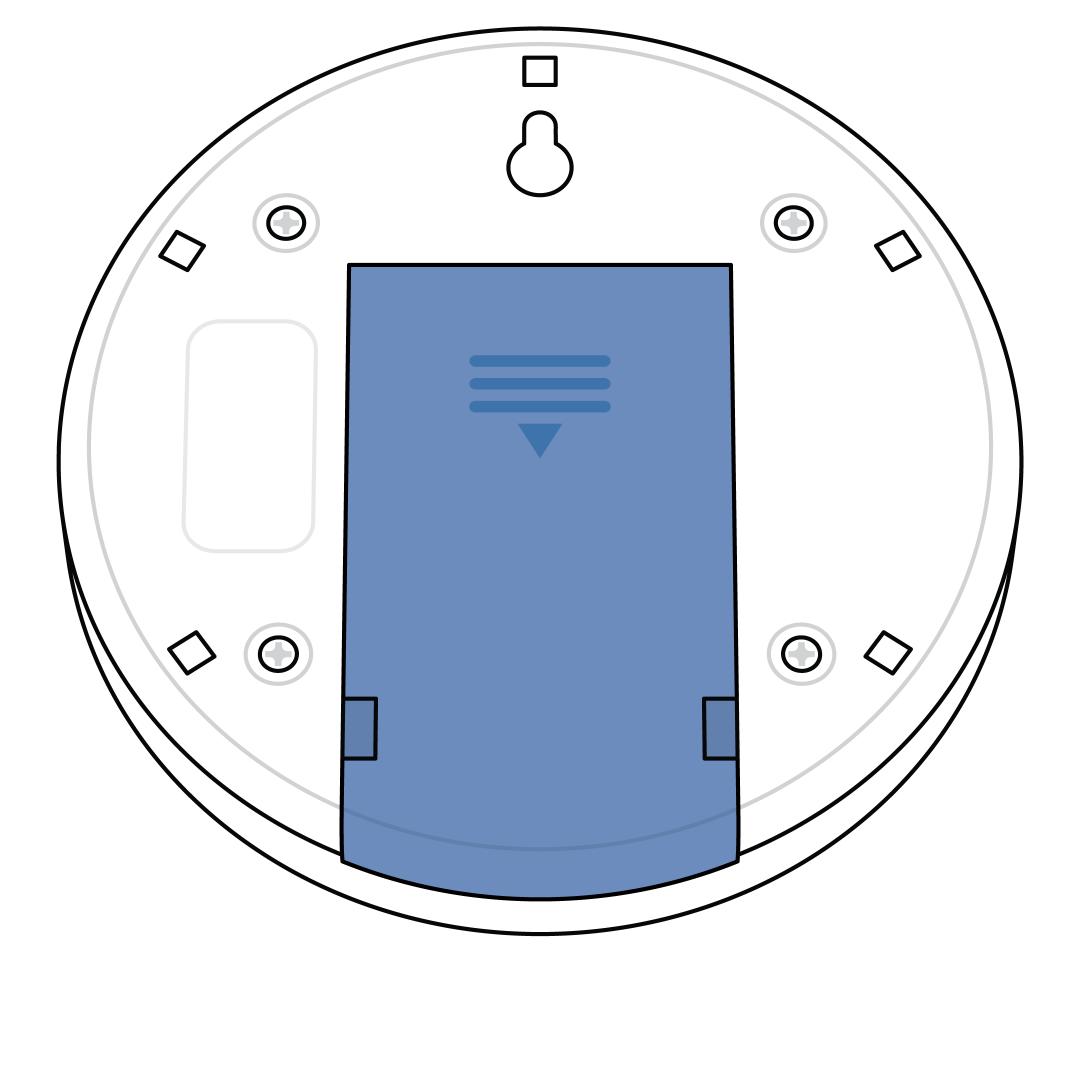
Replace the battery cover on the back of the indoor base puck.
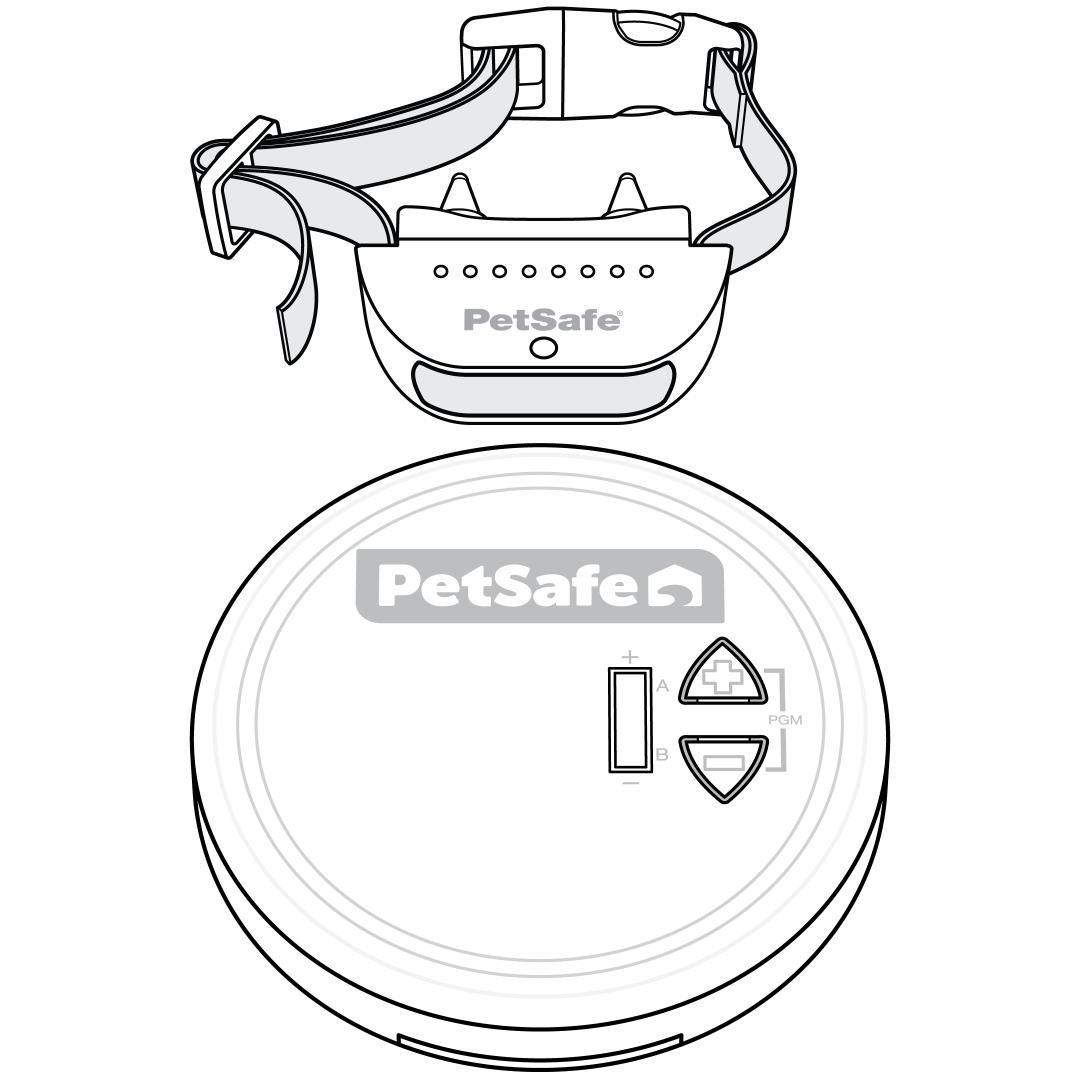
Power the collar on and place it directly next to the indoor base puck.
To power on, press the mode button for 1 second, then release. The collar will beep low to high and the light will flash green. The light will flash once every 5 seconds (green, yellow or red) to indicate battery charge.
If the light is red, charge the collar completely before continuing.
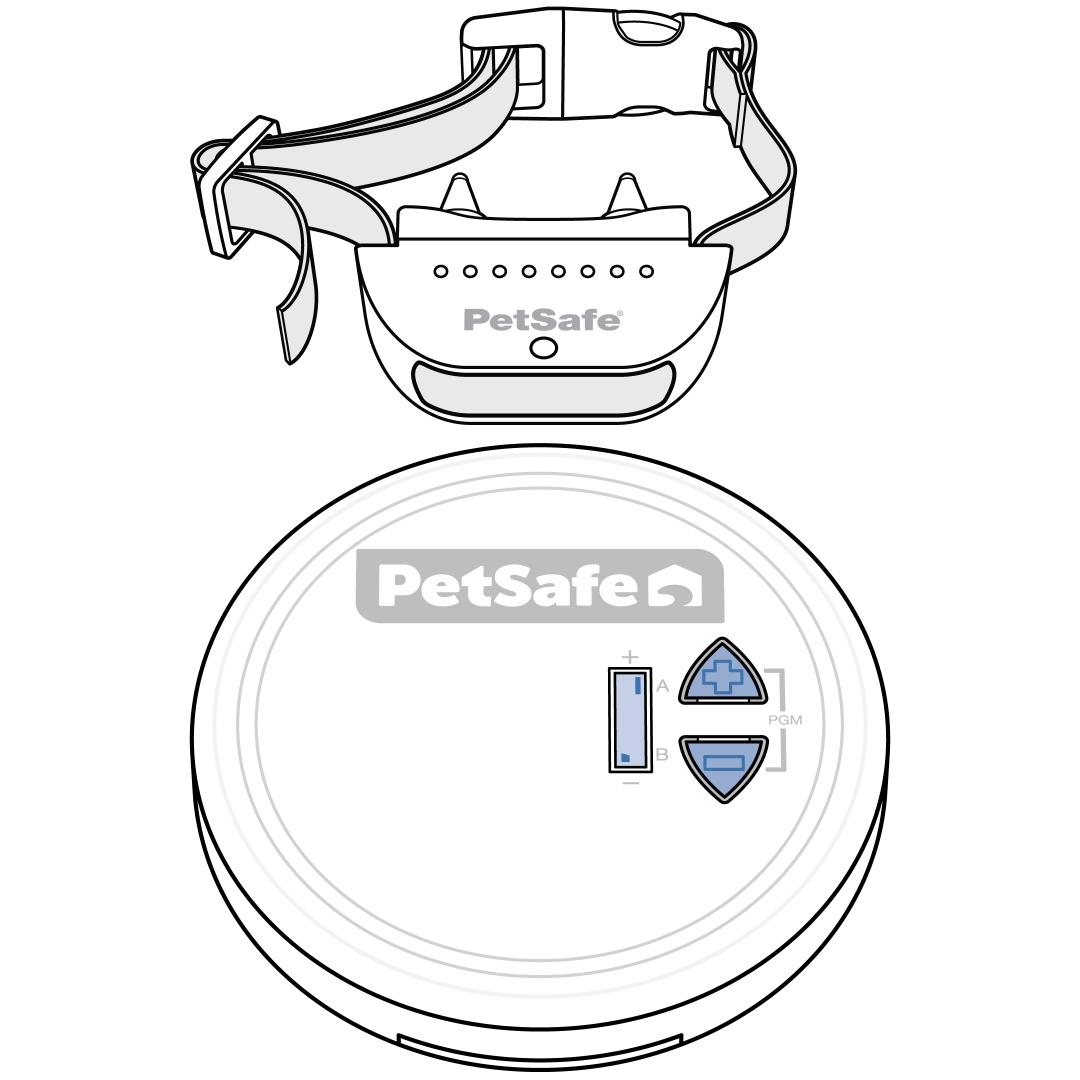
Press and hold the down (-) button and up (+) button at the same time until the collar(s) beeps three times (about 5 seconds) to indicate successful pairing. Then, release both buttons on the indoor base puck.
Note: If the collar is already paired to that mode, it will not beep.
Pair additional collars to a different mode by first adjusting the mode like step 3, then repeating steps 4 and 5 with the collars.
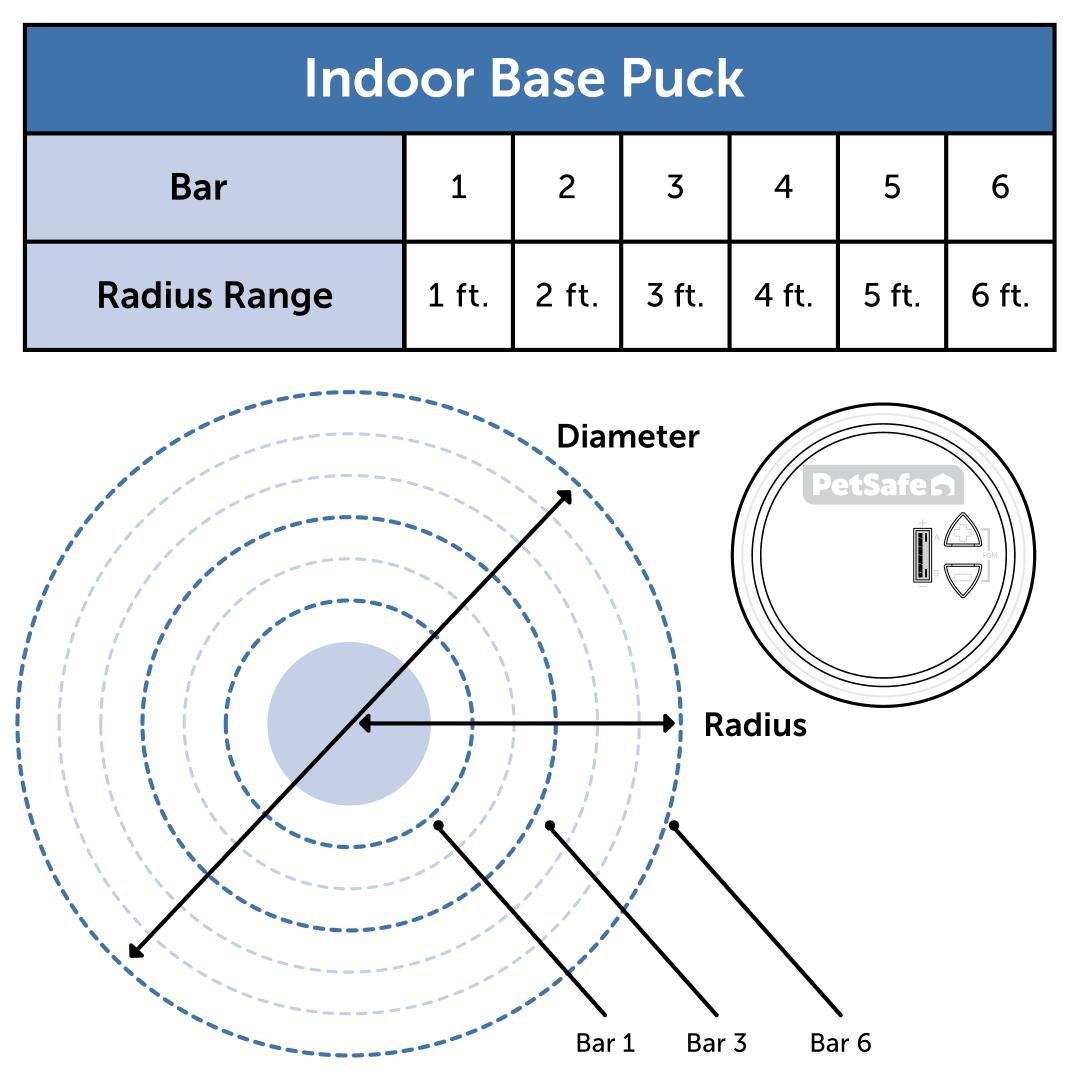
Power on the indoor base puck by pressing the up (+) button.
Make sure the black bar(s) on the right side of the LCD screen indicate the mode you have selected.
Use the up (+) and down (–) buttons to set the indoor base puck to the desired range.
The maximum range for this system is level 6, which will activate the collar roughly 6 feet (1.8m) from the indoor base puck base, creating an off-limits zone of 12 feet across (3.7m).
For more information on setting up the indoor base puck, visit How To Set Up My PetSafe® Pawz Away® 2.0 Indoor Wireless Pet Barrier.