How To Factory Reset My PetSafe® GPS Cat Tracker and Charging Base
Important Information
- A factory reset will permanently delete product-related information. The pet’s profile and health data will remain untouched. However, the Tracker will need to be set up again to see this information.
- If the Tracker has not yet been connected to the app, but needs to be reset, use the instructions under Factory Reset Through the Charging Base and Tracker at the bottom of this article.
Factory Reset Through the App
Make sure the Charging Base is plugged in.
- There is about a 5 second delay from the time the Charging Base is plugged in and the time the Charging Base light turns on.
- The Charging Base light will glow solid green when it is powered on.
- If the Charging Base does not have power, visit Tracker or Charging Base Has No Lights or Power - PetSafe® GPS Cat Tracker.
- If there are any other lights, visit What Do the Lights Mean on My PetSafe® GPS Cat Tracker and Charging Base?
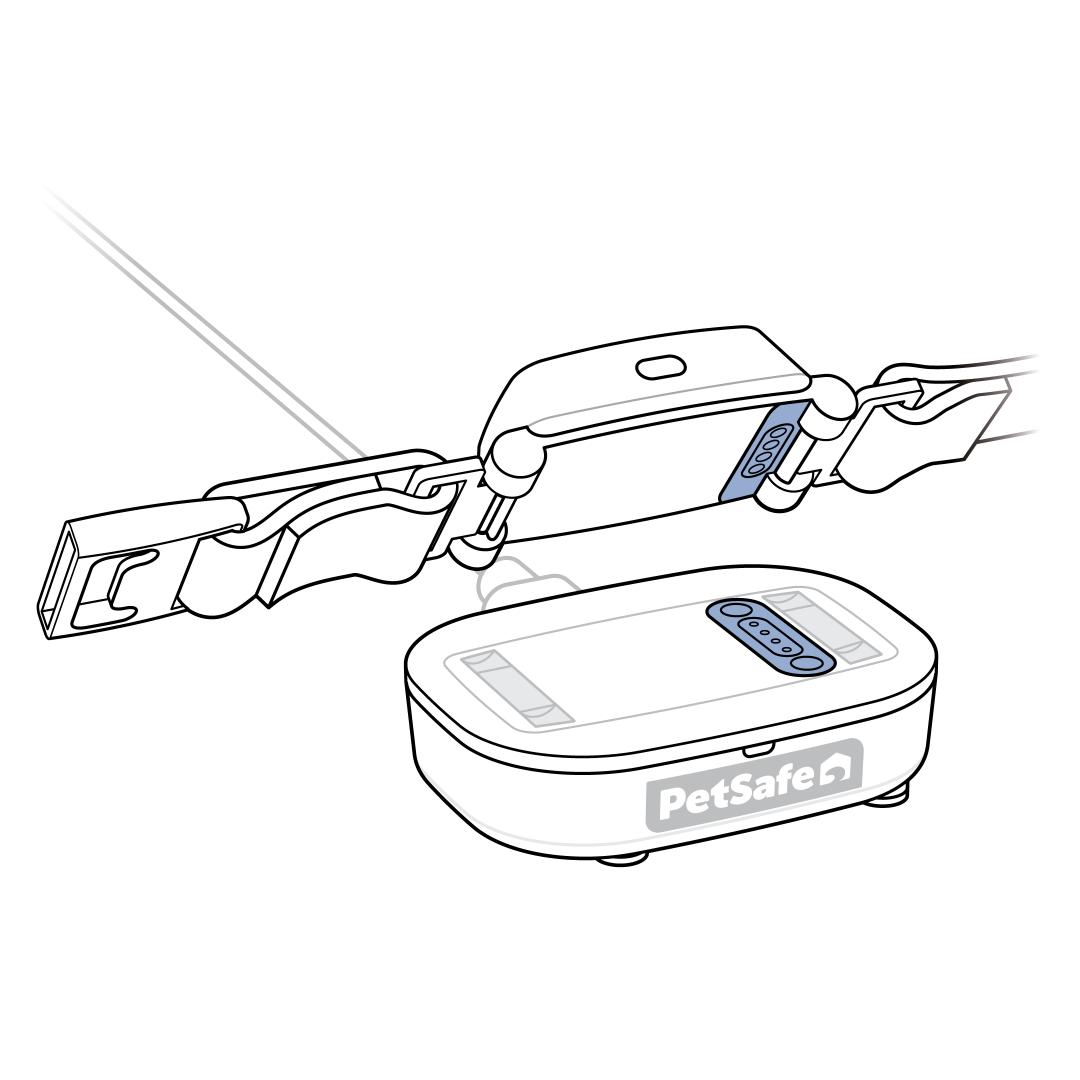
Place the Tracker on the Charging Base. When the Tracker is properly placed, the Tracker will light up and emit a tone.

Open the My PetSafe® app and choose GPS Tracker from the product list if prompted.
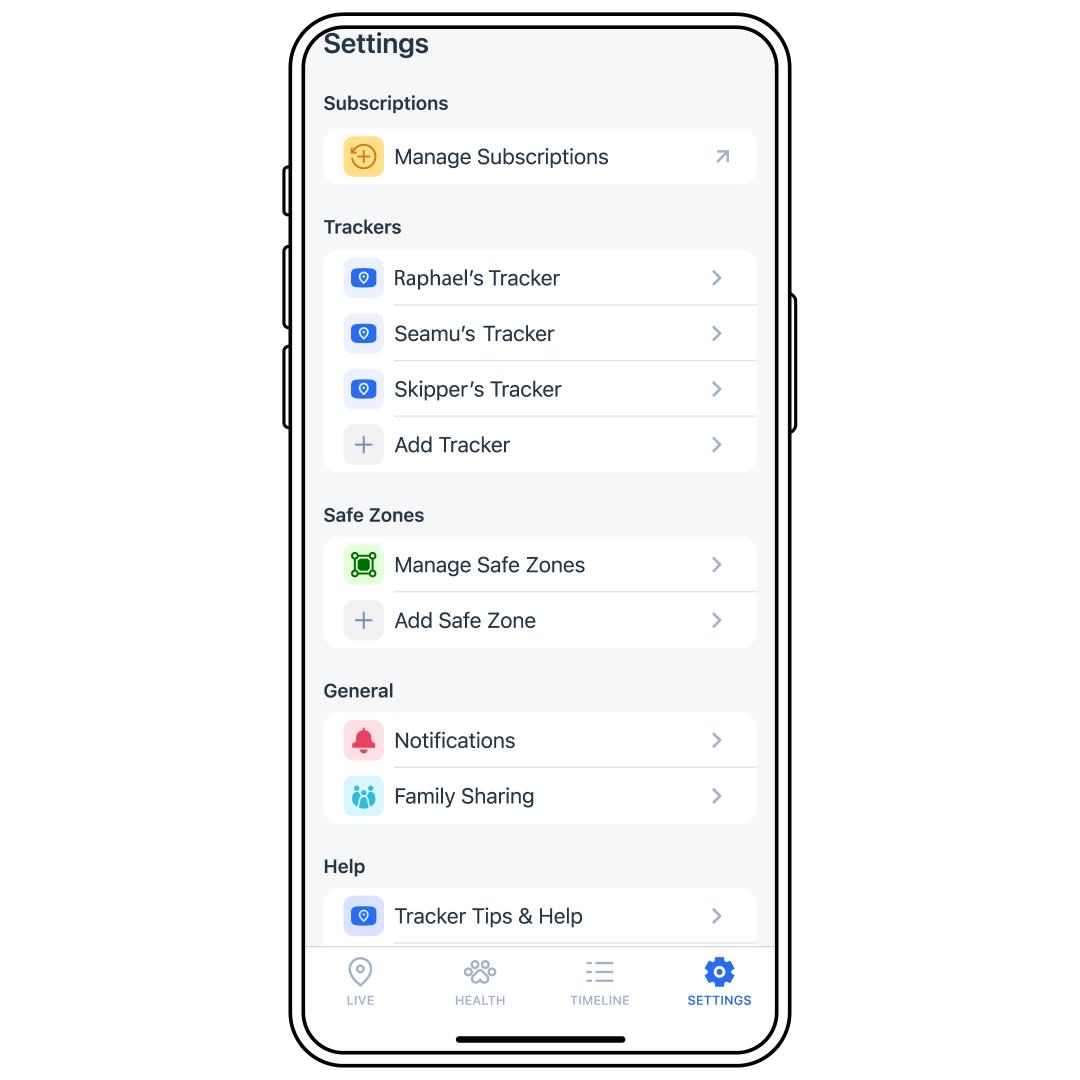
Tap SETTINGS in the bottom-right corner of the screen.
Select the desired Tracker from the list.
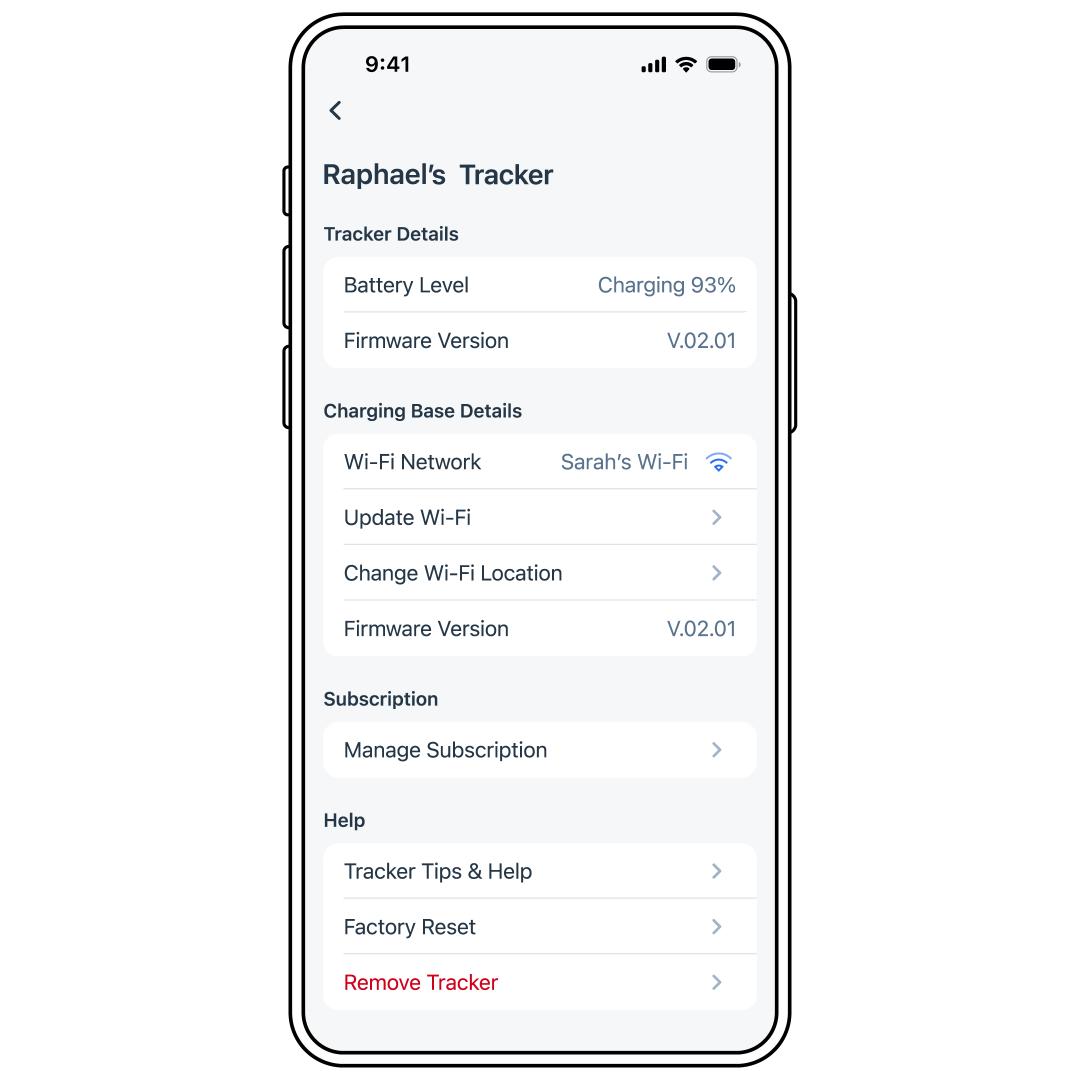
Select Factory Reset.
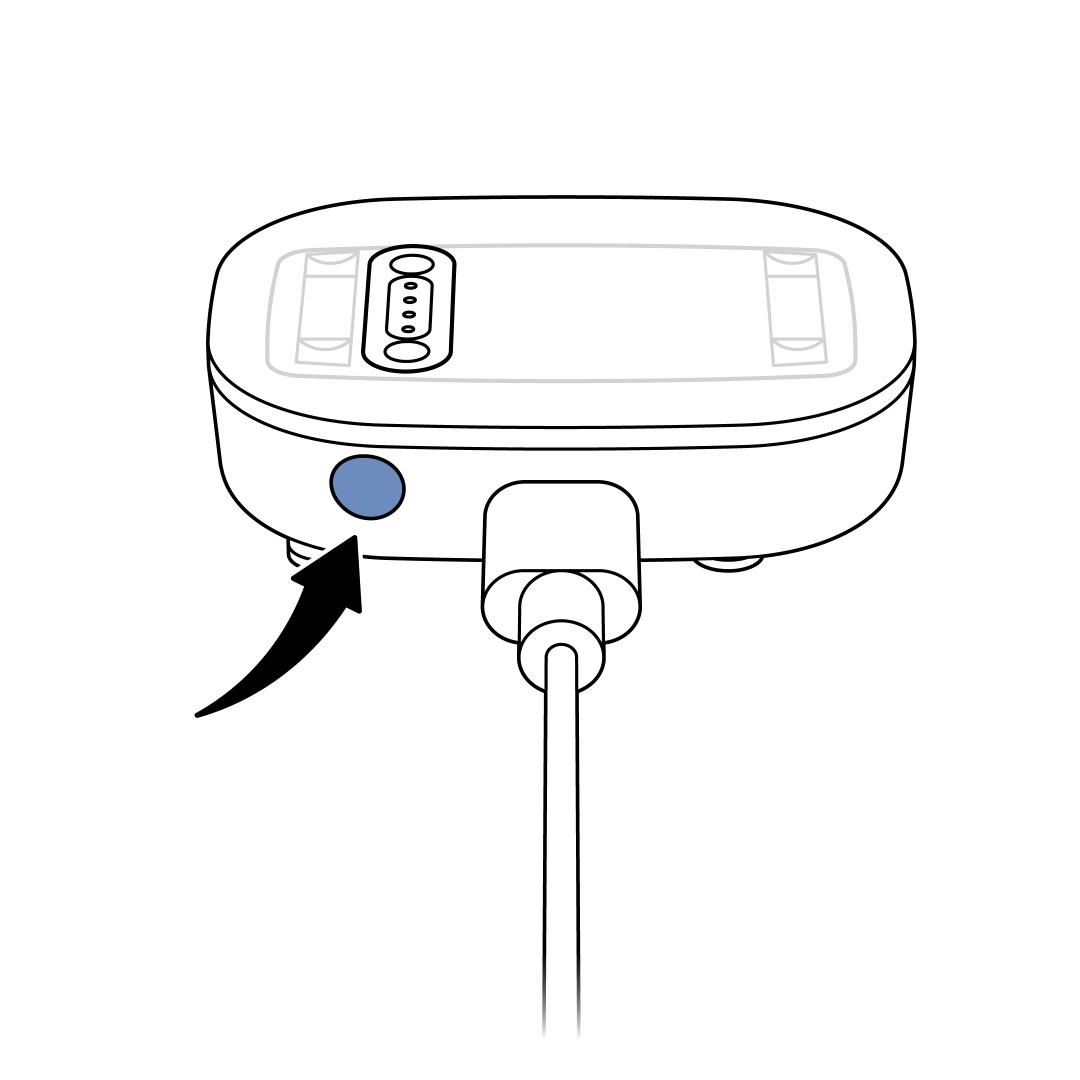
Press and hold the reset button on the back of the Charging Base for 10 seconds.
- The Charging Base will blink red at the 5-second mark. Continue to hold through the red blinking light and the blinking green light. Release the button when the Charging Base light is solid red.
- Important: If the button is released too soon, unplug the Charging Base, plug it back in and power it back on to begin the process again.
- When the reset is complete, the Charging Base LED pulses blue.
- Once the reset is complete, the Tracker needs to be set up again to track the pet. Follow the in-app instructions by tapping Start Setup. Alternatively, if you removed your product, visit How To Set Up My PetSafe® GPS Cat Tracker.
If the Tracker and Charging Base do not reset, retry. If it still does not reset, contact our customer care.
Factory Reset Through the Charging Base and Tracker
Make sure the Charging Base is plugged in.
- There is about a 5-second delay from the time the Charging Base is plugged in and the time the Charging Base light turns on.
- The Charging Base light will glow solid green when it is powered on
- If the Charging Base does not have power, visit Tracker or Charging Base Has No Lights or Power - PetSafe® GPS Cat Tracker.
- If there are any other lights, visit What Do the Lights Mean on My PetSafe® GPS Cat Tracker and Charging Base?
Place the Tracker on the Charging Base. When the Tracker is properly placed, the Tracker will light up and emit a tone.
Press and hold the Reset button on the back of the Charging Base for 10 seconds.
- The Charging Base will blink red at the 5-second mark. Continue to hold through the red blinking light and the blinking green light. Release the button when the Charging Base light is solid red.
- If the button is released too soon, unplug the Charging Base, plug it back in and power it back on to begin the process again.
- When the reset is complete, the Charging Base LED pulses blue.
- Once the reset is complete, the tracker needs to be set up again to track the pet. Follow the in-app instructions by tapping Start Setup. Alternatively, if you removed your product, visit How To Set Up My PetSafe® GPS Cat Tracker.
If the Tracker and Charging Base do not reset, retry. If it still does not reset, contact our customer care.