How To Change the Correction Level on My PetSafe® GPS Customizable Dog Fence
Important Information
The PetSafe® GPS Customizable Dog Fence collar always uses tone. However, you can follow these steps to add or adjust static and vibration.
Change Correction Level
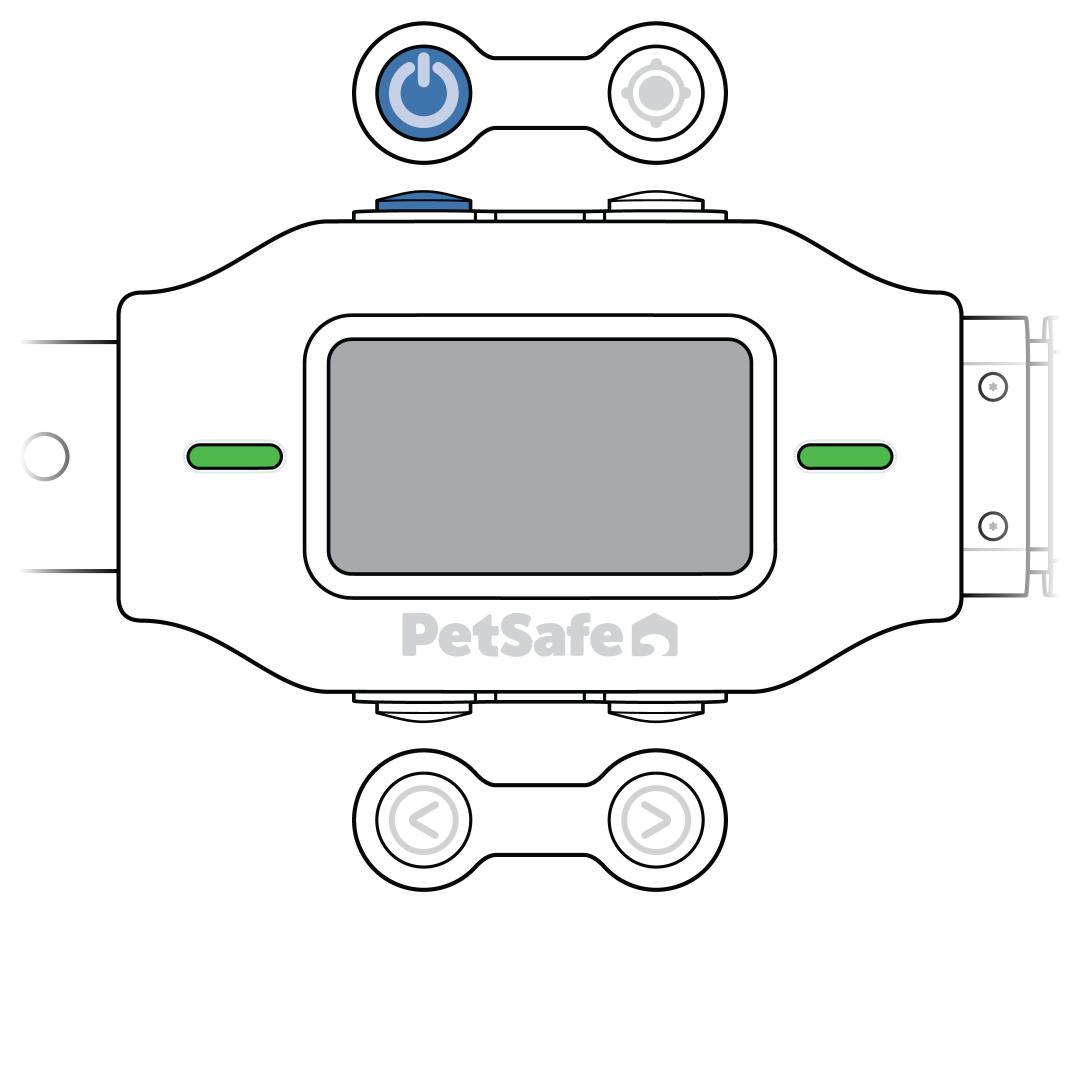
Press and release the power button to turn the collar on. The collar tones, vibrates once and flashes green to confirm power.
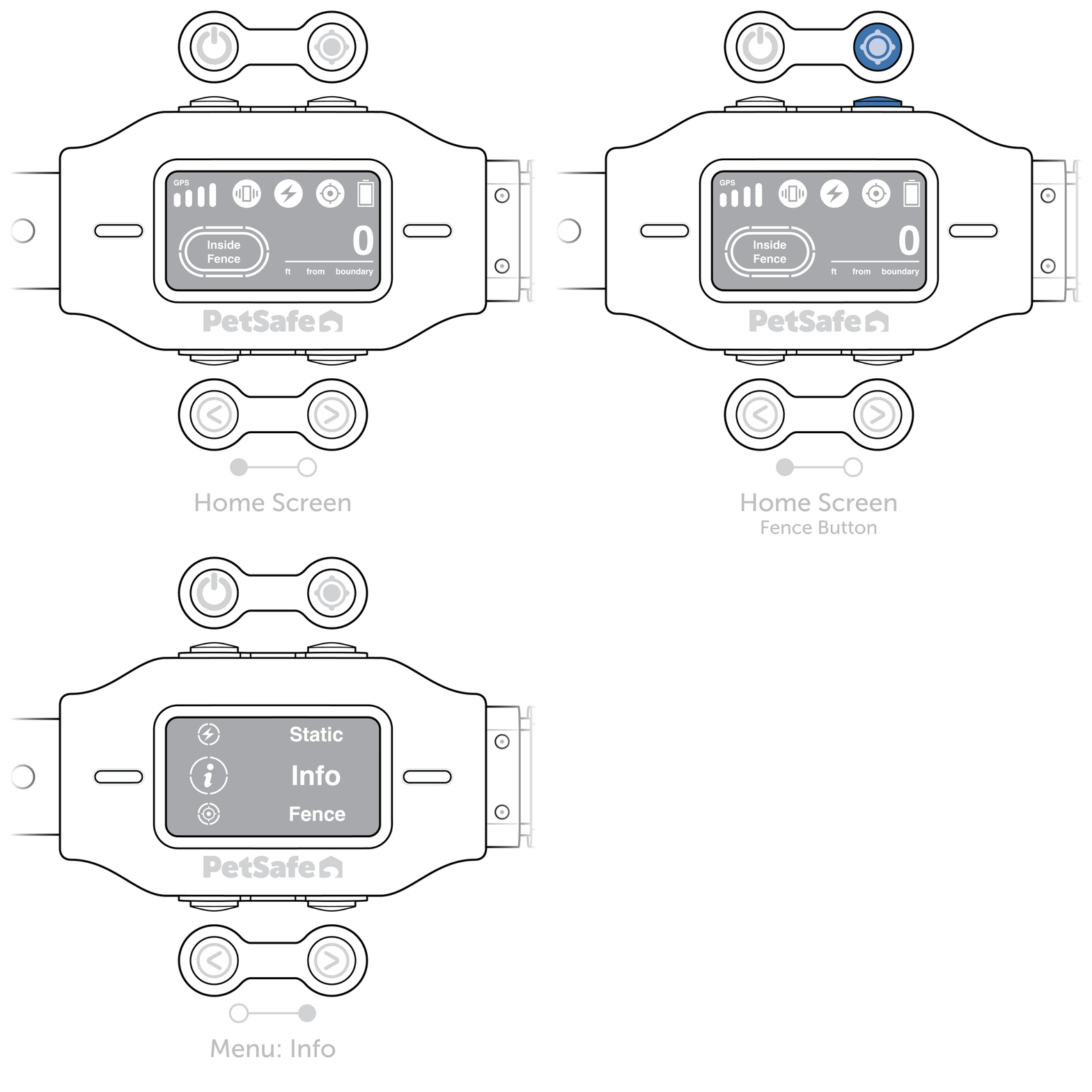
From the home screen, press and hold the fence button for 2 seconds until the settings screen appears.
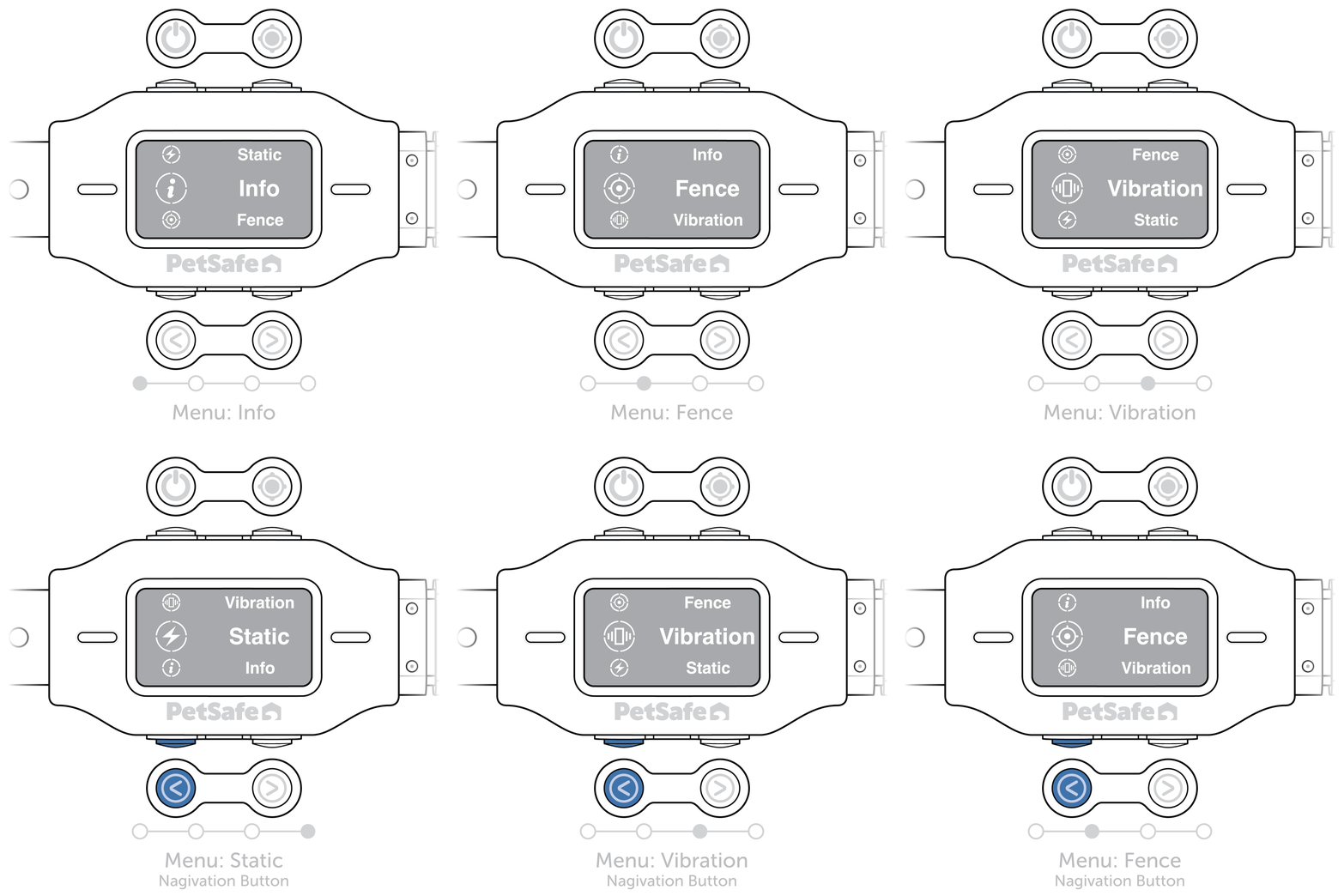
Use the navigation buttons to scroll through the menu options until you reach “Vibration” or “Static”.
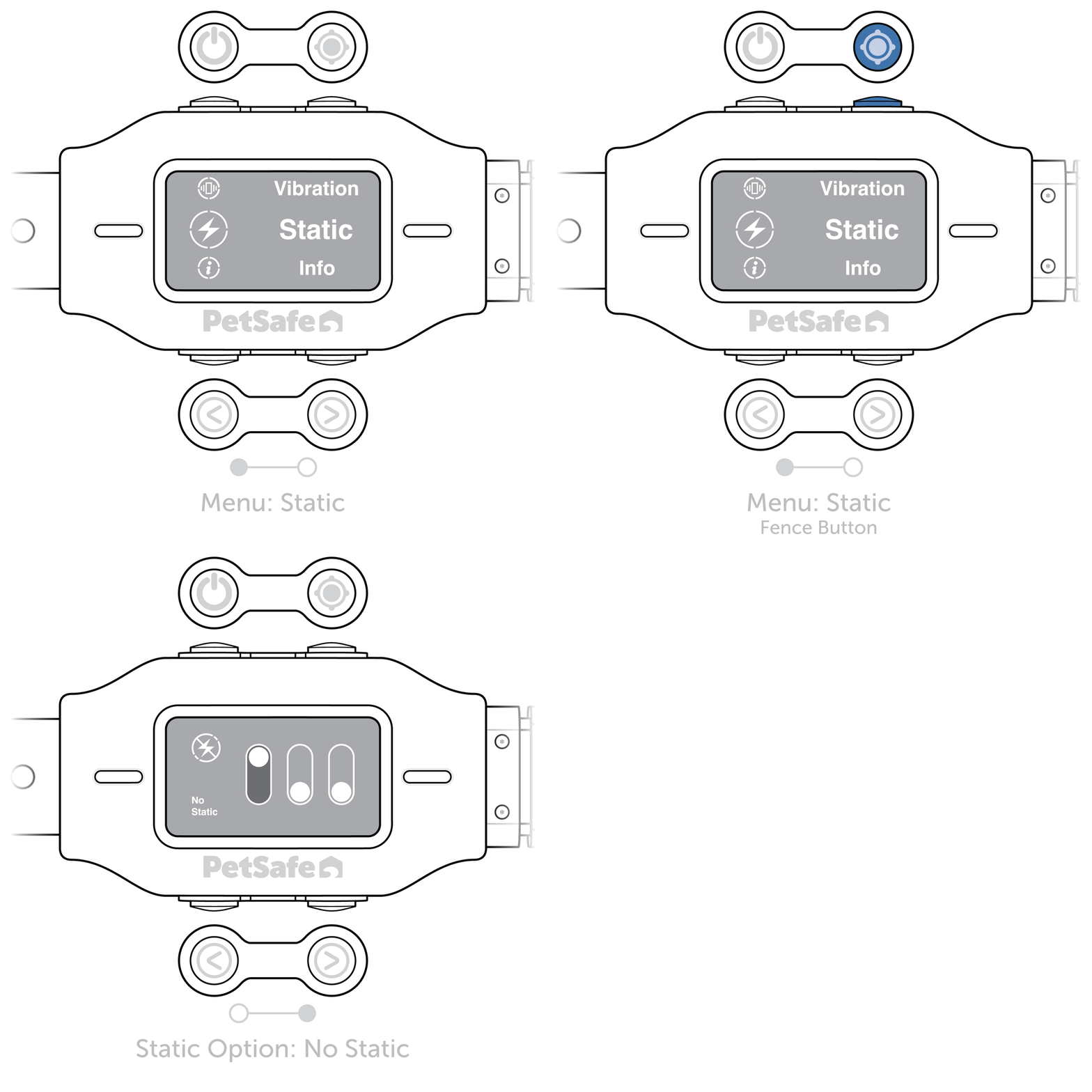
Press and release the fence button once to select your desired correction.
Use the navigation buttons to scroll through the 3 strength options (0, 1 and 2).
- The slider moves up on the option you select to indicate the selected strength.
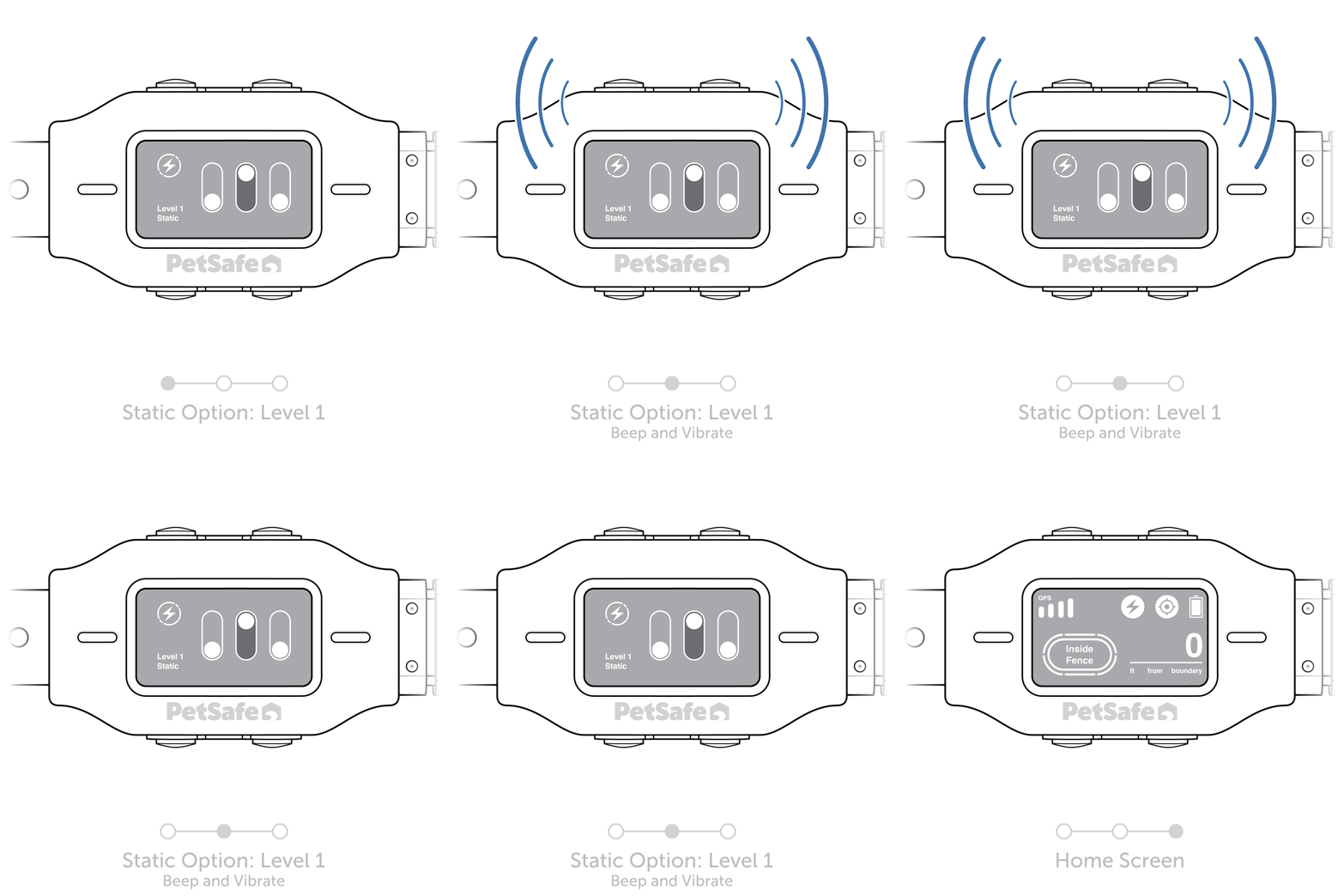
Press the fence button to confirm your setting.
- The collar beeps and vibrates, then returns to the home screen.
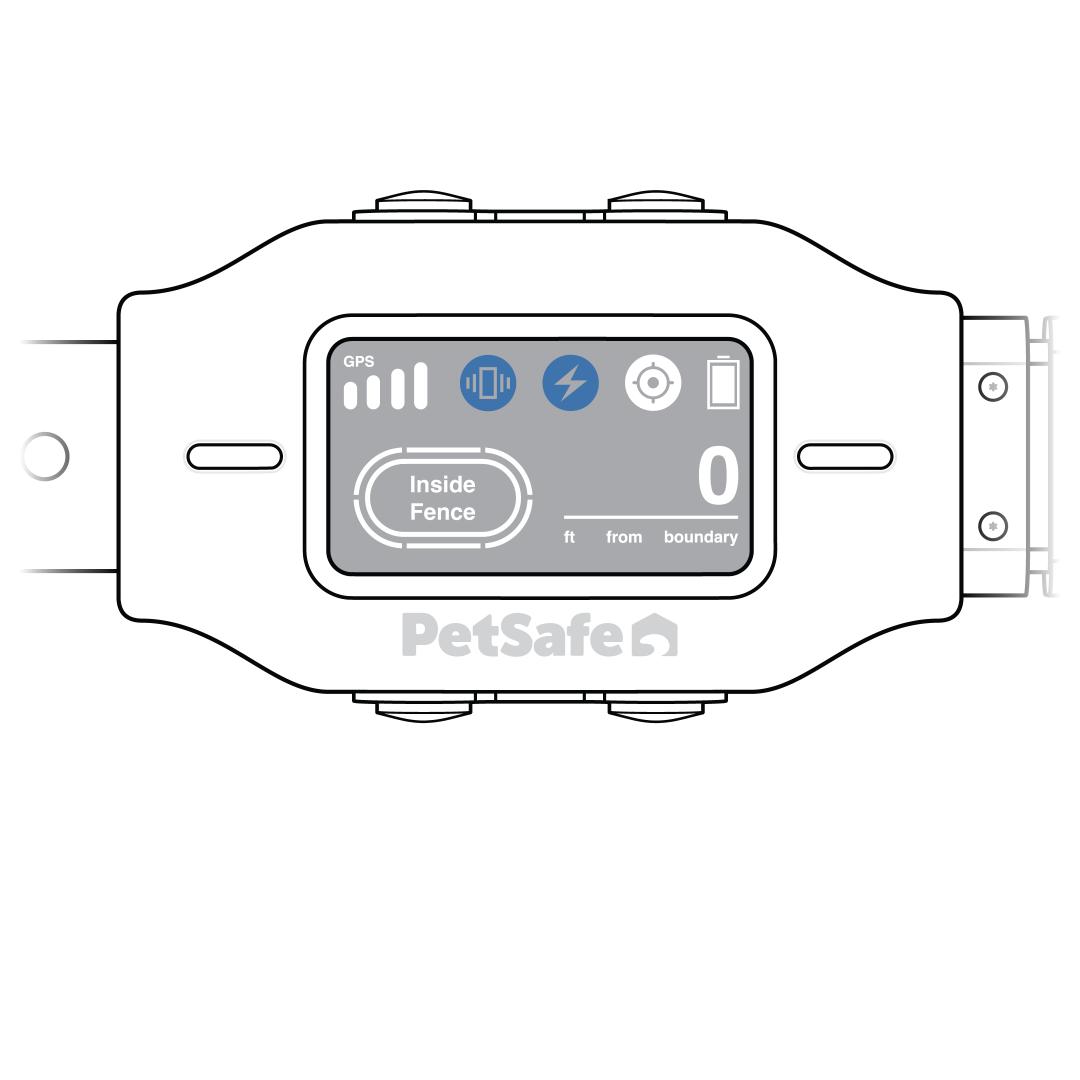
Verify the icons at the top of the home screen show the selected correction.
- Vibration only: The purple vibration icon displays next to the GPS signal strength.
- Static only: The red static correction icon displays next to the GPS signal strength.
- Vibration and static: Both icons display next to the GPS signal strength.