How To Attach and Remove My PetSafe® GPS Dog Tracker From a Collar or Harness
Important Information
The Tracker should have a secure fit that does not allow the Tracker to slide. The Tracker is designed for collars and harnesses up to 1-inch (2.5 cm) wide. Widths over 1” are insecure and may cause the Tracker to fall off.
Attach the Tracker to a Strap
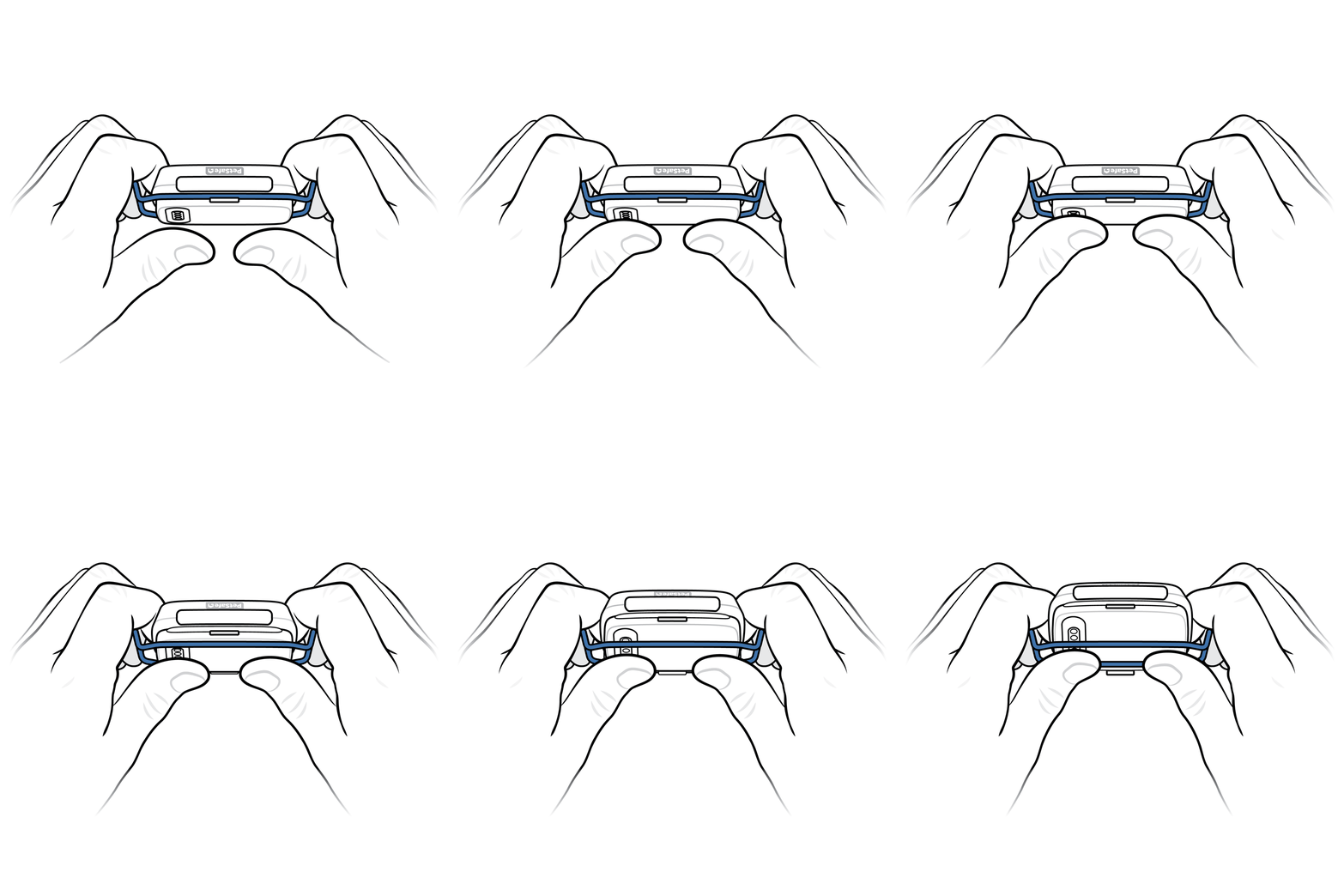
Hold the Tracker with both hands by the metal clip, with the front facing away from you.
- The curved metal clip is on the back of the Tracker and opens and closes around the collar or harness strap to hold the Tracker in place.
Press your thumbs on the back of the Tracker to open the metal clip.
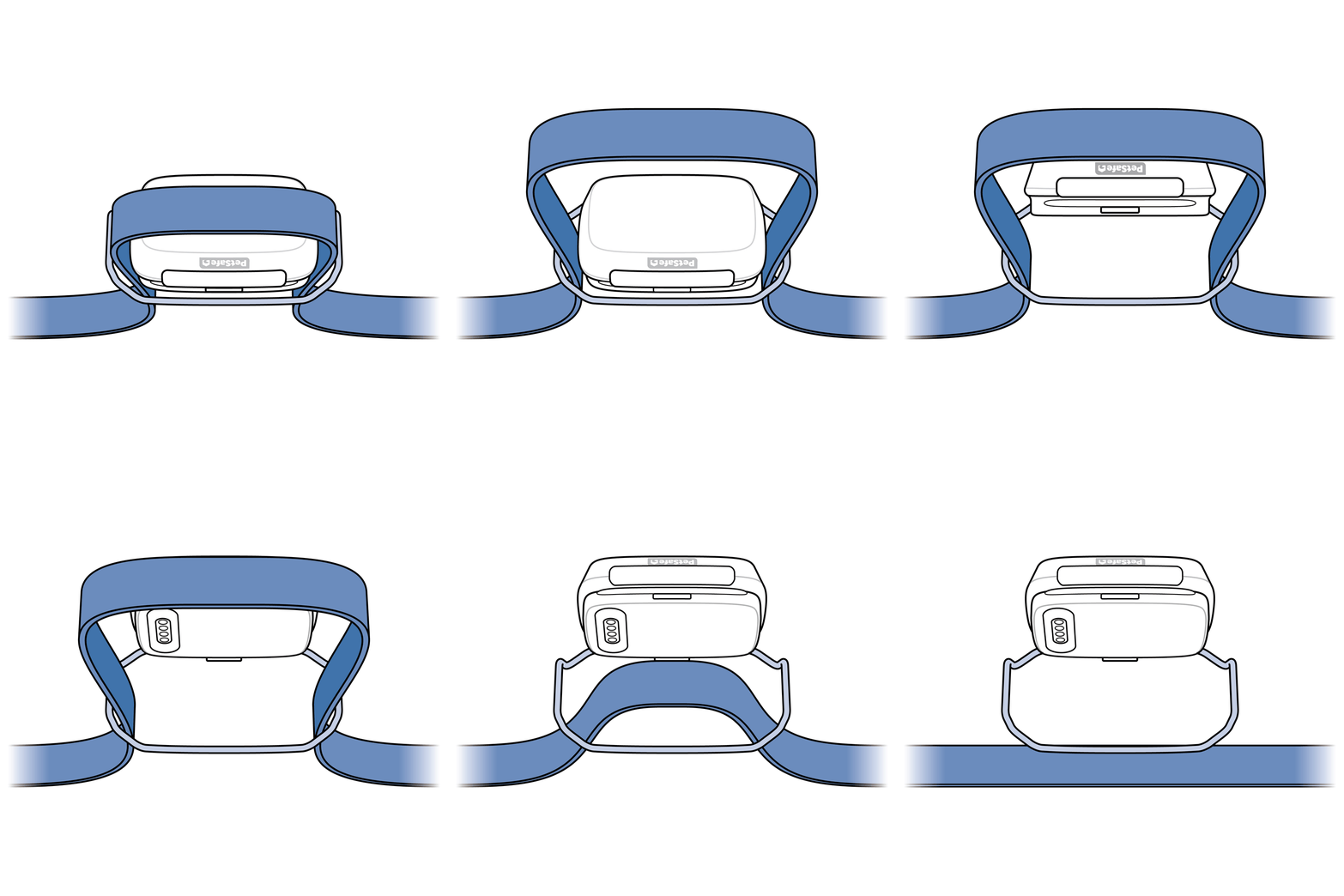
Pull the strap through the metal clip from underneath to create a U-shape, then pull the strap up over the top of the Tracker.
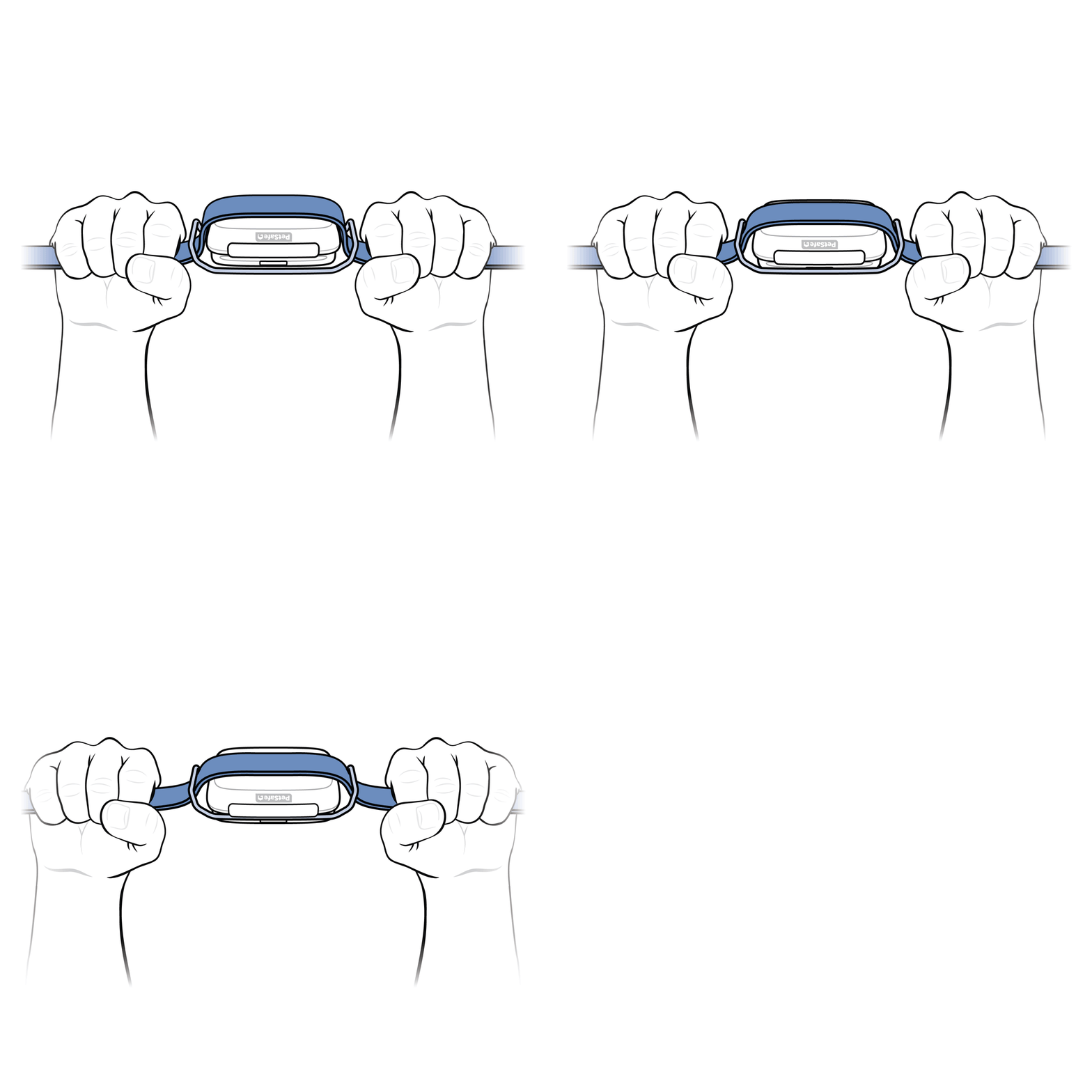
With the strap flat on the front of the Tracker, pull both sides outward until the metal clip snaps closed.
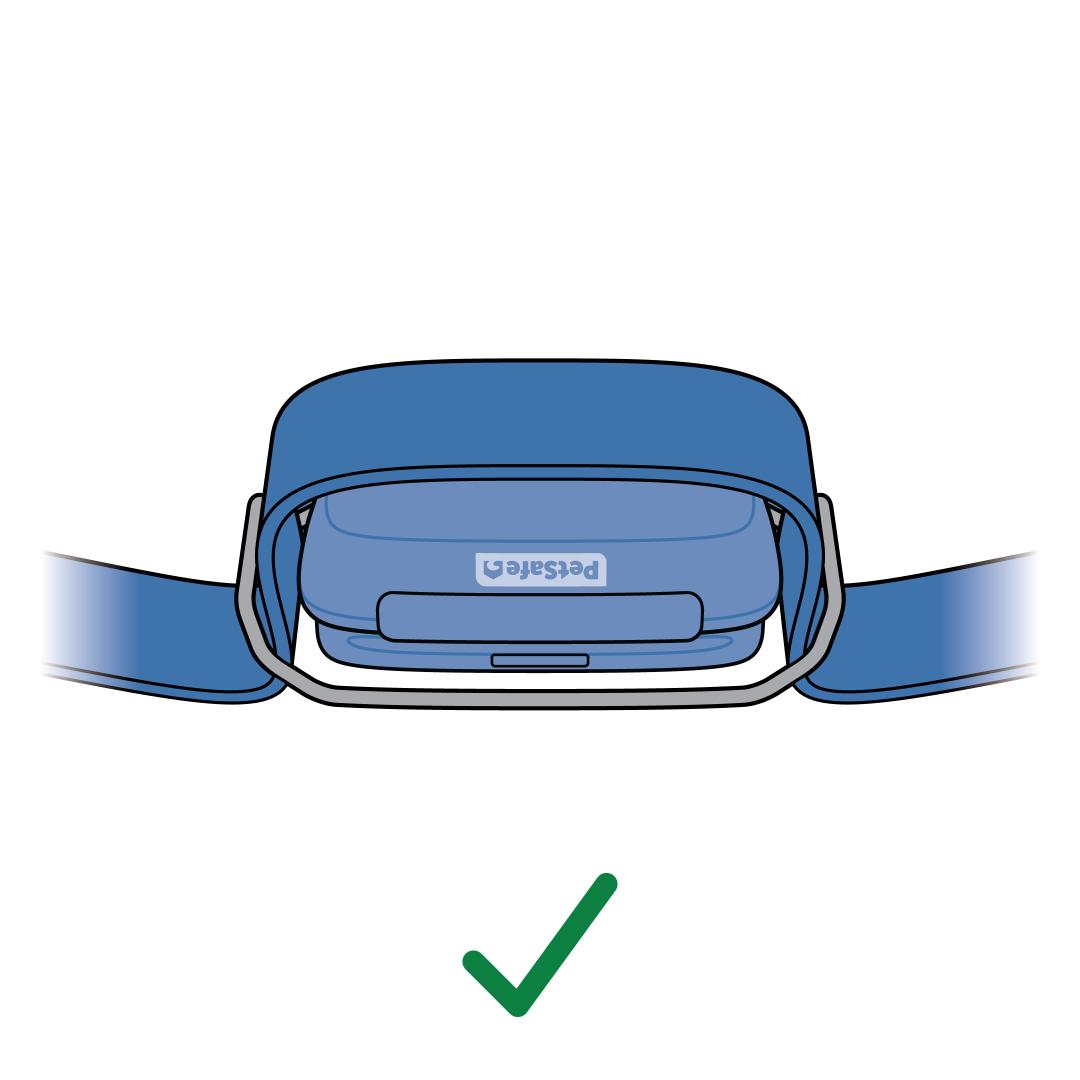
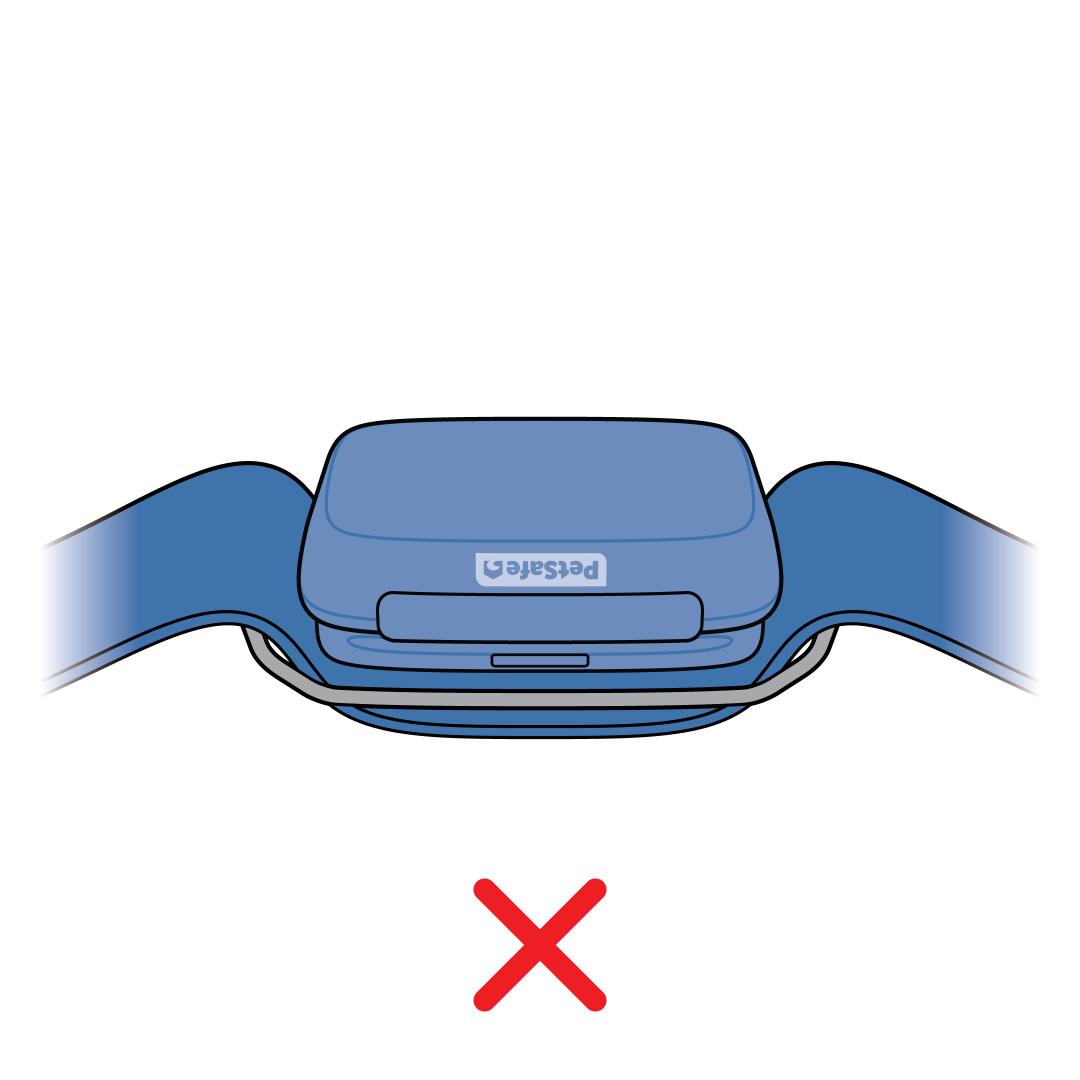
Confirm that the Tracker is attached correctly.
- The strap should cover the front of the tracker.
- The charging contacts should still be visible and not covered by the strap.
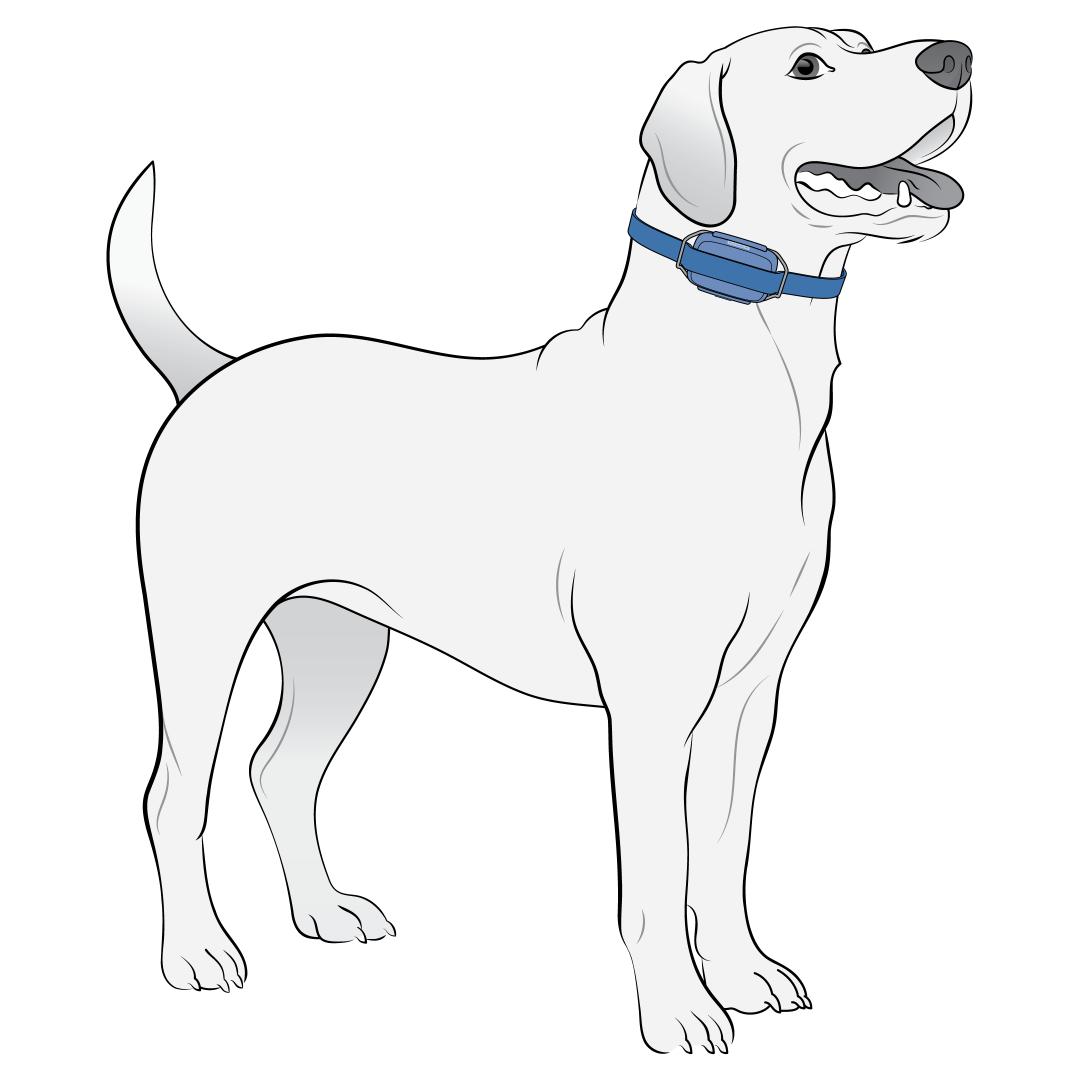
Place the collar or harness on your dog, ensuring you can fit one finger between the strap and your dog.
Remove the Tracker From a Strap
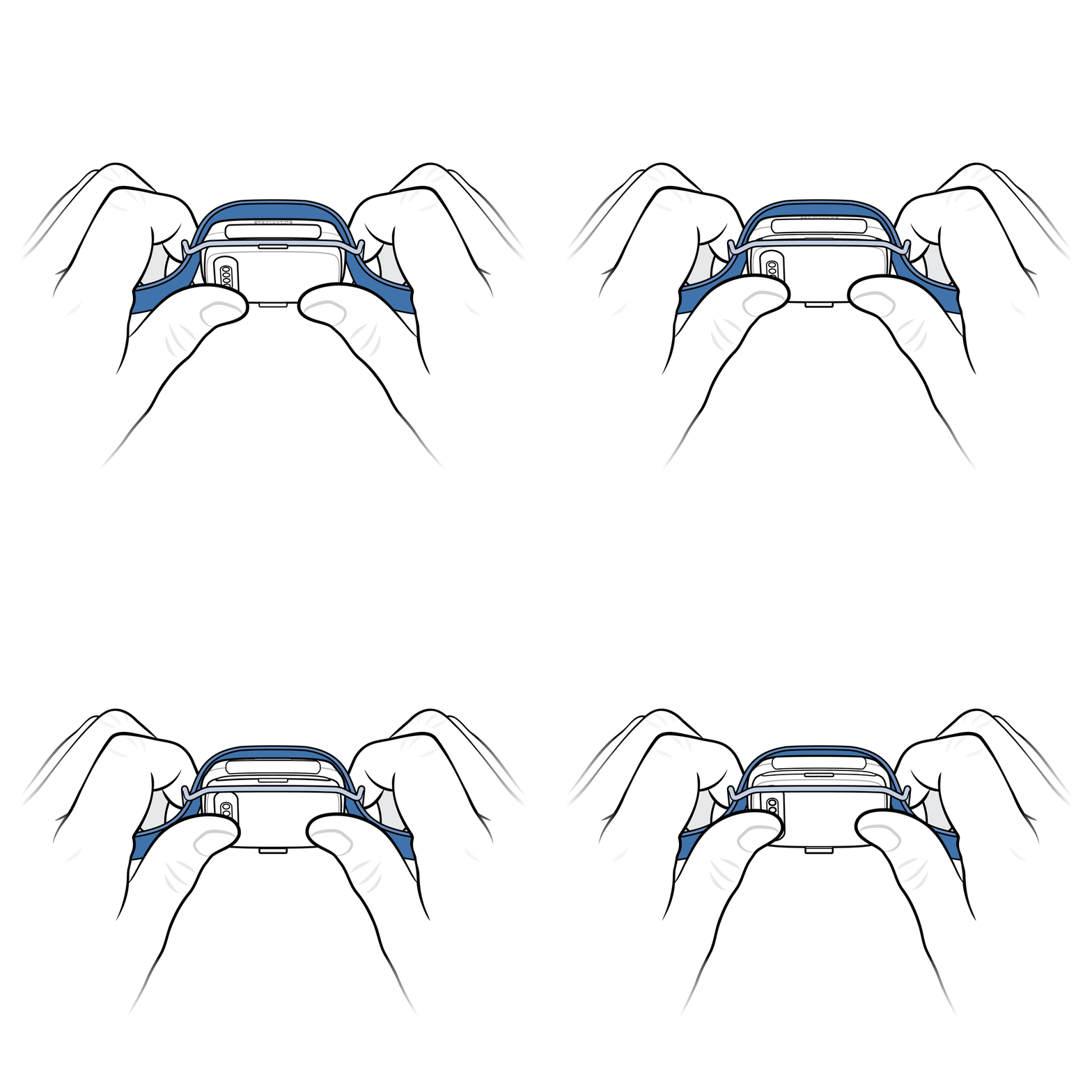
Hold the Tracker with both hands by the metal clip, front facing away from you.
- The metal clip is the curved piece on the back of the Tracker that opens and closes around the collar or harness strap to hold the Tracker in place.
Press your thumbs firmly on the back of the Tracker to open the metal clip.
Pull the strap out from above the Tracker and out from the metal clip.